■■■■■■■■■■■■■■■■■■■■■■
6 Operation
900 Touch Control
■■■■■■■■
21
[0…9] Numbers and mathematical characters are dis-
played.
[Special charac-
ters]
Special characters are displayed. You can use the
button [More] to navigate through all available
characters.
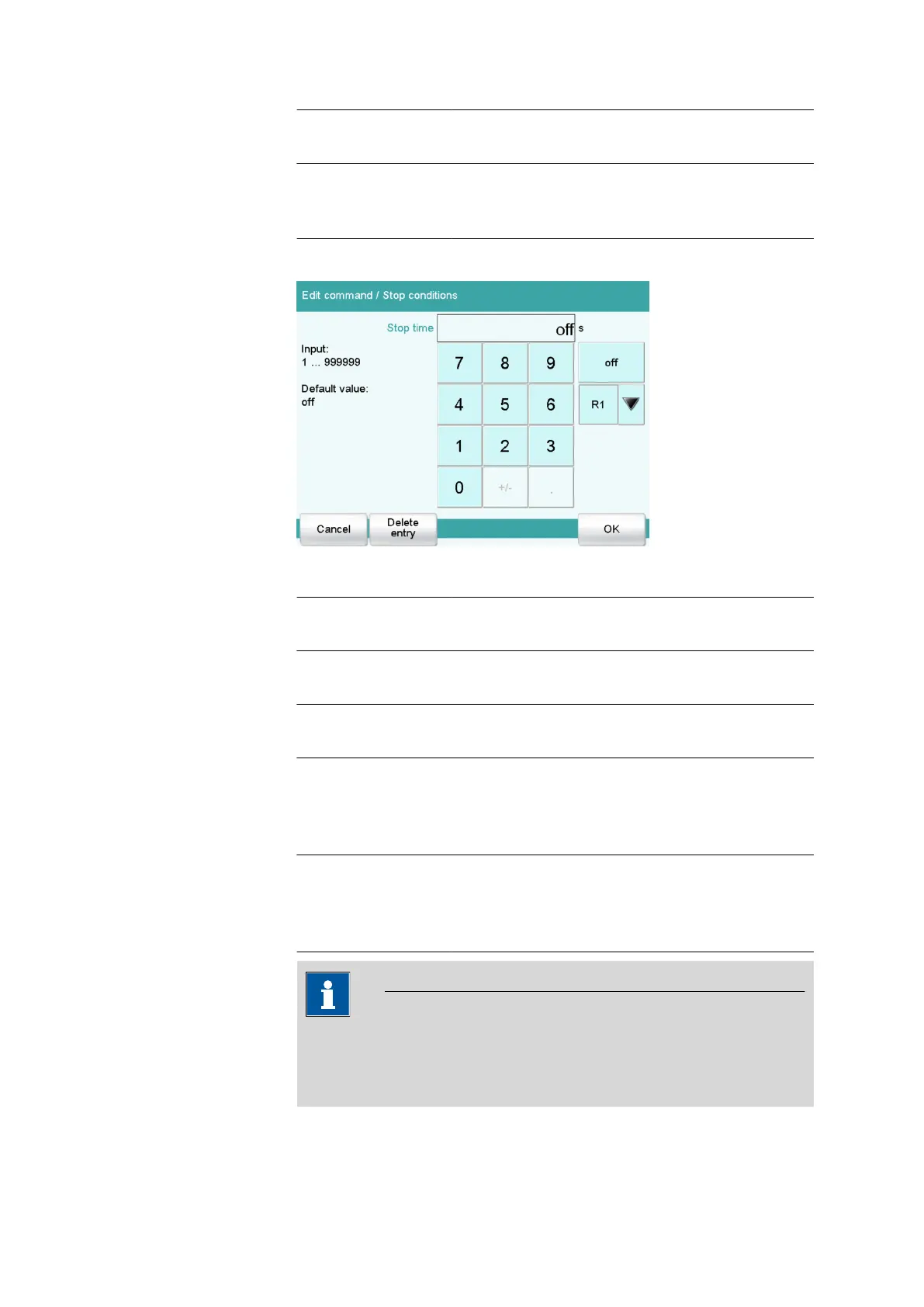
Number editor
Table 5 Editing functions
[OK] The modification is applied and the editing dialog
is exited.
[Cancel] The editing dialog is exited without applying the
modification.
[Delete entry] The content of the input field is deleted com-
pletely.
[off] If not only numbers but also special values (e.g.,
off) can be entered, then the corresponding but-
tons will be shown to the right of the numerical
keypad.
[R1] For many parameters, a result previously defined
in the method can also be entered in place of a
number (see chapter 32.6, page 496). You can
select the result variable by touching [R1].
NOTICE
A commercially available USB keyboard can be connected to make it
easier for text and numerical input. The key assignment is described in
chapter 11.10, page 117.















 To Next Page