32.10 Diagnosis
■■■■■■■■■■■■■■■■■■■■■■
524
■■■■■■■■
900 Touch Control
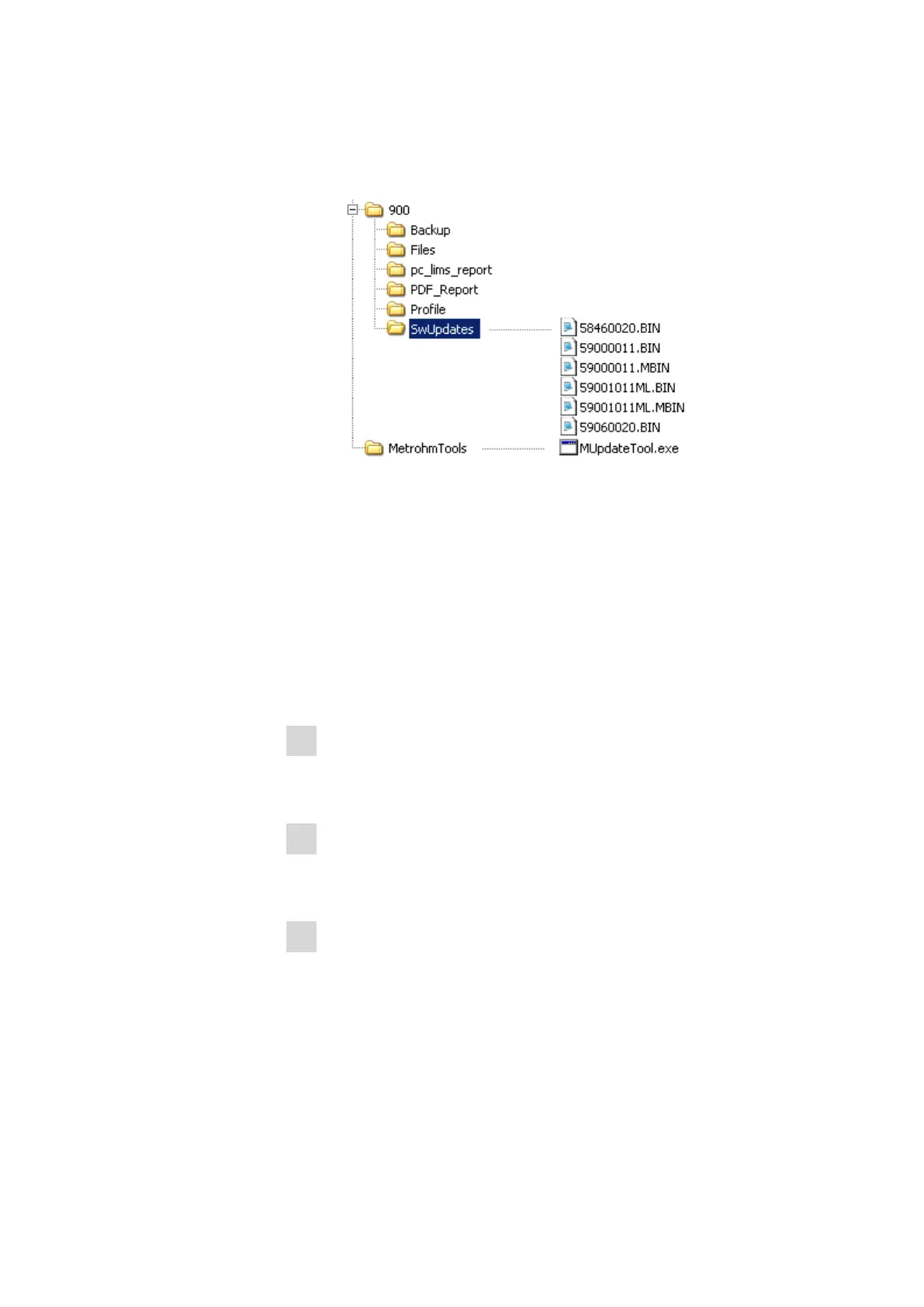
■ Copy also the "MetrohmTools" folder with the "MUpdate-
Tool.exe" file to the external storage medium.
Make sure that the file is stored at the top level of the external
storage medium. This also applies to the "900" folder.
For the software update to version 5.900.0043, an addi-
tional folder that is on the same level as MetrohmTools
with the name SRVPRF900 containing the file
St900_SrPrf.cfg is required.
If this structure is not maintained, then the files will not be found,
because the directories are accessed directly during the update
process.
■ Plug in the external storage medium at the Touch Control.
2
Opening the update dialog
■ Under System ▶ Diagnosis, tap on the button Software
update.
3
Selecting the instrument
■ Tap on the Control device list box and select the instrument to
be updated.
4
Selecting the file
■ Tap on the Binary file list box.
The selection list with the BIN files saved in the "SwUpdates"
directory is opened.
■ Select the required file.
■ Tap on [Select].
■ Update of the Touch Control: Continue with Step 5.
Update of the control instrument: Continue with Step 6.















 To Next Page