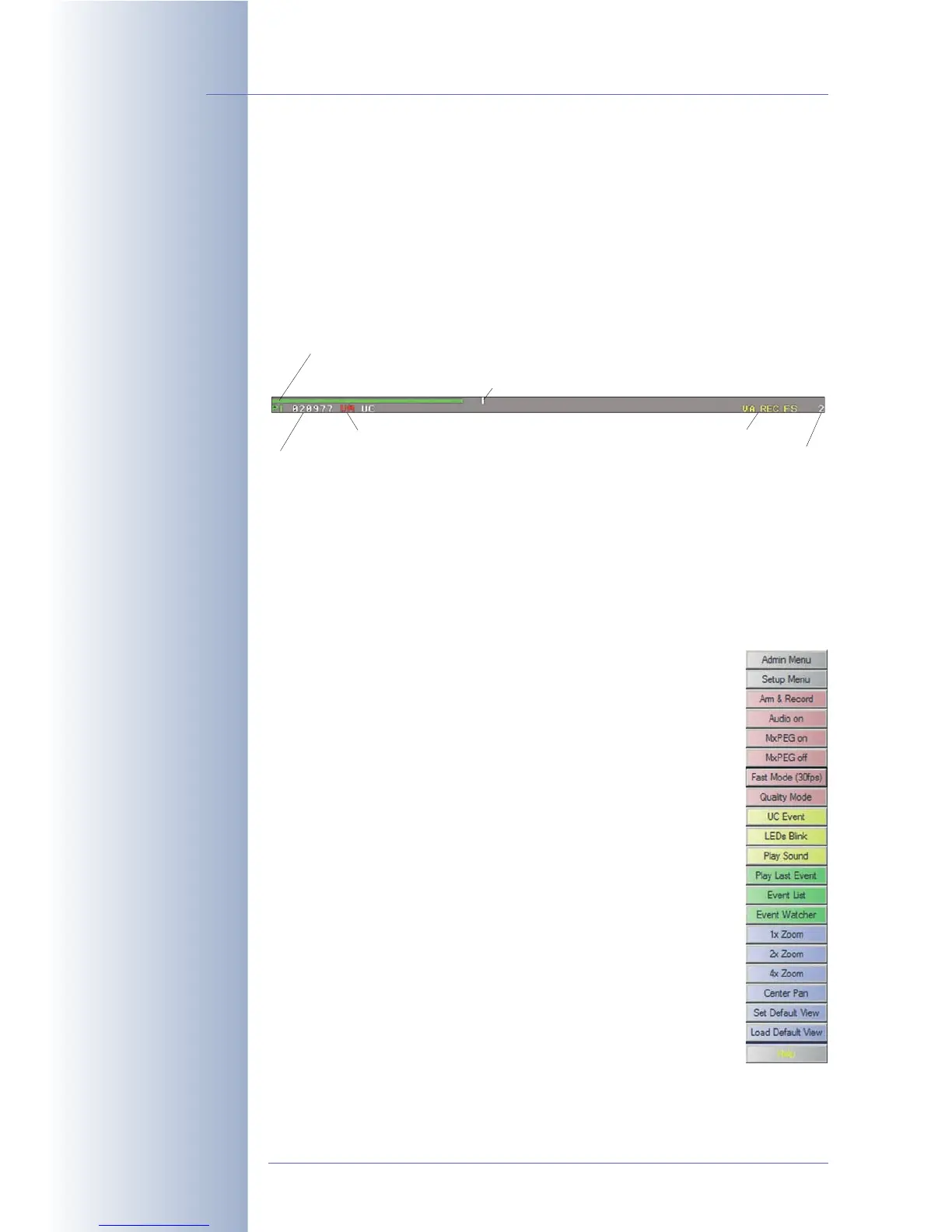
Status Bar
The event status bar at the bottom of the live image displays the event control and
the recording status, the number of stored events (alarms) as well as other mes-
sages (e.g. when actions or messages cannot be executed). Like the regular text,
the event status bar can also be hidden (Setup Menu > Text and Display Set-
tings). For additional information on this topic (camera symbols and the corre-
sponding events, actions, messages and recording modes), see the camera help
and the reference manual.
Softbuttons
The softbuttons on the left side of the Live, Player and MultiView screens allow
executing various camera functions and configuration tasks with one click. These
buttons can be adapted to execute customized functions and to show different
button background colors. For your convenience, the factory configuration of the
user interface displays several preset softbuttons. For additional infor-
mation on this topic, see chapter 4.9,
Configuring the Softbuttons
.
• Admin Menu: Clicking this button will open the administration
menu, which controls the settings for Ethernet, ISDN, FTP, e-
mail, external ring buffer (file server), the serial interface
(RS232), telephony and other hardware parameters. This
screen is only accessible for users, which belong to the
admins user group.
Note: You can remove the Admin Menu button ([Shift]-click the
softbutton); after that, accessing the Admin menu is only possi-
ble using the direct link: http://10.1.0.99/admin.
• Setup Menu: This menu allows changing the recording
parameters, the image settings and the event control settings,
e.g. activating events or assigning actions and messages to
events takes place in the dialogs of this menu.
Note: You can remove the Setup Menu button ([Shift]-click the
softbutton); after that, accessing the Admin menu is only possi-
ble using the direct link: http://10.1.0.99/control.
© MOBOTIX AG • Security-Vision-Systems • Made in Germany
www.mobotix.com • sales@mobotix.com • 10.10.2006
16/288
Software Camera Manual Part 2
Event Symbols:
UC: User Click
VM: Video motion
detection
Action Symbols:
VA: Visual Alarm
REC: Recording
FS: File Server
FT: FTP file transfer
Softbuttons can be custo-
mized to execute specific
functions.
Administration menu:
User name: admin
Password: meinsm
Level meter with current Passive Infrared (PI) sensor value
Number of last event
Enabled events (red = currently active)
Enabled actions (yellow)
Remaining event deadtime
Trigger value for creating an event



 To Next Page