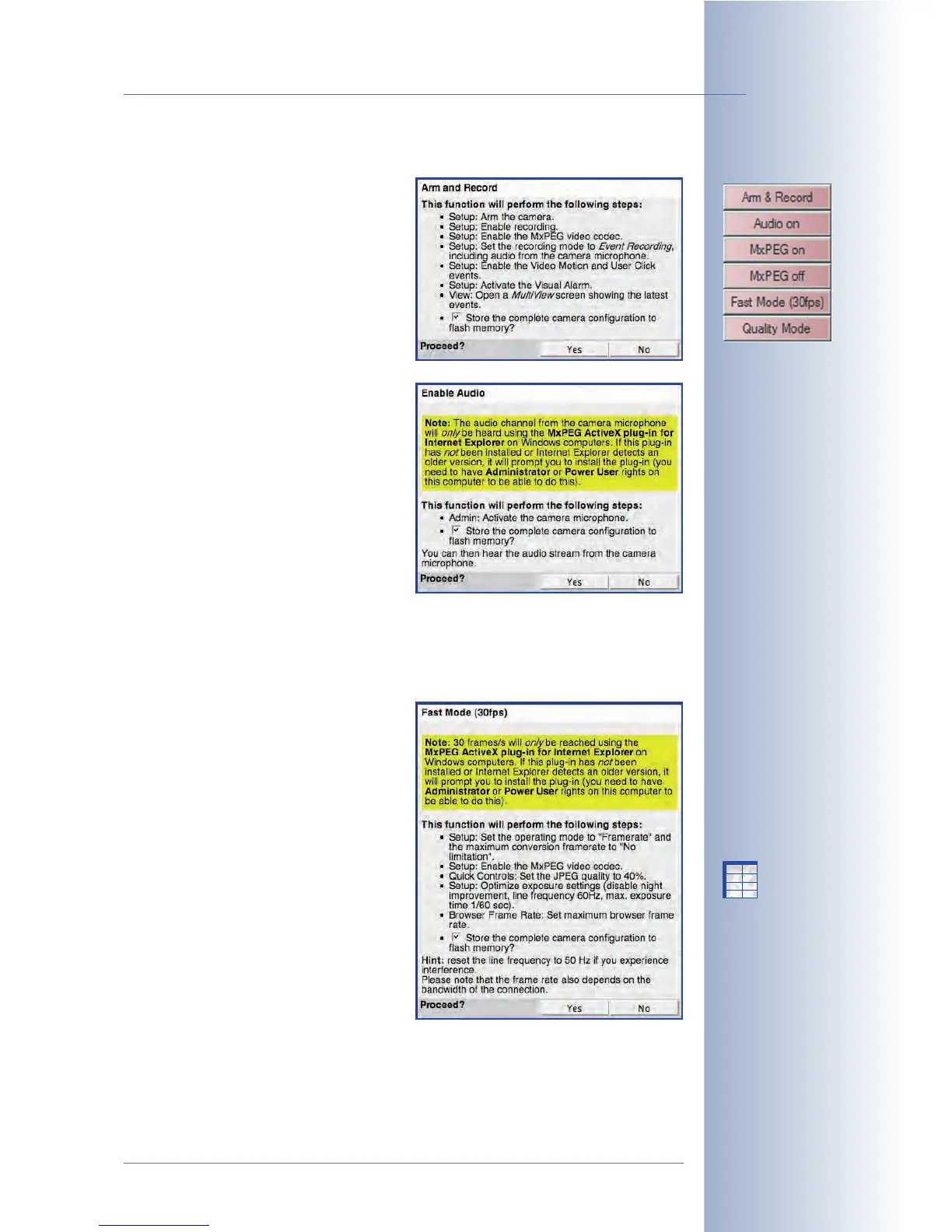
Expanded Softbuttons
• Arm & Record: This button opens
the Arm and Record dialog. Click-
ing on the Yes button will set the
most important parameters that
are required to arm the camera
and to record the alarm images.
The dialog itself contains a list of
the settings that will be changed.
• Audio on: This button opens the
Enable Audio dialog. Clicking on
the Yes button will set the parame-
ters that are required to transmit
the sound from the camera micro-
phone to the browser. You will
then hear the audio channel of the
camera microphone on your PC
speaker.
Note: This feature is only available
when using an ActiveX-capable
browser (Internet Explorer under
Windows).
• MxPEG on and MxPEG off: These buttons activate the MxPEG codec (
MxPEG
on
) or the JPEG codec (
MxPEG off
) for generating images. For additional infor-
mation on this topic, see sections 4.3.5 and 4.3.6 of this manual.
• Fast Mode (30 fps): This button
opens the Fast Mode (30fps) dia-
log. Clicking on the Yes button will
set the parameters that are
required to obtain the fastest pos-
sible frame rate in the browser
window, while maintaining an
acceptable image quality. The dia-
log itself contains a list of the set-
tings that will be changed.
This dialog may contain other
steps as shown here, e.g. if the
ActiveX plug-in has already been
installed.
© MOBOTIX AG • Security-Vision-Systems • Made in Germany
www.mobotix.com • sales@mobotix.com • 10.10.2006
17/288
Software Camera Manual Part 2
Expanded softbuttons:
Activate audio:
Sound in the browser only
when using Internet Ex-
plorer on Windows and
with installed MxPEG
ActiveX plug-in
Fast video streaming:
Preferably using Internet
Explorer on Windows and
with installed MxPEG
ActiveX plug-in
X
X
-
-
-
-
X
X
Kamerafunktionen
Kameramodell



 To Next Page