Server Settings (Windows Computer)
• Step 1: Log onto the Windows computer with administrator rights.
• Step 2: Create a new
local
user and set a password (e.g. mxcam). The cam-
era will use this user name later on to log onto the Windows computer.
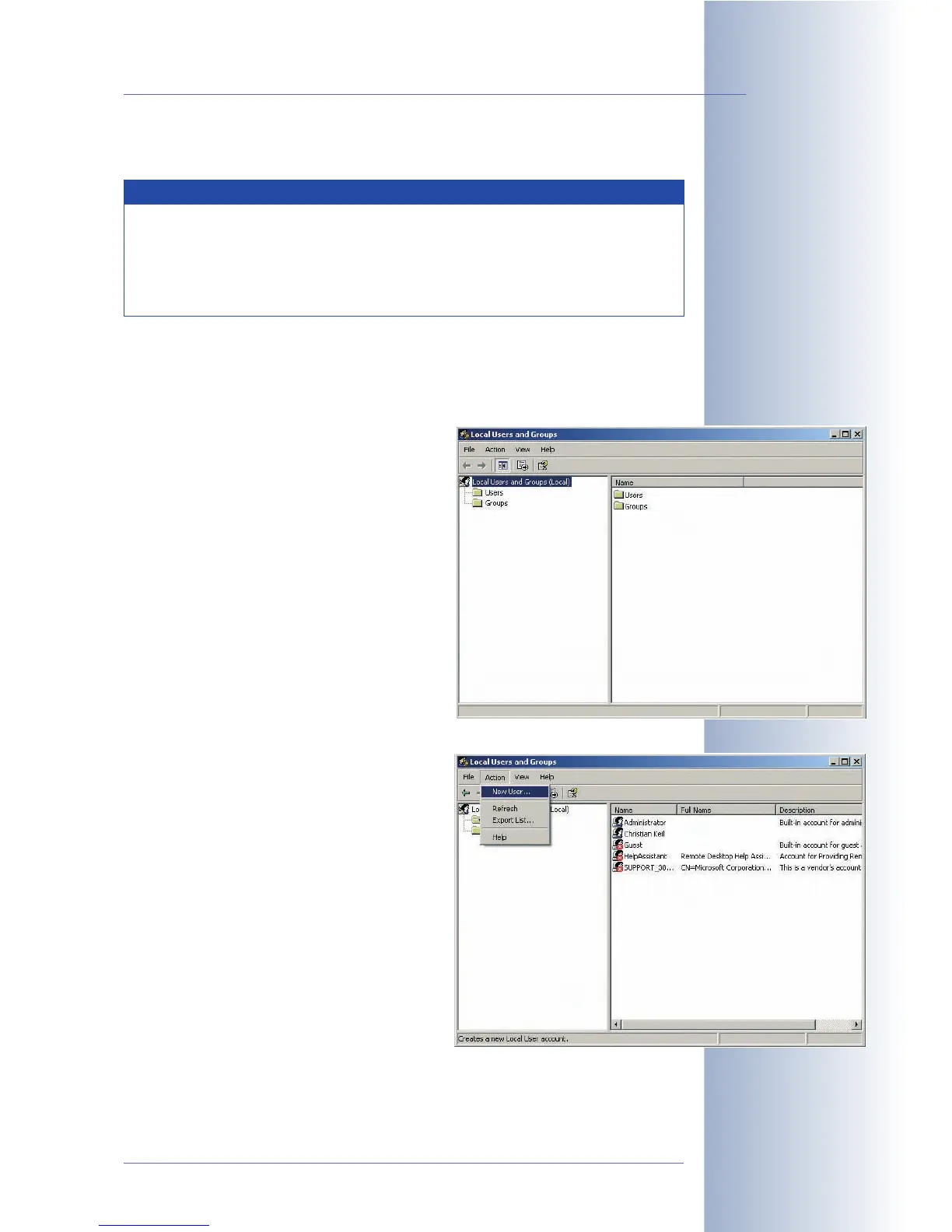
- Open Start > Run and enter
lusrmgr.msc. Click on OK to open
the Windows Management Console
for managing local users (see also
Control Panel > Management >
Computer Management > Local Us-
ers and Groups).
- Select the User item in the left panel.
- Click on Action > New User.
© MOBOTIX AG • Security-Vision-Systems • Made in Germany
www.mobotix.com • sales@mobotix.com • 10.10.2006
223/288
Software Camera Manual Part 2
Note
Make sure that the latest service packs and security patches have
been applied to the Windows file server. Some older Windows server
versions can only store a maximum of about 800,000 events. This er-
ror in the operating system has been fixed with the current service
packs.
Procedure



 To Next Page