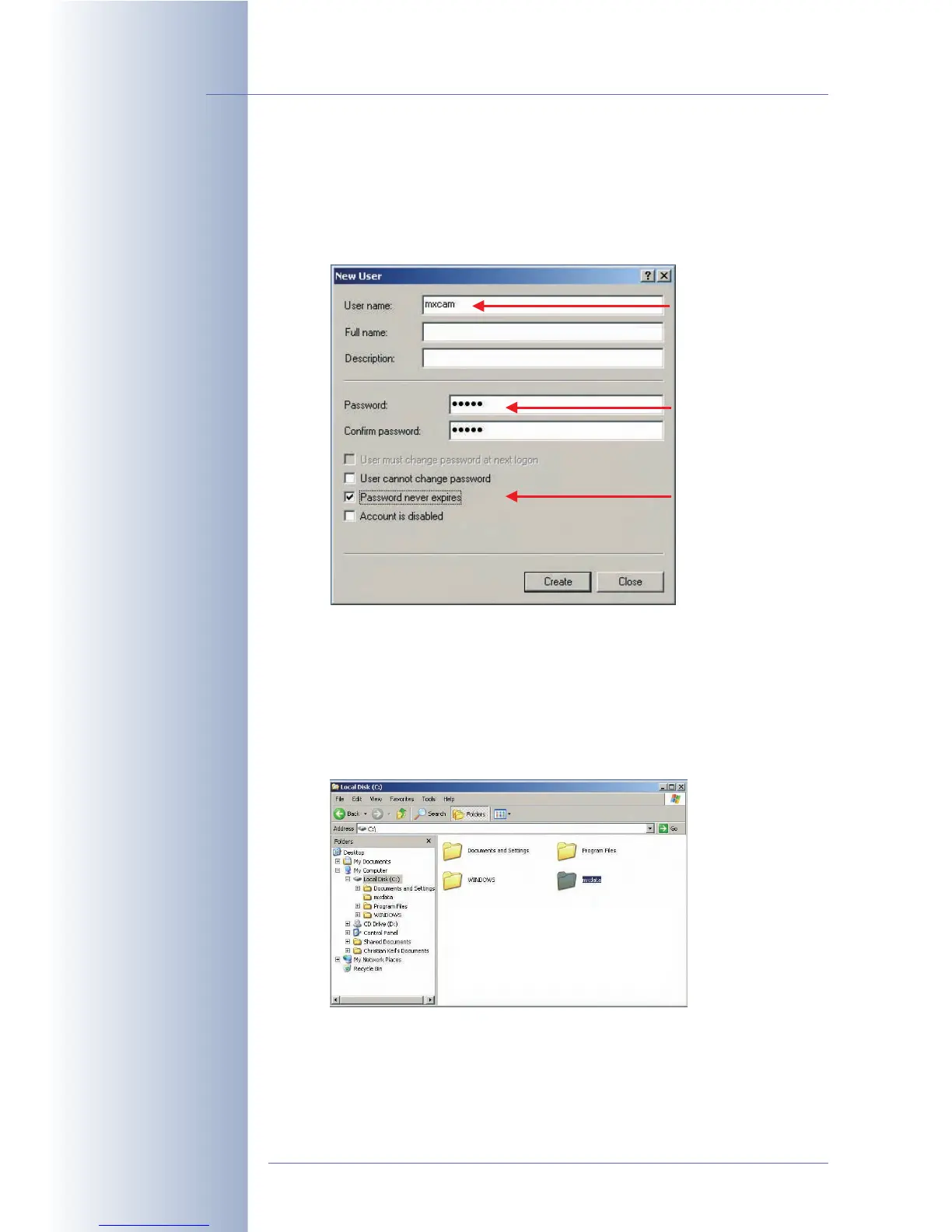
- Enter a new user name (e.g. mxcam).
- Set a Password (e.g. mxcam) and enter the same password in Confirm
password.
- Deactivate the User must change password at next logon checkbox.
- Activate the Password never expires option.
• Step 3: Make sure that Simple file sharing is not used:
- Open Start > Control Panel > Folder Options > View (tab).
- Deactivate the Use simple file sharing option (recommended, if present).
- Close the dialog by clicking on OK.
• Step 4: Create a new folder with a name of your choice (e.g. mxdata).
© MOBOTIX AG • Security-Vision-Systems • Made in Germany
www.mobotix.com • sales@mobotix.com • 10.10.2006
224/288
Software Camera Manual Part 2
Activate the "Password
never expires" option
Disable the "Use simple
file sharing" option
Caution: Enter
exactly the same
user name (mxcam)
and password (e.g.
mxcam) in the
camera dialog!
Activate
Rename "New Folder" to
"mxdata", for example



 To Next Page