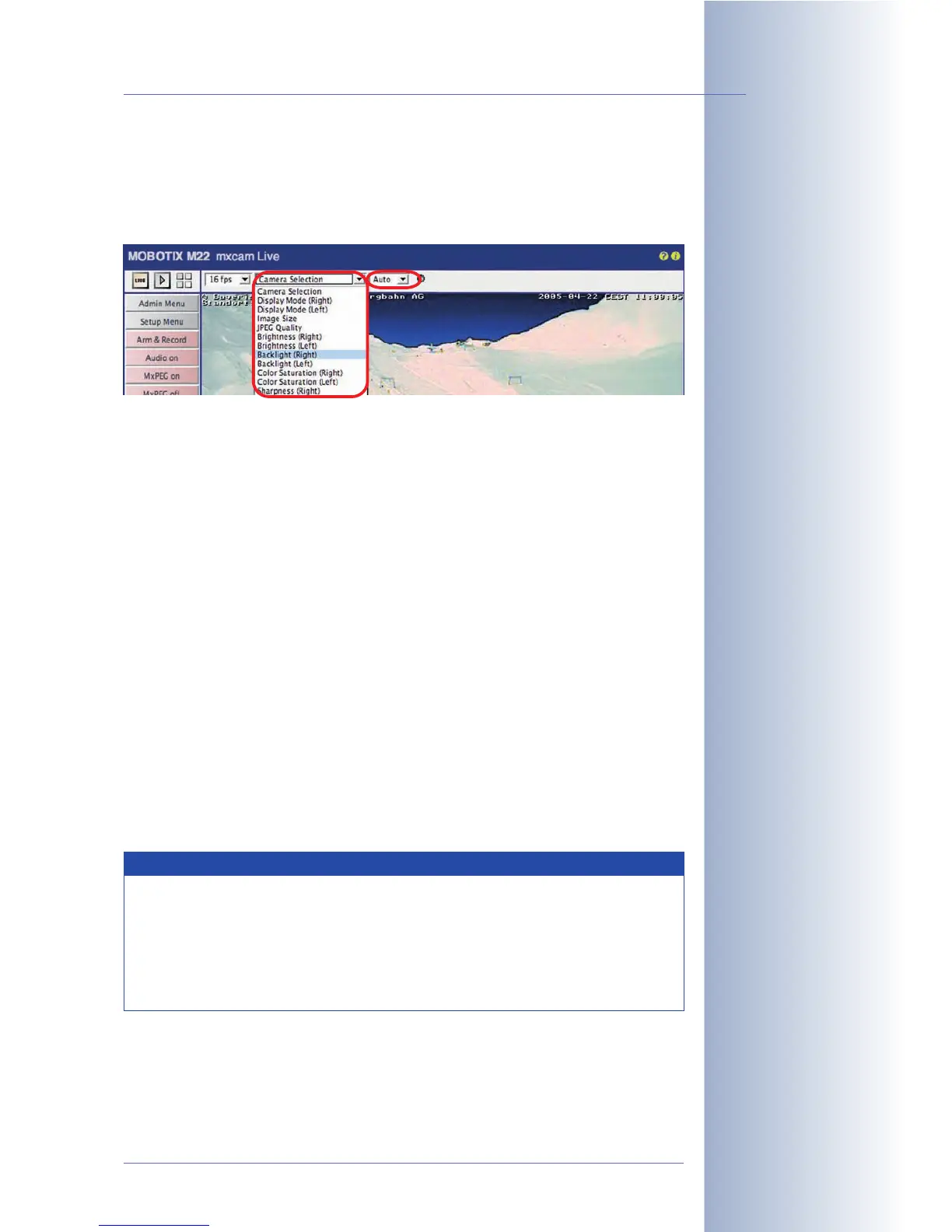
Quick Controls
Using the Quick Controls above the live image, you can set the most important
image parameters of the MOBOTIX camera. These settings can also be changed in
the Setup Menu.
Browser frame rate
Use this dropdown list to set the rate for updating the live image in the browser.
Note that this setting does not have any influence on the internal image conversion
and storage rates (internal or external ring buffer).
Quick Controls, image settings
These controls comprise the most important image settings. Select the setting you
would like to change in the left pull-down menu (e.g.
Camera Selection
on Dual ca-
meras), then change the parameter in the Set Quick Control value dropdown list
(e.g.
Right
,
Left
,
Both
,
RiL
,
LiR
,
Auto
).
The Quick Controls also allow setting the desired values for resolution and display
mode, JPEG quality, brightness, backlight, color saturation, exposure windows,
zoom control and the browser mode (server push, JScript, Java, ActiveX).
Use the Manage Settings item to store the current settings in the Flash memory
(
Store Complete Configuration
), to load the factory defaults (
Load Image Factory
Defaults
) or to restore the settings last stored to flash memory (
Restore Image Set-
tings
).
For additional information on this topic, see sections 4.3.2,
Image Settings
, and 5.5,
Image Controls
.
© MOBOTIX AG • Security-Vision-Systems • Made in Germany
www.mobotix.com • sales@mobotix.com • 10.10.2006
21/288
Software Camera Manual Part 2
Quick Controls provide
fast access to often-used
image settings
Deactivating Quick Con-
trols: Admin Menu> Lang-
uage and Entry Page
Note
If you have changed image settings using the Quick Controls, you
should also save the changes permanently to the MOBOTIX camera's
flash so that the new settings are reloaded after the next reboot (Quick
Control Manage Settings > Store Complete Configuration). Make
sure that you are a member of the admins group to excute this
function.



 To Next Page