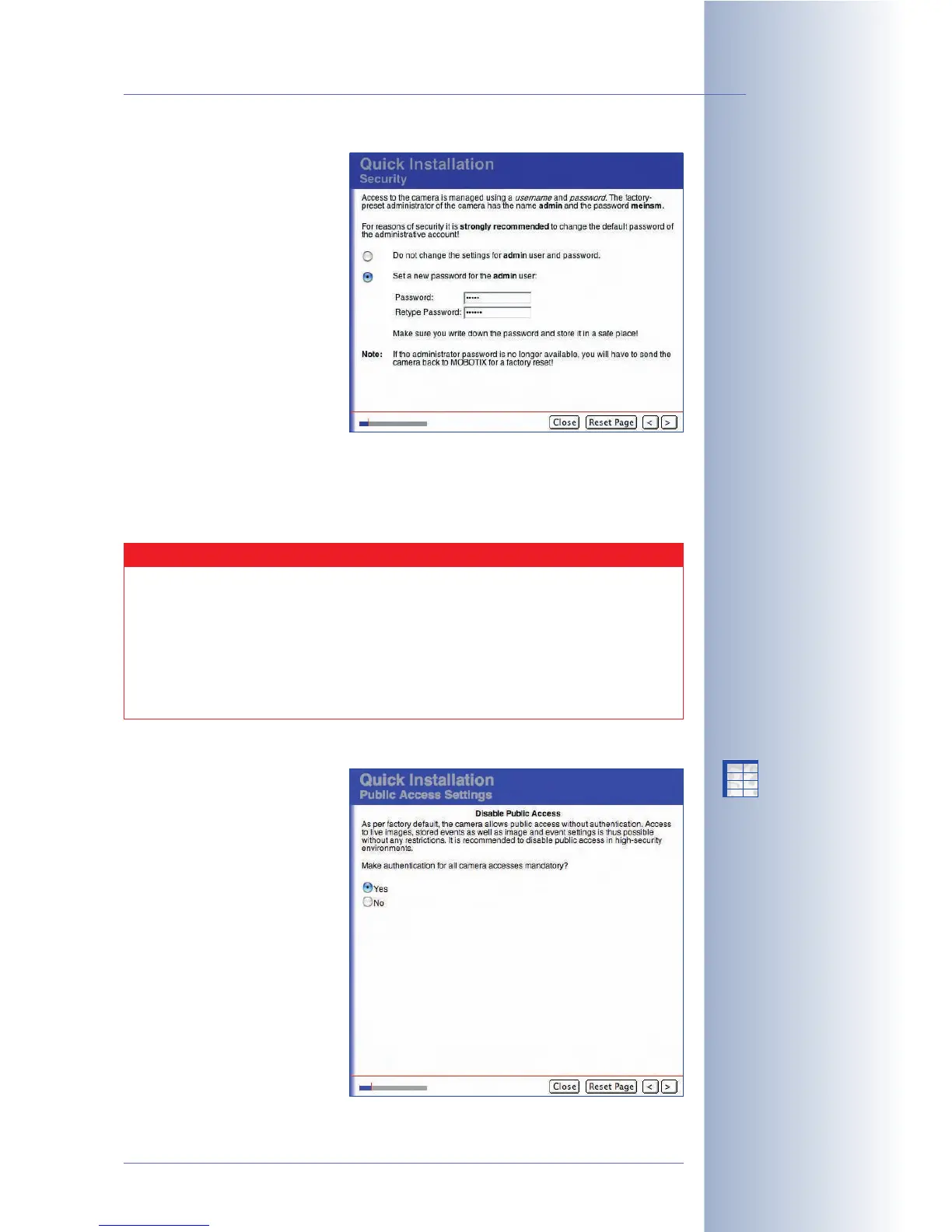
Security / Admin User
This page allows modifying the
password of the default
administration user (user name
admin, password meinsm). It is
recommended to at least
change the Admin user's
password and to create a
second user with a different
user name and password later
on who also belongs to the
admins user group. Note that
every user with direct access to
your camera who has been
assigned administration privileges can view and modify not only the settings of
your MOBOTIX camera but also the passwords.
This page will not be shown if you selected Modify the current configuration on
the previous page.
Public Access
By factory default, most of the
camera's screens and functions
are publicly accessible, i.e. they
do not require a user name and
password to access them. In
order to protect all functions of
the MOBOTIX camera from
unauthorized access, you
should activate the
authentication feature on this
page.
If required, you can deactivate
this parameter later on in
Admin Menu > Users and
Passwords.
© MOBOTIX AG • Security-Vision-Systems • Made in Germany
www.mobotix.com • sales@mobotix.com • 10.10.2006
67/288
Software Camera Manual Part 2
Administration menu:
User name: admin
Password: meinsm
Disable public access
Caution
If the administration password (factory default: admin, password
meinsm) has been changed and the information has been lost,
accessing the Admin Menu of the camera is not possible any more.
Even resetting the camera to factory defaults using the L key of the
camera will NOT reset the passwords! A camera that is not
accessible any more has to be sent back to the MOBOTIX factory or
subsidiary for a full factory reset (this service is not free!).
X
X
-
-
-
-
X
X
Kamerafunktionen
Kameramodell



 To Next Page