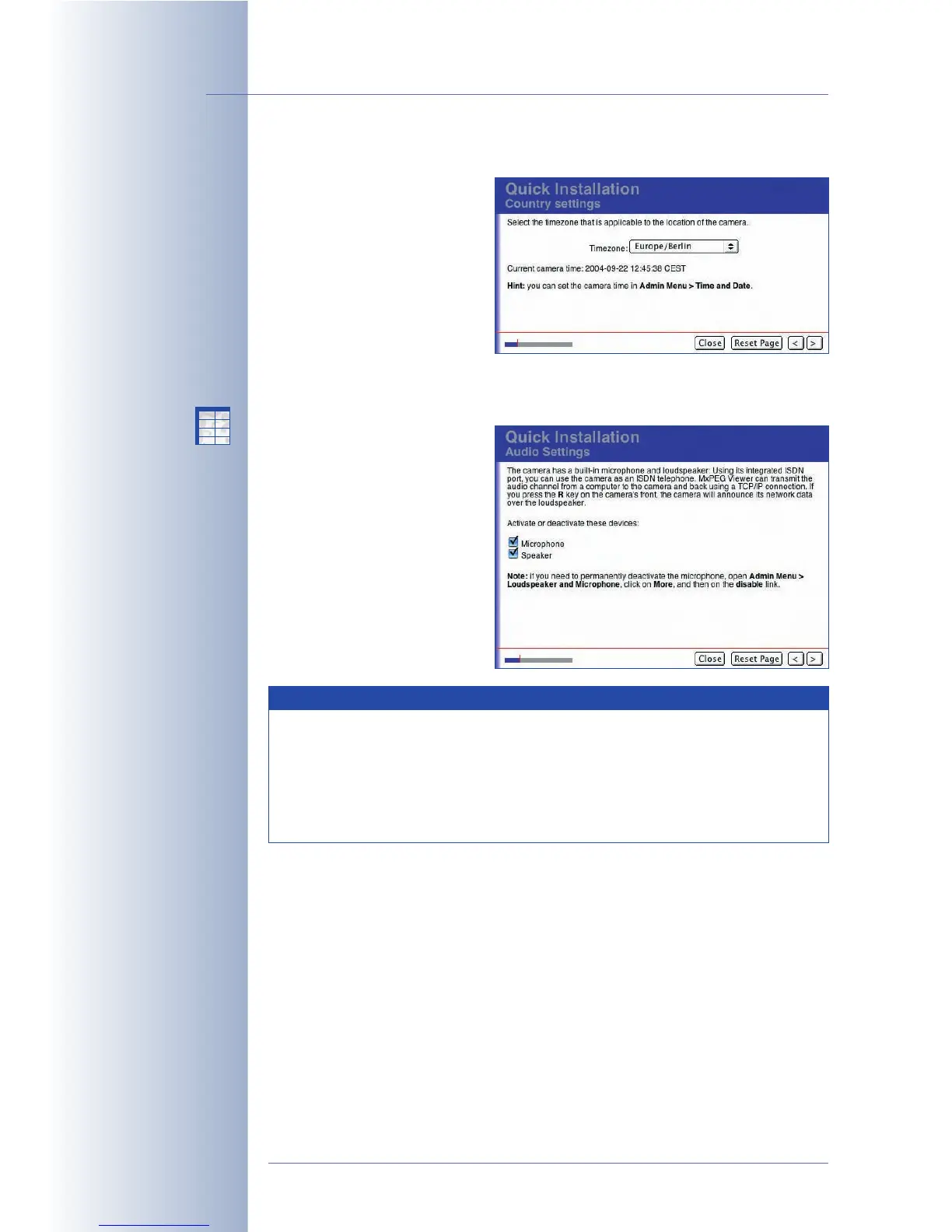
Country Settings / Timezone
Select the timezone that is
applicable for your country (e.g.
Europe/Berlin for Germany). The
Admin Menu > Time and Date
dialog allows setting a time
server for automatic time
synchronization. Section 5.4.2,
Date and Time / Time Zones
and Time Server
, contains more
information on this topic.
Audio Settings / Microphone and Speaker
As per factory default, the
MOBOTIX camera's speaker is
activated while the microphone
is deactivated. Change these
settings, if desired.
© MOBOTIX AG • Security-Vision-Systems • Made in Germany
www.mobotix.com • sales@mobotix.com • 10.10.2006
68/288
Software Camera Manual Part 2
Automatic time
synchronization using a
time server
The microphone can be
deactivated irreversibly
X
X
-
-
-
-
X
X
Kamerafunktionen
Kameramodell
Note
For certain cases, you can permanently and irreversibly deactivate the
microphone in the Admin Menu > Loudspeaker and Microphone
dialog (if required for privacy protection of employees, for example). Be
careful as even MOBOTIX engineers cannot reverse the permanent
deactivation! For additional information on this topic, see section 5.4.5,
Loudspeaker and Microphone
.



 To Next Page