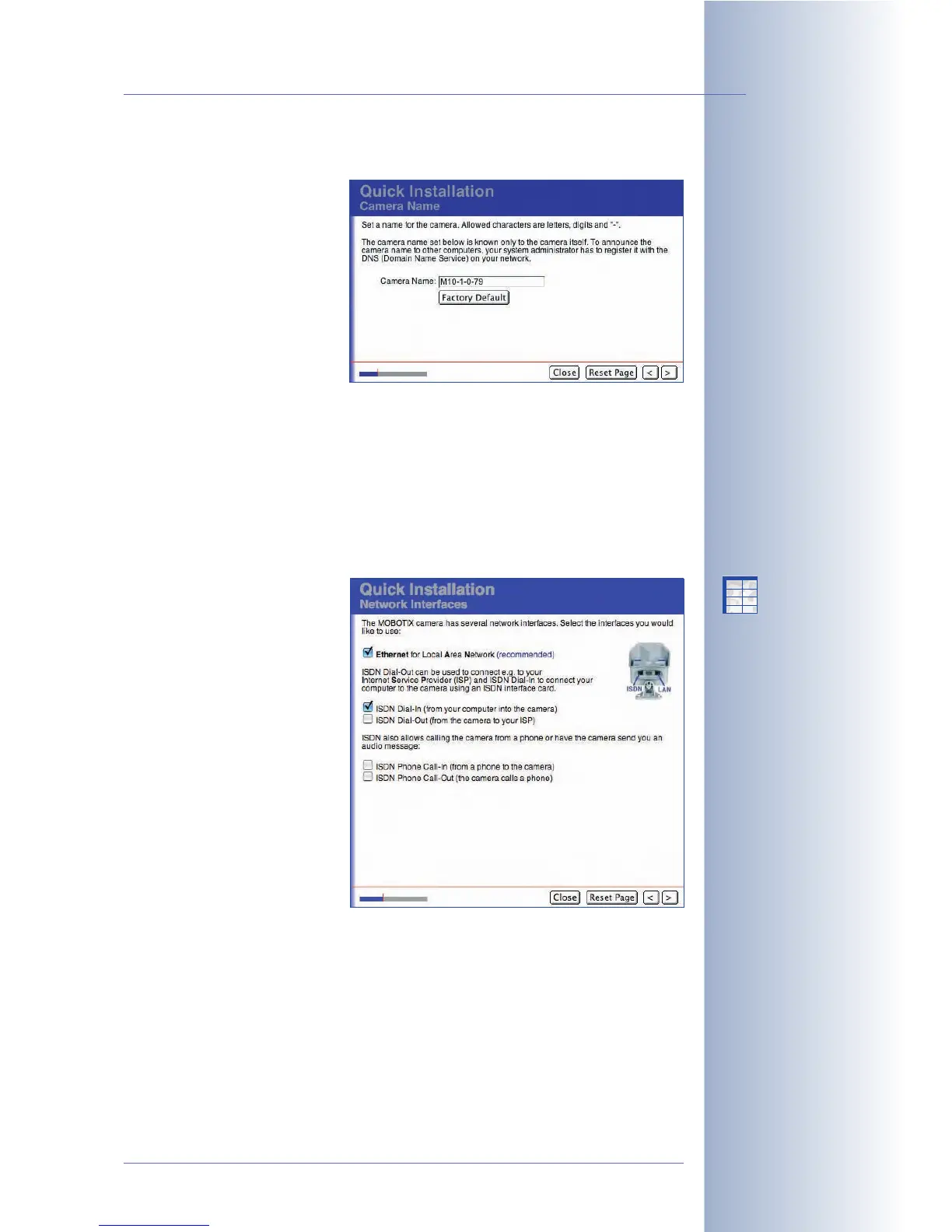
Camera Name
This page allows setting an
individual name for your
MOBOTIX camera. This name
provides for easy identification
of the camera (e.g. in a
MultiView configuration) and is
also stored in the JPEG header
of every image file. The camera
name may consist of any letters
(A...Z, a...z), digits (0...9) and
the hyphen (-).
Caution: If you would like the MOBOTIX camera to be accessible in the local
network using the same name, your network administrator will need to add this
name to the Domain Name Service (DNS) of your local network. The camera name,
which is set during Quick Installation or in Admin Menu > Ethernet Interface is
used for other purposes. Contact your network administrator for assistance
regarding the DNS entry.
Network Interfaces
Your network interface selection
determines the way your
MOBOTIX camera can
communicate with the outside
world using data and voice
connections and how the
MOBOTIX camera can be
accessed from the outside using
data and voice connections.
For accessing your camera
using a browser, you can either
use an Ethernet or an ISDN
connection. Thus, you need to
activate at least one of the two
options (Network or ISDN Dial-
In) on this page of the Quick
Installation wizard. For the basic configuration, we recommend to only activate the
Ethernet for LAN interface.
By activating the Ethernet for LAN interface, you enable the camera to send
images and data via Ethernet or an Ethernet gateway (e.g. FTP and e-mail). If you
have activated the ISDN Dial-Out interface, the camera can send data using an
ISDN connection.
If you have selected both interfaces, you may define a
Default Route
that
determines the default connection for the data transfer. For additional information
on this topic, see the paragraph
Default Route
further down.
© MOBOTIX AG • Security-Vision-Systems • Made in Germany
www.mobotix.com • sales@mobotix.com • 10.10.2006
69/288
Software Camera Manual Part 2
The camera name may
contain the following
characters:
A...Z, a...z, 0...9, the
hyphen ("-")
Set the camera name so
you can identify its
position (example:
Staircase1)
The camera's name is also
used to identify the
camera in MultiView mode
You should always activate
the Network!
X
X
-
-
-
-
X
X
Kamerafunktionen
Kameramodell



 To Next Page