If the ISDN Dial-In interface has been activated, the camera acts like an Internet
provider. To connect to the camera, create a RAS connection on your computer and
enter the phone number of the camera as well as the user name and password of
your camera (default: user name linux, password tux). Note that the computer has
to have an ISDN interface card installed that is working properly. For additional
information on this topic, see the
ISDN Dial-In
section further down.
The Phone Dial-In interface enables you to control your MOBOTIX camera using a
standard phone or mobile phone (mobile) with touchtone keys. In this case, the
camera uses an ISDN connection. The caller may use any type of connection (e.g.
analog, ISDN, GSM or IP phone).
The Phone Call-Out interface enables the camera to call other telephones and to
play back voice messages (e.g. when detecting an alarm). In this case, the camera
uses an ISDN connection. The called party may also use any type of connection
(e.g. analog, ISDN, GSM or IP phone).
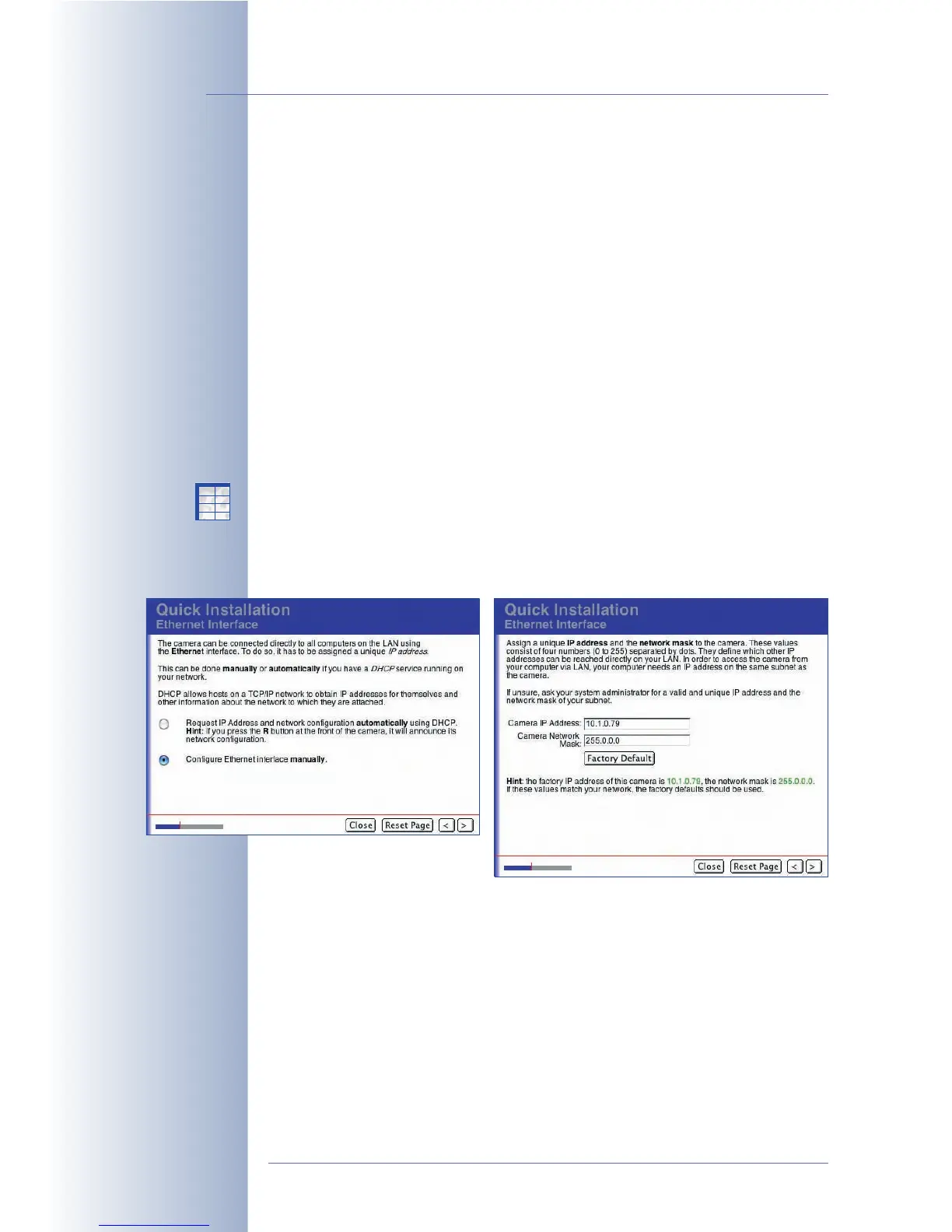
DHCP and Manual IP Address / IP Address and Network Mask of the Camera
The Network Interfaces page and the following ones displayed by the Quick
Installation wizard contain all parameters to establish a network connection using
the camera's Ethernet interface. These pages are only displayed if you have
activated the Ethernet for LAN interface on the Network Interfaces page.
You can either choose the manual configuration (fixed IP and network mask) or
DHCP (dynamic IP and network mask assigned automatically by the DHCP server).
If you have chosen manual configuration, you need to enter the camera's desired
IP address and the appropriate network mask of your network on the following
page. Click on Factory Default to use the MOBOTIX default settings.
© MOBOTIX AG • Security-Vision-Systems • Made in Germany
www.mobotix.com • sales@mobotix.com • 10.10.2006
70/288
Software Camera Manual Part 2
Remote-controlling the
camera using a phone
The camera can call you on
your phone as well
Every MOBOTIX camera
has its individual factory
IP address (10.x.x.x)
Manual configuration of
the network interface or
automatic configuration
using DHCP
X
X
-
-
-
-
X
X
Kamerafunktionen
Kameramodell



 To Next Page