EasyManua.ls Logo

Olympus EPOCH 6LT - User Manual

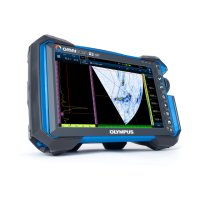
Olympus EPOCH 6LT
232 pages
Print Icon
To Next Page IconTo Next Page
Loading...
DMTA-10084-01EN — Rev. 2
November 2018
EPOCH 6LT
Ultrasonic Flaw Detector
User Interface Guide
This instruction manual contains essential information on how to use this Olympus product safely and effectively.
Before using this product, thoroughly review this instruction manual. Use the product as instructed.
Keep this instruction manual in a safe, accessible location.

Table of Contents

Other manuals for Olympus EPOCH 6LT

Questions and Answers

  • M
    Miranda EricksonJul 26, 2025
    What to do if Olympus EPOCH 6LT Security Sensors does not start after software update?
    • D
      donald14Jul 26, 2025
      If your Olympus Security Sensors instrument doesn't start after a software update, it might be due to an interrupted, incomplete, or corrupted software update. Toggle the Reset switch located under the data port cover. Then, turn the instrument on and use the PC upgrade software to reinstall the upgrade files.
  • D
    David DavisAug 2, 2025
    Why are software functions unavailable on my Olympus EPOCH 6LT?
    • R
      Robert HillAug 2, 2025
      If several software functions are unavailable on your Olympus Security Sensors, the Cal Lock function may be active, locking all front panel keys. Turn the instrument off and on to unlock the keys.
  • Z
    Zachary JordanAug 9, 2025
    Why am I not receiving a signal on my Olympus Security Sensors when connected to transducers?
    • M
      Michelle WilliamsAug 10, 2025
      If you're not receiving a signal when connecting transducers to your Olympus Security Sensors, ensure that the transducer is connected to the correct LEMO 00 connector. For single crystal pulse-echo inspections, the transducer should be connected to the transmit (red) connector. For dual or through-transmission inspections, make sure the transmitting transducer or cable is connected to the transmit (red) connector and the receiving transducer or cable is connected to the receive (blue) connector.
  • A
    Adrian YorkAug 16, 2025
    How to fix Olympus EPOCH 6LT Security Sensors freezing on the splash screen?
    • R
      Rachel NovakAug 17, 2025
      If your Olympus Security Sensors instrument freezes on the splash screen during start up, it could be due to file or parameter value corruption. Perform a hard reset by turning the instrument off, pressing and holding the Tab button, and turning the instrument back on. Be aware that all saved files will be lost during this process.

Summary

Hardware User Interface Overview

Important Information - Please Read Before Use

Safety Symbols

Explains various warning symbols that may appear on the instrument and manual.

Safety Signal Words

Defines DANGER, WARNING, and CAUTION signal words for hazard identification.

Software User Interface Overview

Setup Mode

Inspection Mode

Pulser;Receiver Adjustments

Adjusting the Gain (System Sensitivity)

Details how to adjust the instrument's gain for system sensitivity.

Selecting and Adjusting the Pulser

Covers selecting and adjusting pulser settings for optimal performance.

Gates

Calibration

Calibration Procedure

Provides a step-by-step guide for straight beam thickness calibration.

Software Features and Options

Dynamic DAC;TCG

Explains the DAC/TCG feature for plotting amplitude variations and time-corrected gain.

DGS;AVG

Details performing complete DGS/AVG setups for defect sizing.

AWS D1.1;D1.5 Weld Rating Software

Explains the AWS D1.1 software for performing inspections under the AWS code.

Corrosion Module

Covers basic corrosion inspections with simplified operation.

Olympus EPOCH 6LT Specifications

General IconGeneral
BrandOlympus
ModelEPOCH 6LT
CategorySecurity Sensors
LanguageEnglish

Related product manuals