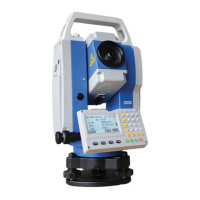
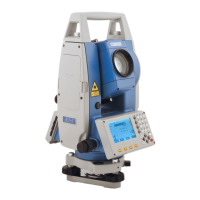
STONEX R2
【View Job】
DEFAULT.RAW 6.78KB 01-00
PlAN.RAW 93B 01-00
36.RAW 5KB 01-00
Attr. PrePG NextPG
③Open inputting mode by pressing
numeric keypad, input the name of job
to be established. To switch between
character and figure inputting mode,
press [F4]. When displaying AB, it
means the status of character inputting,
while display [01] means the status of
figure inputting. As one item has been
finished, press [ENT] to move to the
next inputting item. To return to last
menu to view the job, press [F1]
(VIEW).
【View Job】
DEFAULT.RAW 6.78KB 01-00
PlAN.RAW 93B 01-00
36.RAW 5KB 01-00
NEW Rename DELETE
【New Meas Job】
Job: SURVEY
Name : --- --- ---
Date: 2011.08.21
Time : 16:50:28
Note 1: --- --- ---
Note 2: --- --- ---
AB
INSERT DELETE CLEAR NUMBER
③After finishing inputting, press [F4]
to store this job and return to last
menu. The job established is displayed
and set as the current job.
【View Job】
DEFAULT.RAW 6.78KB 01-00
PlAN.RAW 93B 01-00
36.RAW 5KB 01-00
NEW Rename DELETE
‴1) A maximum of 17 jobs are able to be established.
‴2) In the whole text, if a SD card has been installed in the total station, then “Disk:B” will appear,
otherwise, there is only Disk:A (Internal memory)
[JOB]:If the document name of job is input randomly by operator, hereafter the data are
stored in this job.
[NAME]:Name of operator. (Can be default)
[NOTE 1] and [NOTE 2] describe a rough condition of this project. (Can be default)
The system will automatically add the date and time of establishment.
The newly-established job is defaulted as the present job. If this job name exists, the
procedure will indicate “JOB EXIST!”


 To Next Page