Common Callouts and Arrows
1. Copy-paste a callout or arrow to use in this SVG.
Note: If you need more advanced callouts or arrows
use the TechComm_Inkscape_Callout&Arrow_Libary.
3. Delete this text, this rectangle, and unused
callouts, arrows, or other SVG elements
before adding this SVG to the repository.
2. Edit number and/or line-length, as needed.
1 1
1
1
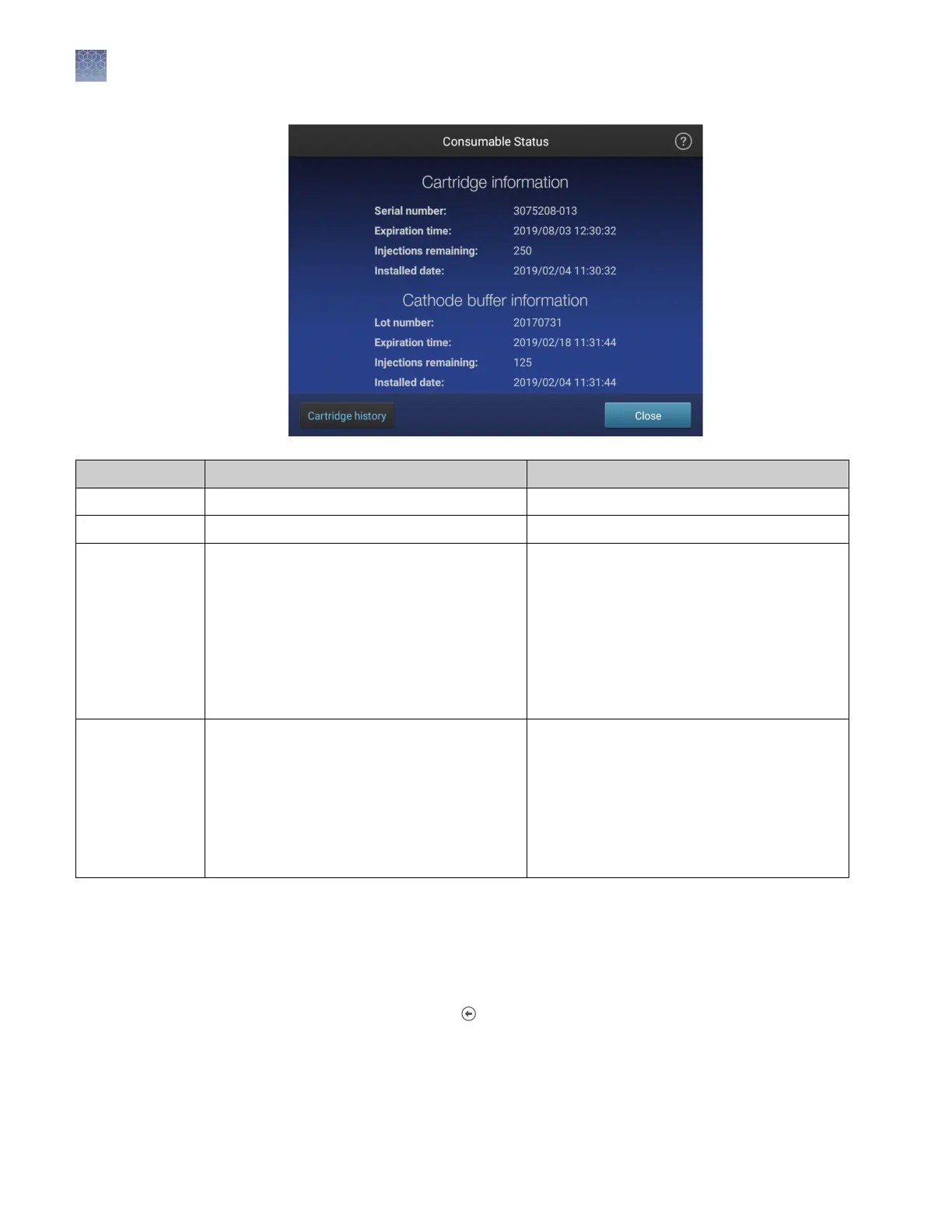
Display Cartridge Cathode buffer
NA Not installed on the instrument. Not installed on the instrument.
White OK for use. OK for use.
Yellow OK for use, but:
• 1–25 injections remain for the capillary
array,
or
• It will exceed the manufacturer's expiry
date within 2 weeks,
or
• It will exceed the maximum number of
days allowed on the instrument within
2 weeks
[1]
OK for use, but:
• 1–25 injections remain for the cathode
buffer,
or
• It will exceed the manufacturer's expiry
date within 2 days
or
• It will exceed the maximum number of
days allowed on the instrument (14 days)
within 2 days
Red The cartridge has expired:
• No injections remain for the capillary
array,
or
• It has exceeded the manufacturer's expiry
date,
or
• It has exceeded the maximum number of
days allowed on the instrument
[1]
The buffer has expired:
• No injections remain for the cathode
buffer,
or
• It has exceeded the manufacturer's expiry
date
or
• It has been installed on the instrument for
>14 days
[1]
The maximum number of days allowed on the instrument is 120 days for the SeqStudio
™
Genetic Analyzer Cartridge (Cat. No. A33671) and
180 days for the SeqStudio
™
Genetic Analyzer Cartridge v2 (Cat. No. A41331). For more information, see Table 1.
See “Insert the Cathode Buer Container“ on page 167 if a new Cathode Buer
Container is required.
See “Insert the cartridge“ on page 161 if a new cartridge is required.
3.
Touch Close, then touch .
Chapter 2
Prepare the samples and the instrument
Prepare the instrument
2
40
SeqStudio
™
Genetic Analyzer Instrument and Software User Guide













 To Next Page