BRAKES
8-3TX525 Service Manual Rev. 000
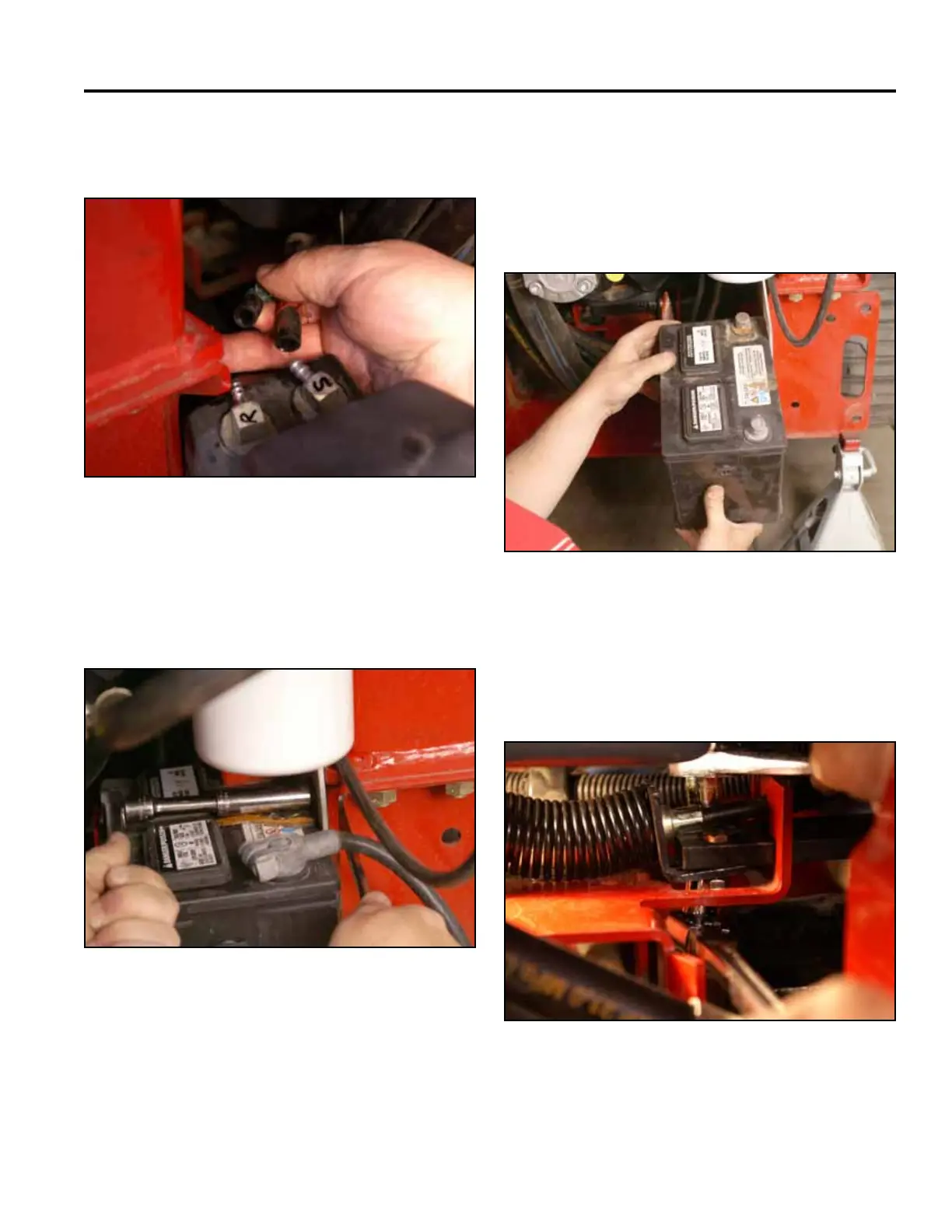
10. Slidethe2fuellinesoffthefueltankttings.Re-
move the fuel tank. (Fig. 1642).
Fig 1642 PICT-4265
11. Using a 1/2” socket and wrench, remove the bolt,
washer and nut securing the battery clamp and
battery guard to the frame. Remove the battery
clamp (Fig. 1643).
Fig 1643 PICT-4310a
12. Slide the battery partially out of the battery mount.
Disconnect the negative battery cable from the
battery. Slide the battery out to access the positive
battery cable terminal. Disconnect the positive
battery cable and remove the battery and battery
guard from the battery mount (Fig. 1644).
Fig 1644 PICT-4312a
13. Using two 7/16” sockets, remove the 2 bolts and
nuts holding the right hand brake plate to the brake
mounting bracket (the socket/ratchet on the nut
should have a long handle) (Fig. 1645).
Fig 1645 PICT-4320



 To Next Page