BRAKES
8-27TX525 Service Manual Rev. 000
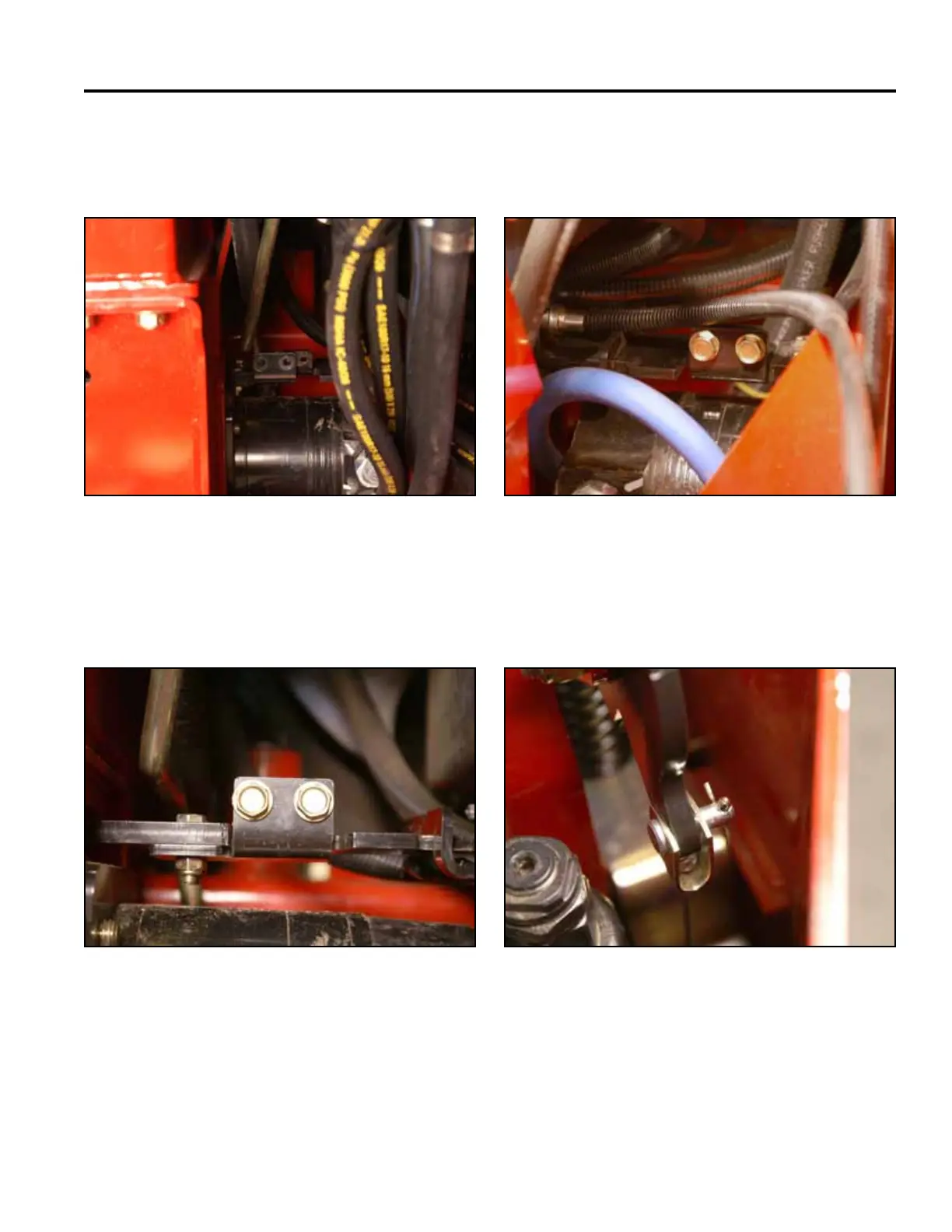
3. Push the 2 brake plates inward so the brake plate
brackets line up with the brake mounting brackets
(Fig. 1733).
5. Using a 1/2” socket, install 2 bolts to secure the
right brake plate bracket to the right brake mounting
bracket (Fig. 1735).
Fig 1733 PICT-4367
Fig 1735 PICT-4355a
6. Secure the brake cable to the brake handle with a
clevis pin. Install a cotter pin into the clevis pin (Fig.
1736).
4. Using a 1/2” socket, install 2 bolts to secure the
left brake plate bracket to the left brake mounting
bracket (Fig. 1734).
Fig 1736 PICT-4438a
Fig 1734 PICT-4365a



 To Next Page