6-20 Qualitek mR Owner’s Guide
Pressure Correction Setup
The Qualitek mR’s Mass Flow and Differential Mass Flow models include
a pressure correction option. In some applications, when you apply pressure
to a part, flow variations may occur that affect the accuracy of the test
reading. The pressure correction option is used to minimize this affect by
adjusting the reading for flow variations caused from the applied pressure
while under test. In other words, the pressure correction option is used to
predict what the flow would have been if the pressure was held constant at
the test pressure (no pressure variations). The adjustment is achieved by
applying a correction factor based on the flow rate change for the required
pressure variation (e.g., 0.5 sccm/psi).
Perform the following steps to setup the Pressure Correction option:
• Enter tests pressure at the Program Mode, Test Setup, Specifications tab
and set defaults as required. (Note this value is used in the pressure
calculation.)
• Perform tests to determine pressure and flow loss at required test
specification.
• Navigate to the Test Setup, Calibration tab and enable the pressure
correction option.
• Calculate the Correction Factor:
Flow = Flow measured + (Pressure variation * correction factor), where
the correction factor is calculated as the flow variation / pressure
variation.
• Verify correction is sufficient.
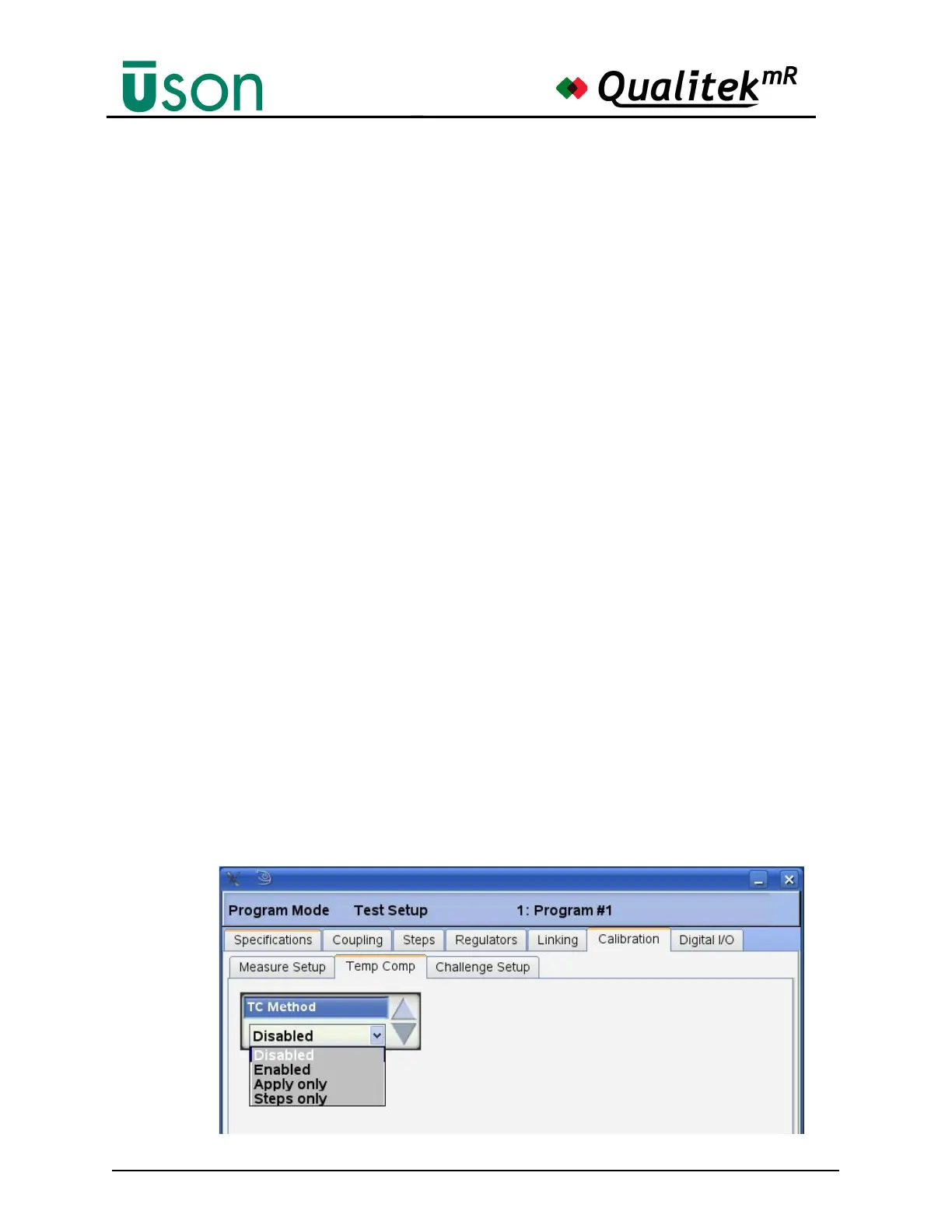
Temp Comp (Compensation)Tab
• Temp Comp: The Temperature compensation option is enabled by selecting
the Program Mode, Test Setup, Calibration, Temp Comp tab shown below
and setting the required TC Method.



 To Next Page