Front Panel Controls Front Panel Operation
5-2 PN: 10585-00001 Rev. P ML2437A/38A OM/PM
5-1 Front Panel Controls
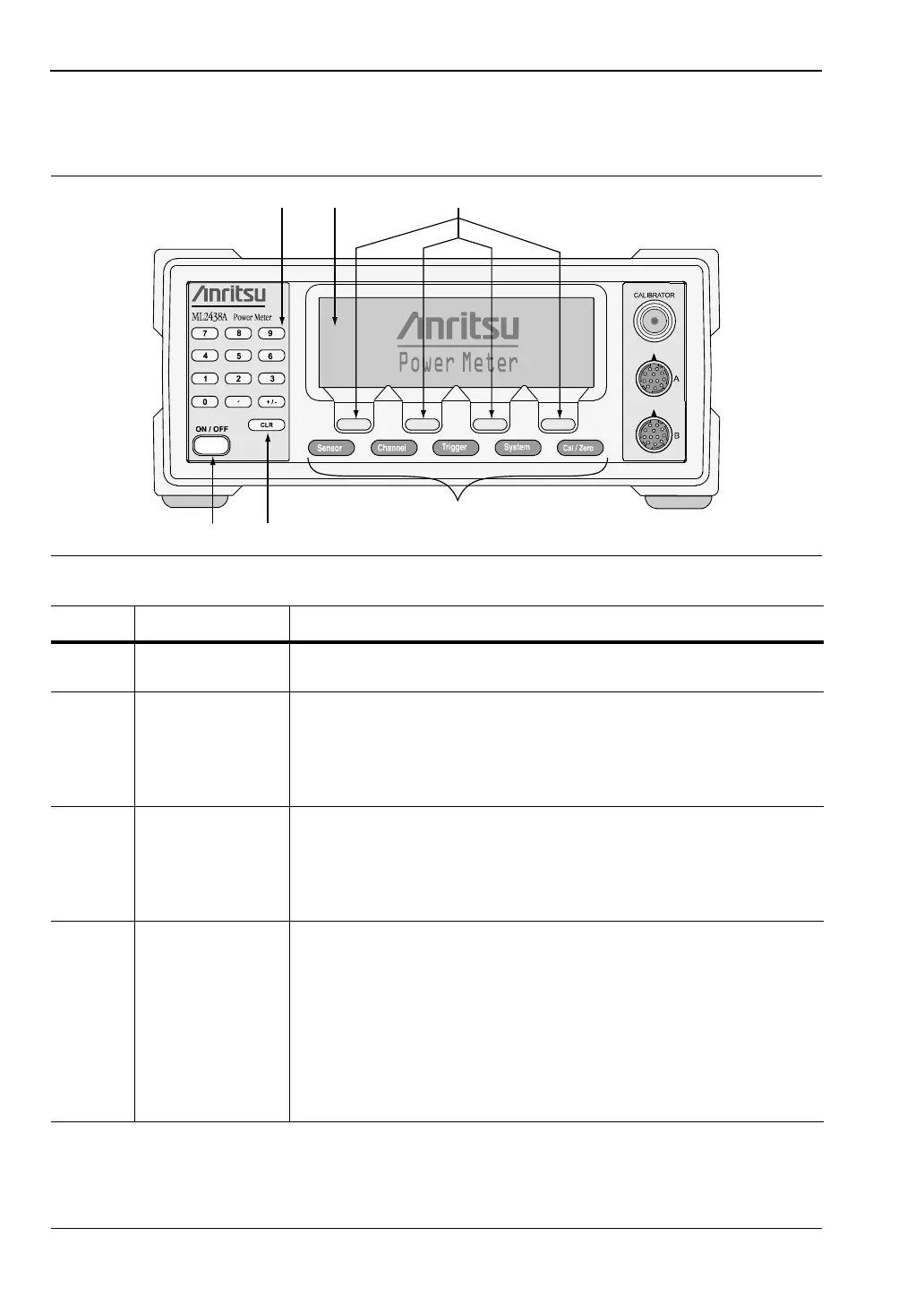
The front panel controls are shown in the figure below. The following sections provide more
detailed explanations of the menus and soft keys.
Figure 5-1. Front Panel Controls
Table 5-1. Front Panel Connectors
Key Item Description
A Numeric Keypad Provides the means for entering numeric data in the appropriate
menus as required for system configuration or calibration.
B Graphic LCD with
Backlight
The LCD display settings are configured in the System menus.
The backlight can be turned on or off, or time-delayed, as required
to suit ambient conditions and battery drain. The backlight is
controlled through the System menus when operating from the
internal battery.
C Soft Keys Soft keys select submenus, toggle selections, control cursor
position, and allow data entry. A flashing cursor indicates when
numbers can be entered using the numeric keypad. Refer to the
following sections of this chapter for detailed information on using
the soft keys.
D Power On /Off Switches the power meter from STANDBY to ON, or ON to
STANDBY. Note that whenever AC power is applied, the power
meter defaults to the ON state. Subsequently, the instrument can
be switched between the ON state and the STANDBY state using
this front panel Power On /Off key.
When External or Internal (battery) DC power is first applied to the
instrument (no AC present) the power meter defaults to the
STANDBY state. It can then be switched to the ON state using
the front panel Power On /Off key.












 To Next Page