Measurement Examples Example 11: Frequency Measurements Using a Separate Source
ML2437A/38A OM/PM PN: 10585-00001 Rev. P 7-31
7-11 Example 11: Frequency Measurements Using a Separate
Source
In the previous examples, we have been working with variable power on a fixed frequency. In
this example, we will be measuring power against swept frequency.
Between the frequency start point and the frequency stop point (i.e. 1 GHz to 2 GHz), you can
take a power measurements at each point and plot the power between them. This is a
frequency response measurement.
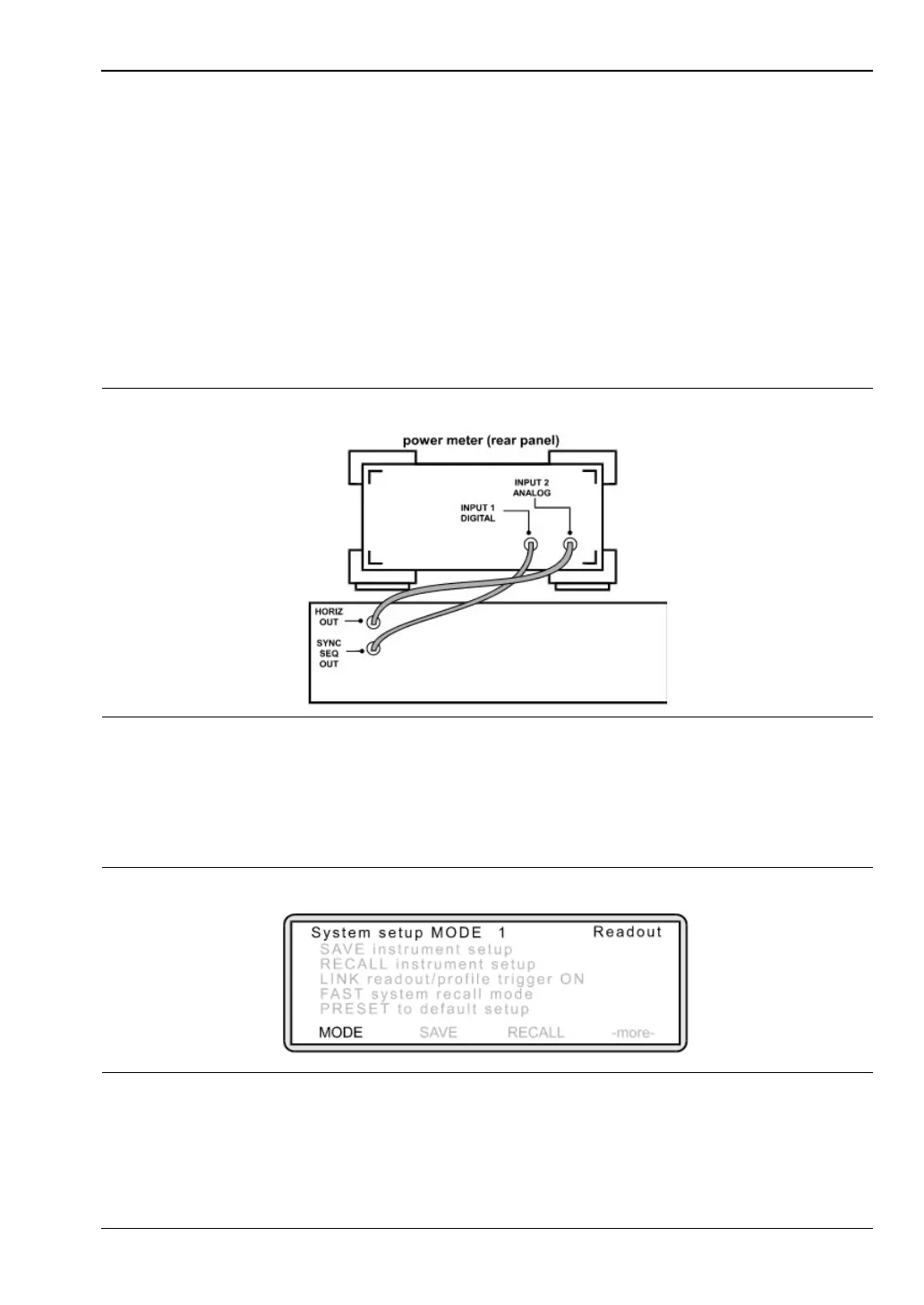
1. Connecting the meter to the device under test
Prior to starting this type of measurement, it is necessary to connect the power meter to
the signal source using BNC cables.
2. Selecting Source Sweep mode and defining frequencies.
Press [System] > [Setup].
The following screen is displayed:
Press [MODE] and toggle this setting until "Source Sweep" is displayed.
Press [System] > [Source sweep] > [-more-].
Figure 7-46. SIgnal Source (Rear Panel) Anritsu 68000 or 69000 Series
Figure 7-47.












 To Next Page