Front Panel Operation Trigger Menu
ML2437A/38A OM/PM PN: 10585-00001 Rev. P 5-17
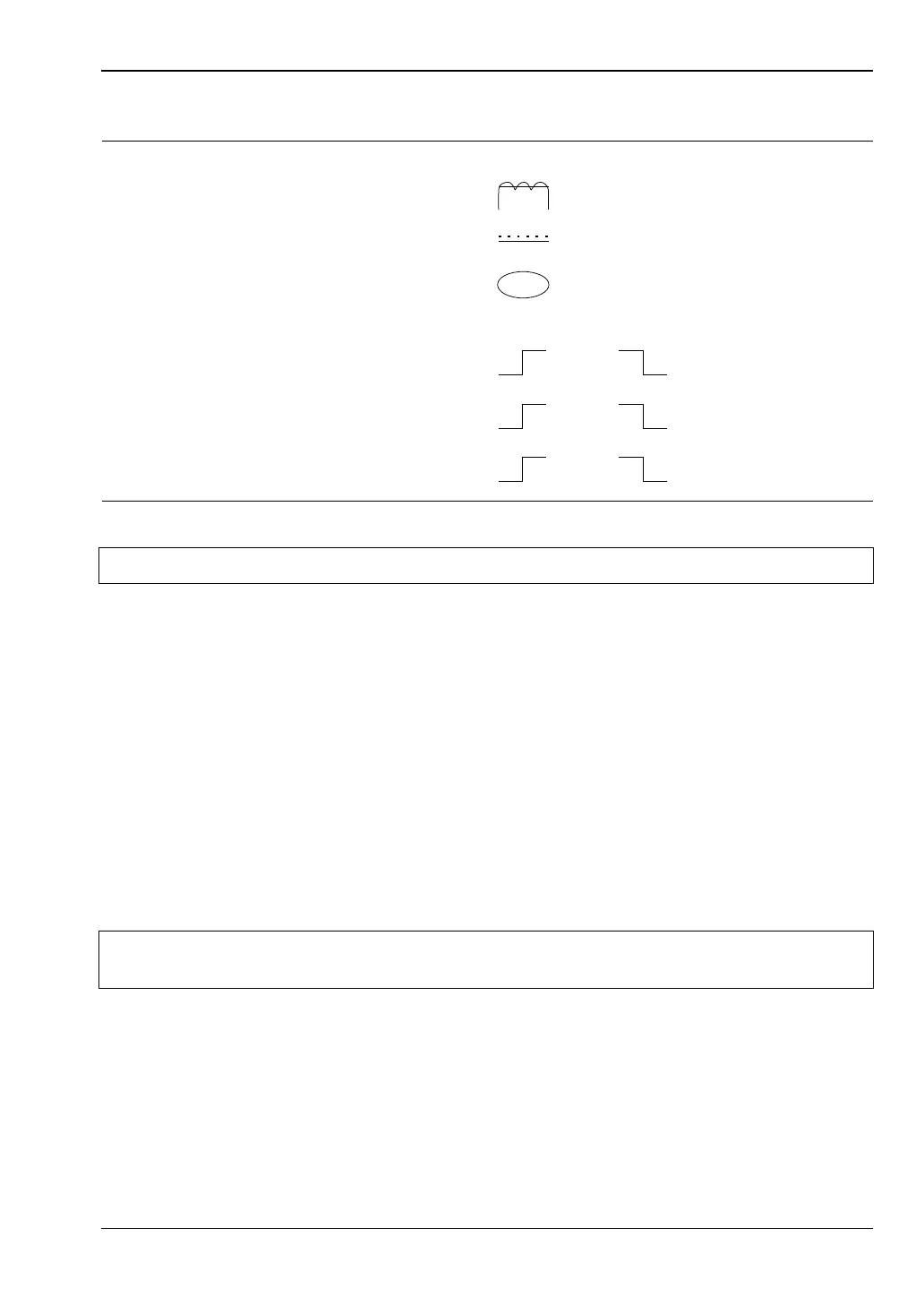
The trigger icons are shown in the figure below.
Only when a channel input configuration includes a sensor with a measurement mode that
requires an icon, will an icon be displayed.
Setup
This menu is used to set up the trigger conditions for the display channels. In readout display
mode with sensor mode set to custom, the trigger can be set to display channel 1 and 2
separately, or together as channel 1 & 2.
The channels are triggered simultaneously if the trigger conditions are set to 1 & 2. This
guarantees the trigger conditions are the same, and therefore the readings are taken at the
same time. In Readout and Power vs. Time modes, if the menu is exited with the trigger
selection at channel 1 & 2, this setup is used for trigger control. Otherwise, if the trigger
setup display is left with channel 1 or channel 2 displayed, the individual trigger settings are
used for trigger control.
CHANNEL [TRGMODE]
Select display channel 1 or 2 (or 1&2 when setting trigger conditions in Readout or
Power vs. Time modes).
Figure 5-2. Trigger Icons
Note External trigger is only effective at 800 kHz or lower.
Note
Simultaneous trigger channels guarantee identical sampling for both channels,
essential for accurate ratio (A/B) measurements.
MOD
MAN
INT
A
INT
A
INT
B
INT
B
TTL TTL
Modulated Average
Continuous
Manual
Rising Edge Falling Edge
External
Internal A
Internal B












 To Next Page