Measurement Examples Example 4: Using Both Channels
ML2437A/38A OM/PM PN: 10585-00001 Rev. P 7-11
7-4 Example 4: Using Both Channels
In the previous examples, measurements have been made on only one channel — channel 1.
However, it is possible to measure power on two channels. Possible applications for this
feature when using only one sensor might be to display the measurement in dBm on channel
1 and Watts on channel 2 or with two sensors to measure power at different points in a test
system.
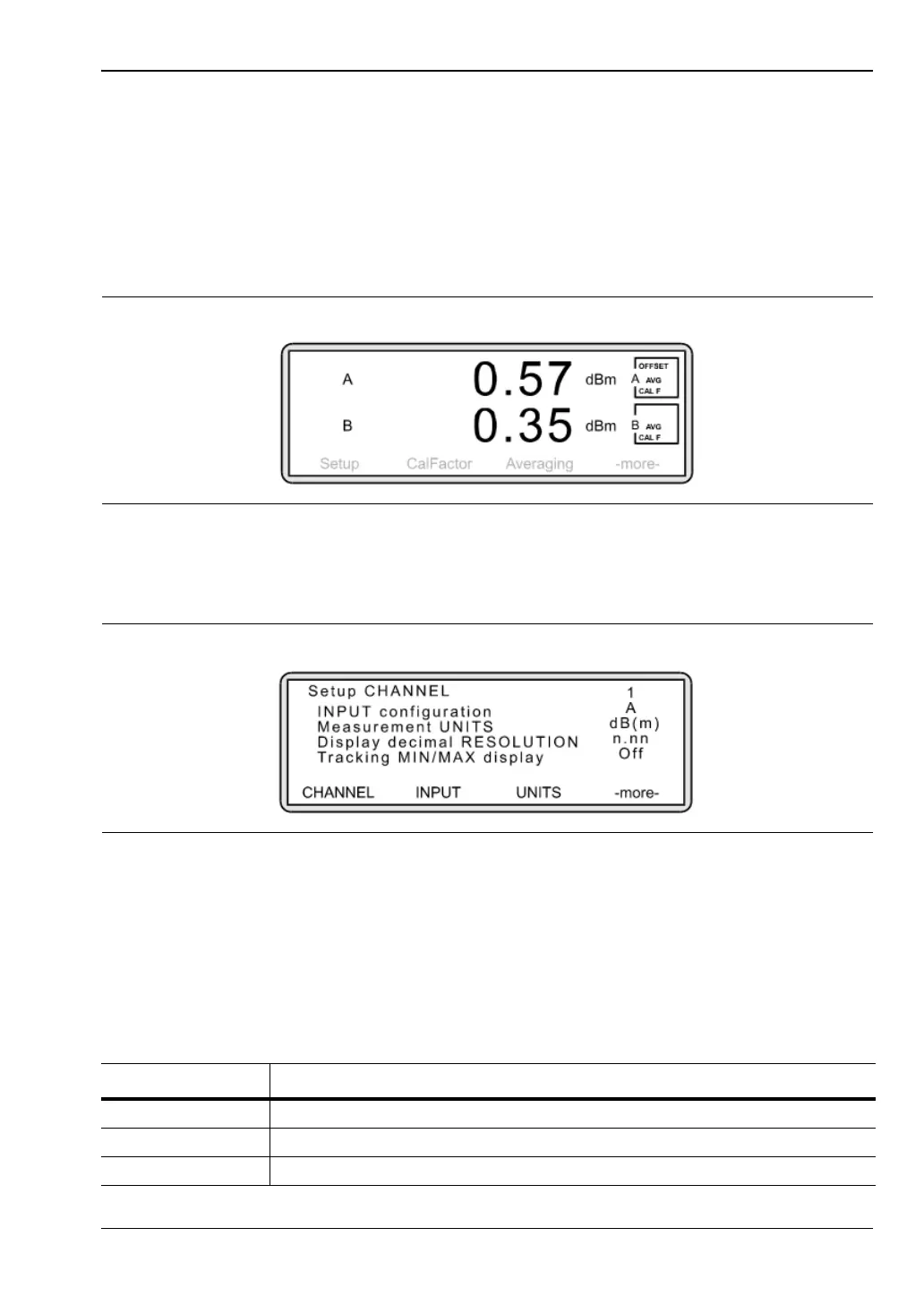
When two channels are in operation, the displays are aligned one above the other.
To activate channel 2, press [Channel]
> [Setup].
The following screen is shown:
Press [CHANNEL]. The screen now shows the configuration for channel 2. Note that the
Input Configuration is set to OFF and is therefore inactive.
In order to activate channel 2, it is necessary to specify the type of input (sensor, combination
of sensors or rear panel BNC input) that will be used. This will vary depending on the model
of power meter you are using. To allocate an input for channel 2, press [INPUT]. Toggle the
setting until the input type you require is displayed.
Figure 7-18.
Figure 7-19.
Table 7-1. Input options for the ML2437A
Input Meaning
A Take input from sensor A
External Volts Take input from rear panel BNC, “Input 2, Analog”
OFF Default value – Channel is inactive












 To Next Page