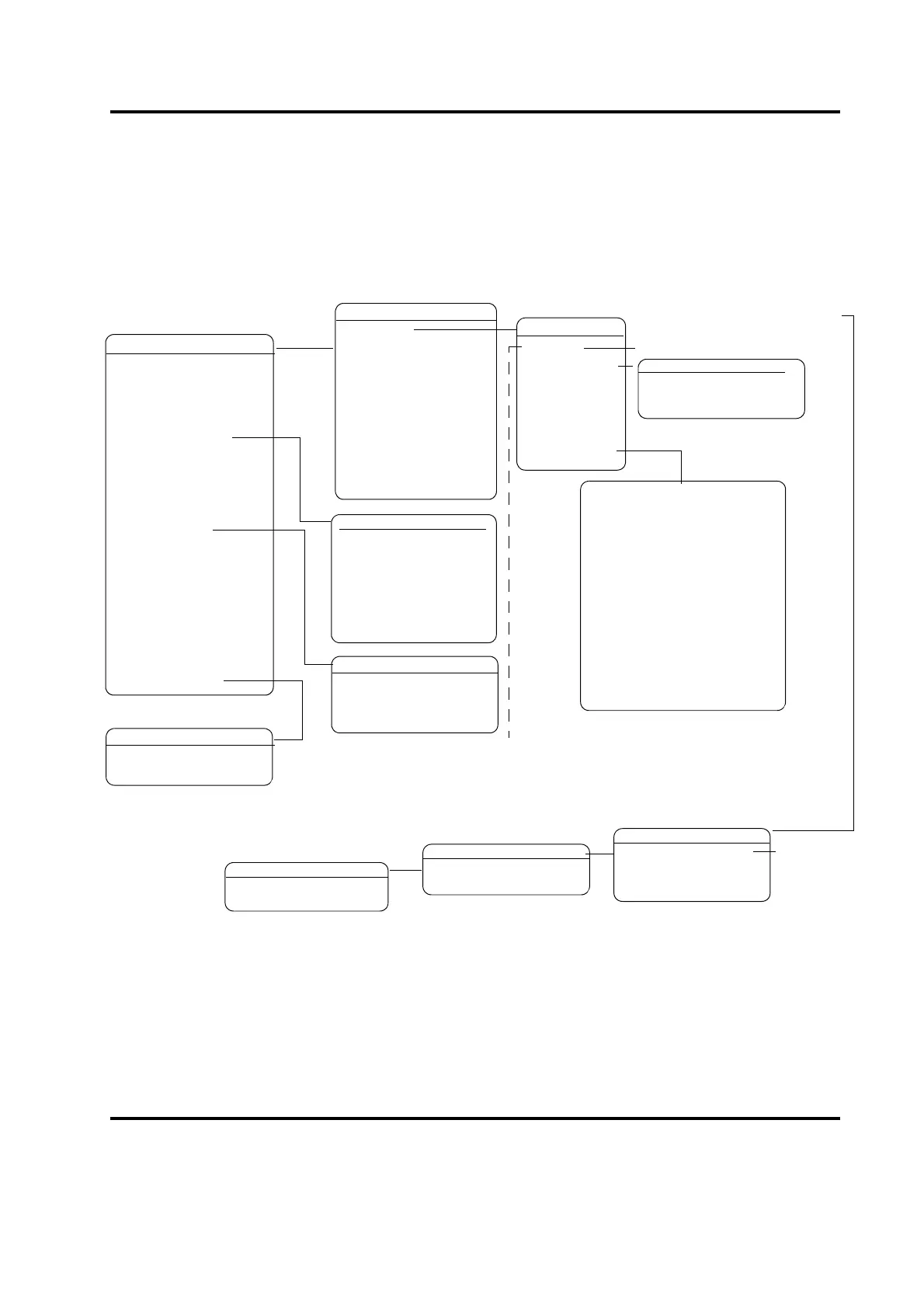
DIGITAL UPS Pg1of1
Setup>
Weld Status= On
REJECT ALARM
Pg1of1
View weld results data from
the previous cycle:
•Cycle Number
• Weld Time
• Peak Power
• Energy
• Set Amplitude
• (Set Amplitude A and B when
stepping is enabled),
• Frequency: minimum, maxi-
mum, start, end and change.
•Preset Number
•Cycle Time
MAIN MENU
Pge1of6
Run Screen
Weld Setup
Save/Recall Presets
Print Menu
Diagnostics
System Information
System Configuration
RUN: TIME
Preset0
Adjust Weld>
ADJUST WELD
Pg1of1
Weld Time(s)= 30.000
AMP STEP Pge1of5
Amplitude A(%)= 100
Amplitude B(%)= 100
Step @ T(s)= 30.000
Step @ E(J)= Off
Step @ PWR(%)= Off
If there have been one or
more alarms during the last
weld cycle, this line instead
WELD SETUP
Pg1of12
Weld Mode> Time
Weld Time(s)= 30.000
Hold time(s)= 30.000
Ext U/S Delay =
Amplitude> STEP
Amplitude(%)=
Pretrigger> Off
Afterburst> Off
Energy Brake> Off
Digital UPS>
Post Weld Seek = Off
Frequency Offset> Off
Cycle Aborts> Off
Timeout(s) =0.500
Control Limits > Off
• Preset shown is current setup.
• Preset name can be password protected.
• An asterisk (*) after the Preset name indicates the Preset has been modified
since last saved.
READY: TIME=
30.000
** 02 ALARM(S) **
REJECT ALARM
Pg1of1
WRITE IN FIELD
Pg1of1
Text1 ABC










 To Next Page