2000X energy Power Supply Chapter 4: Installation and Setup
Instruction Manual Start Switch Connection (Automation)
011-003-991 EN 4-33
Unplug the Power Supply (if previously connected) and wait at least two (2) minutes before
opening the Power Supply case. Hazardous Voltages exist and are stored in the system.
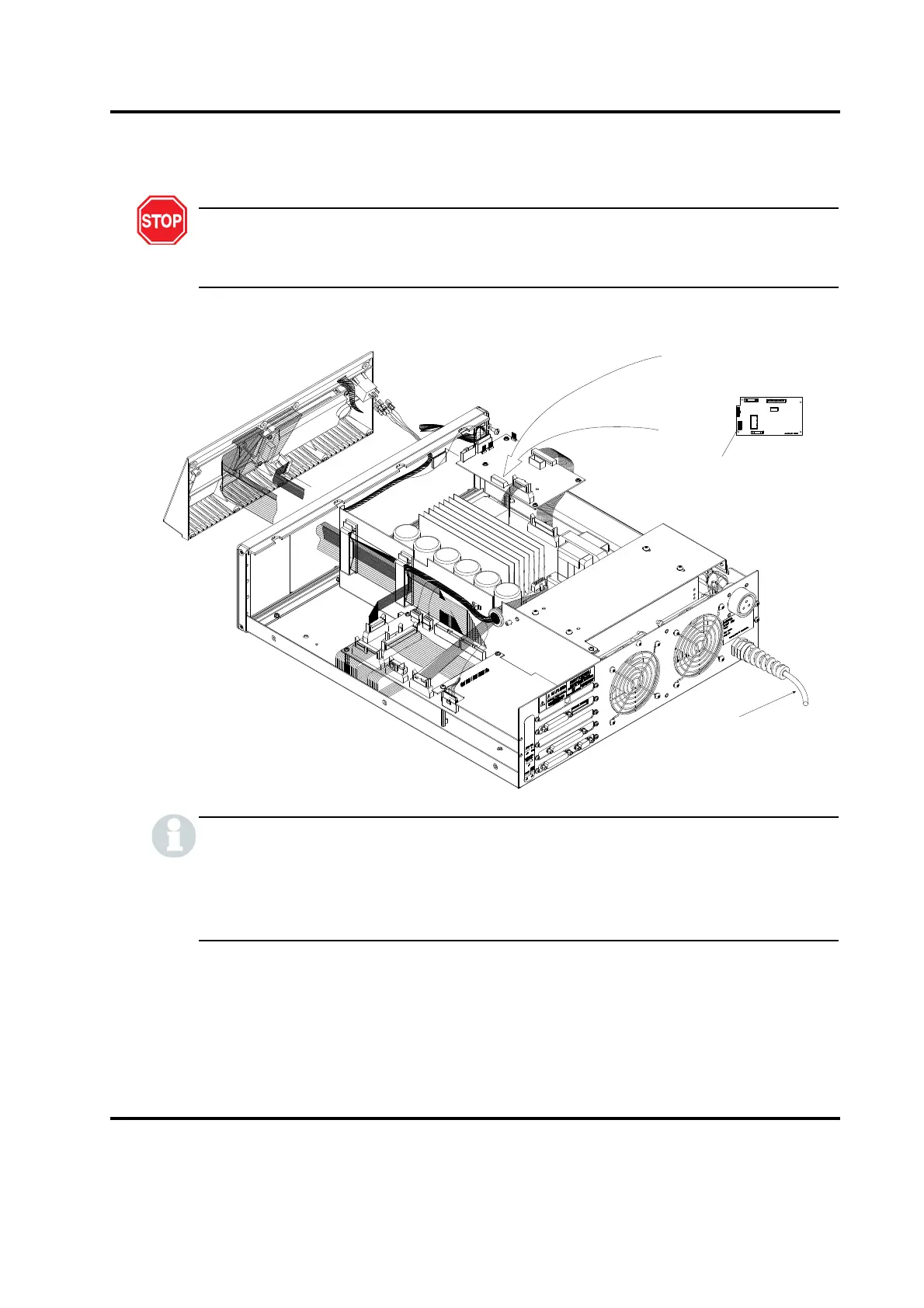
Figure 4.14 DIP Switch Location on the Analog and Digital Power Supply Module
There are two variations of the DIP switch and each is used interchangeably. The switch will
have either “Open” or “On” printed on it to indicate position function. Carefully note the
orientation of the On/Off positions as illustrated, since one orientation is exactly the opposite
of the other.
Power Supply must be
unplugged before removing cover
DIP Switch (Switch Select block )
Please read Note below
SCAL
1:2
DIGITAL
Program DIP Switch
(Switch Select Block)










 To Next Page