1-18
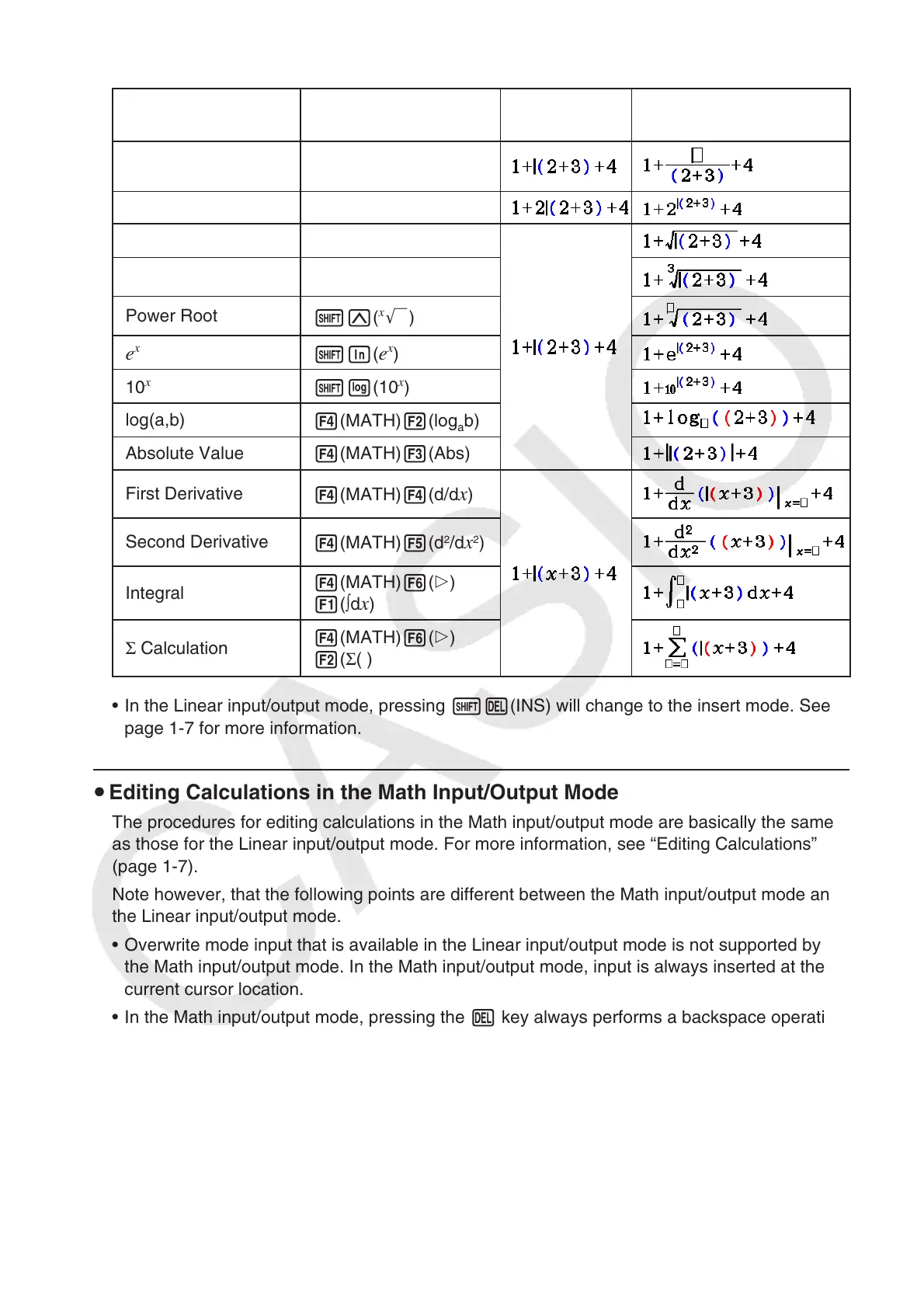
This capability can be used with the following functions.
Function Key Operation
Original
Expression
Expression After
Insertion
Improper Fraction
v
Power
M
'
!x( ')
Cube Root
!((
3
')
Power Root
!M(
x
')
e
x
!I( e
x
)
10
x
!l(10
x
)
log(a,b)
4(MATH) 2(log
a
b)
Absolute Value
4(MATH) 3(Abs)
First Derivative
4(MATH) 4( d / d
x )
Second Derivative
4(MATH) 5( d
2
/ dx
2
)
Integral
4(MATH) 6( g)
1( ∫ d
x )
Σ Calculation
4(MATH) 6( g)
2( Σ ( )
• In the Linear input/output mode, pressing !D(INS) will change to the insert mode. See
page 1-7 for more information.
u Editing Calculations in the Math Input/Output Mode
The procedures for editing calculations in the Math input/output mode are basically the same
as those for the Linear input/output mode. For more information, see “Editing Calculations”
(page 1-7).
Note however, that the following points are different between the Math input/output mode and
the Linear input/output mode.
• Overwrite mode input that is available in the Linear input/output mode is not supported by
the Math input/output mode. In the Math input/output mode, input is always inserted at the
current cursor location.
• In the Math input/output mode, pressing the D key always performs a backspace operation.



 To Next Page
 Loading...









