3-17
k Performing Scientific Function Calculations Using a List
Lists can be used just as numeric values are in scientific function calculations. When the
calculation produces a list as a result, the list is stored in ListAns Memory.
Example To use List 3 (41, 65, 22) to perform sin (List 3)
Use radians as the angle unit.
sK1(LIST)1(List)dw
4. Switching between List Files
You can store up to 26 lists (List 1 to List 26) in each file (File 1 to File 6). A simple operation
lets you switch between list files.
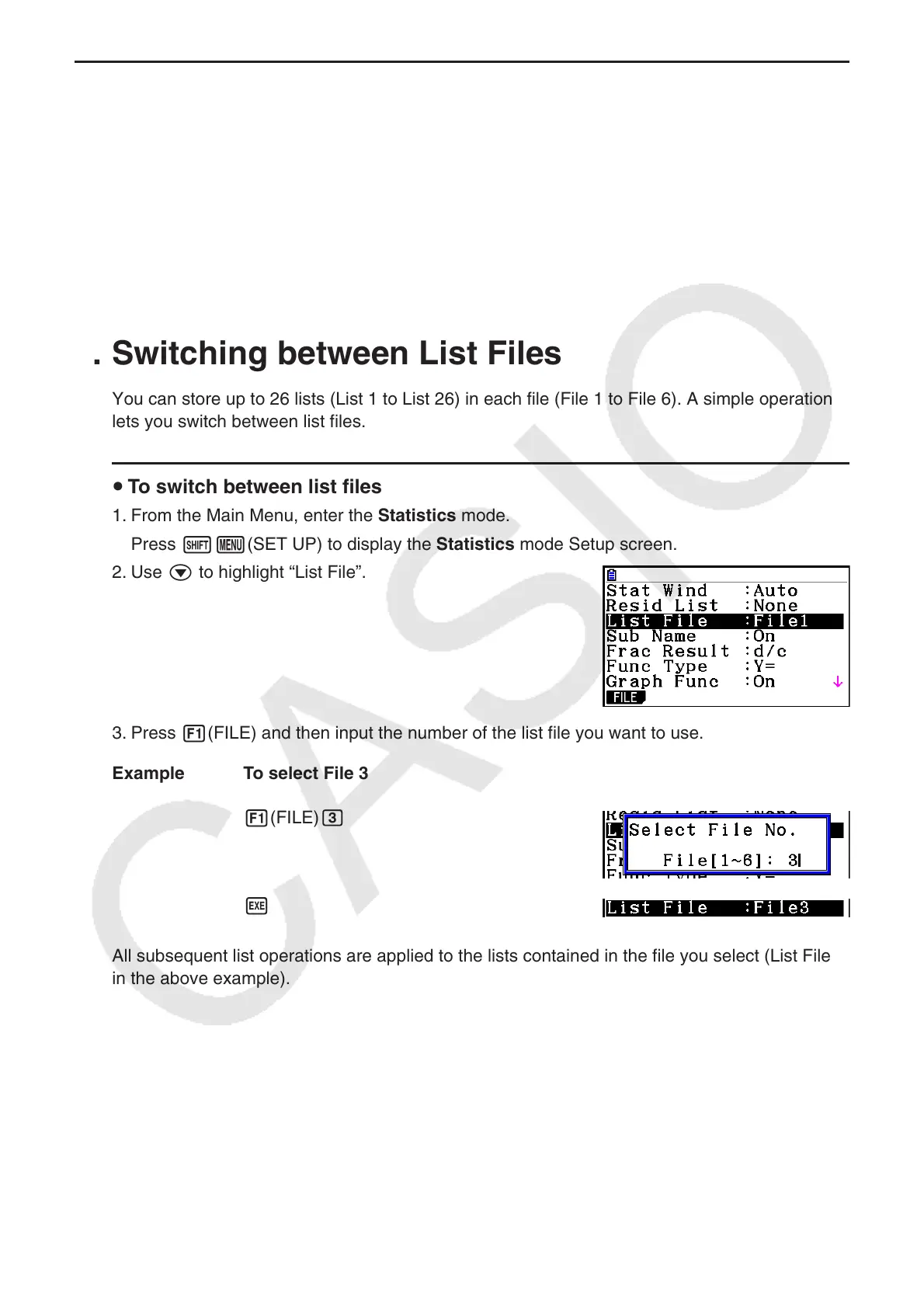
u To switch between list files
1. From the Main Menu, enter the Statistics mode.
Press !m(SET UP) to display the Statistics mode Setup screen.
2. Use c to highlight “List File”.
3. Press 1(FILE) and then input the number of the list file you want to use.
Example To select File 3
1(FILE) d
w
All subsequent list operations are applied to the lists contained in the file you select (List File 3
in the above example).



 To Next Page
 Loading...









