9-20
Command Description
CellMedian(
(Median of Cells)
Returns the median value in a specified range of cells.
Input Key Operation: 5(CELL) 4(Med)
Syntax: CellMedian(start cell:end cell[)]
Example: =CellMedian(A3:C5)
Returns the median value of the data in cell range A3:C5.
CellSum(
(Sum of Cells)
Returns the sum of the data in a specified range of cells.
Input Key Operation: 5(CELL) 5(Sum)
Syntax: CellSum(start cell:end cell[)]
Example: =CellSum(A3:C5)
Returns the sum of the data in cell range A3:C5.
CellProd(
(Product of Cells)
Returns the product of the data in a specified range of cells.
Input Key Operation: 5(CELL) 6(Prod)
Syntax: CellProd(start cell:end cell[)]
Example: =CellProd(B3:B5)
Returns the product of the data in cell range B3:B5.
k Spreadsheet
Mode Command Example
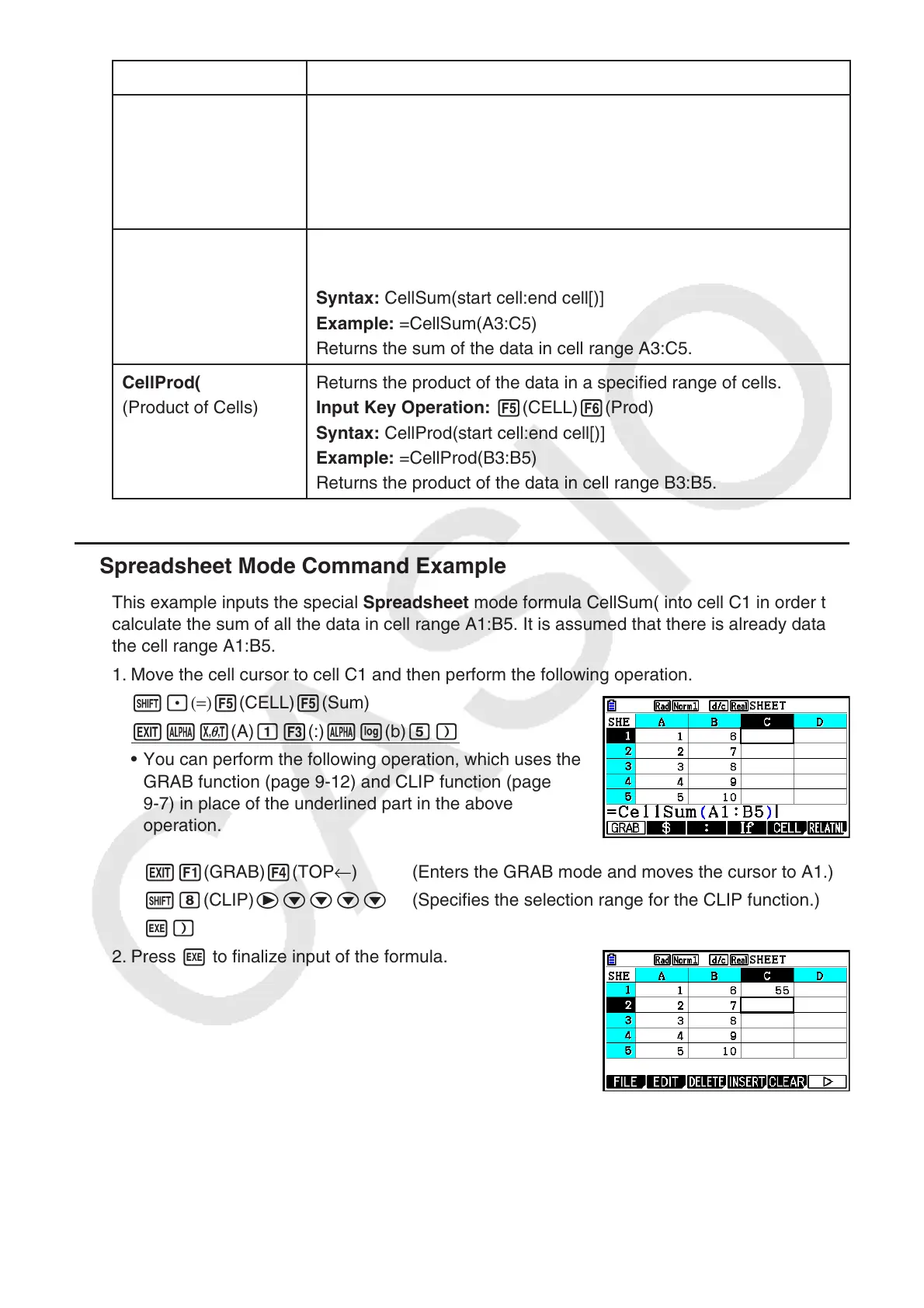
This example inputs the special Spreadsheet
mode formula CellSum( into cell C1 in order to
calculate the sum of all the data in cell range A1:B5. It is assumed that there is already data in
the cell range A1:B5.
1. Move the cell cursor to cell C1 and then perform the following operation.
!.(=) 5(CELL) 5(Sum)
Jav(A) b3(:) al(b) f)
• You can perform the following operation, which uses the
GRAB function (page 9-12) and CLIP function (page
9-7) in place of the underlined part in the above
operation.
J1(GRAB) 4(TOP ← ) (Enters the GRAB mode and moves the cursor to A1.)
!i(CLIP) ecccc (Specifies the selection range for the CLIP function.)
w)
2. Press w to finalize input of the formula.



 To Next Page
 Loading...









