2-4
Example 2 + 3 × (log sin2 π
2
+ 6.8) = 22.07101691 (angle unit = Rad)
• When functions with the same priority are used in series, execution is performed from right to
left.
e
x
ln 120 → e
x
{ln( 120)}
Otherwise, execution is from left to right.
• Compound functions are executed from right to left.
• Anything contained within parentheses receives highest priority.
k Calculation Result Irrational Number Display
You can configure the calculator to display calculation results in irrational number format
(including ' or π ) by selecting “Math” for the “Input/Output” mode setting on the Setup
screen.
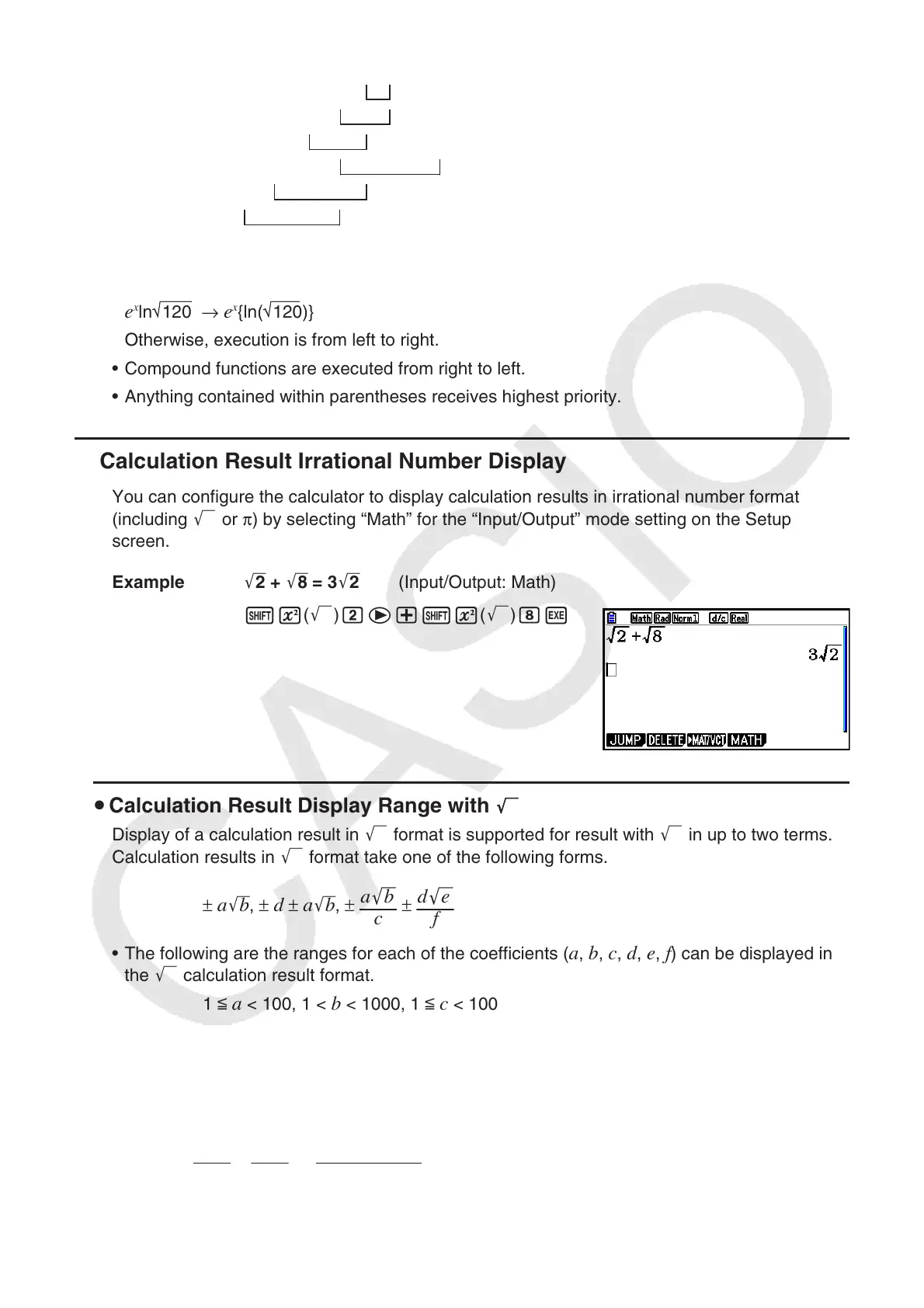
Example '2 + '8 = 3 '2 (Input/Output: Math)
!x( ') ce+!x( ') iw
u Calculation Result Display Range with
Display of a calculation result in ' format is supported for result with ' in up to two terms.
Calculation results in ' format take one of the following forms.
± a 'b , ± d ± a 'b , ±
a
'
b
c
±
d
'
e
f
• The following are the ranges for each of the coefficients ( a , b , c , d , e , f ) can be displayed in
the ' calculation result format.
1 <
a < 100, 1 < b < 1000, 1 < c < 100
0 <
d < 100, 0 < e < 1000, 1 < f < 100
• In the cases shown below, a calculation result may be able to be displayed in ' format
even if their coefficients (
a , c , d ) are outside the above ranges.
A ' format calculation result uses a common denominator.
a
'
b
c
+
d
'
e
f
→
a
´
'
b
+
d
´
'
e
c
´
* c ´ is the least common multiple of c and f .
1
2
3
4
5
6
1
2
3
4
5
6



 To Next Page
 Loading...









