2-31
k Integration Calculations [OPTN]-[CALC]-[∫dx]
To perform integration calculations, first display the function analysis menu and then input the
values using the syntax below.
<Math input/output mode>
K4(CALC)4(∫d
x) f(x)e a f b
or
4(MATH)6(g)1(∫d
x) f(x)e a f b
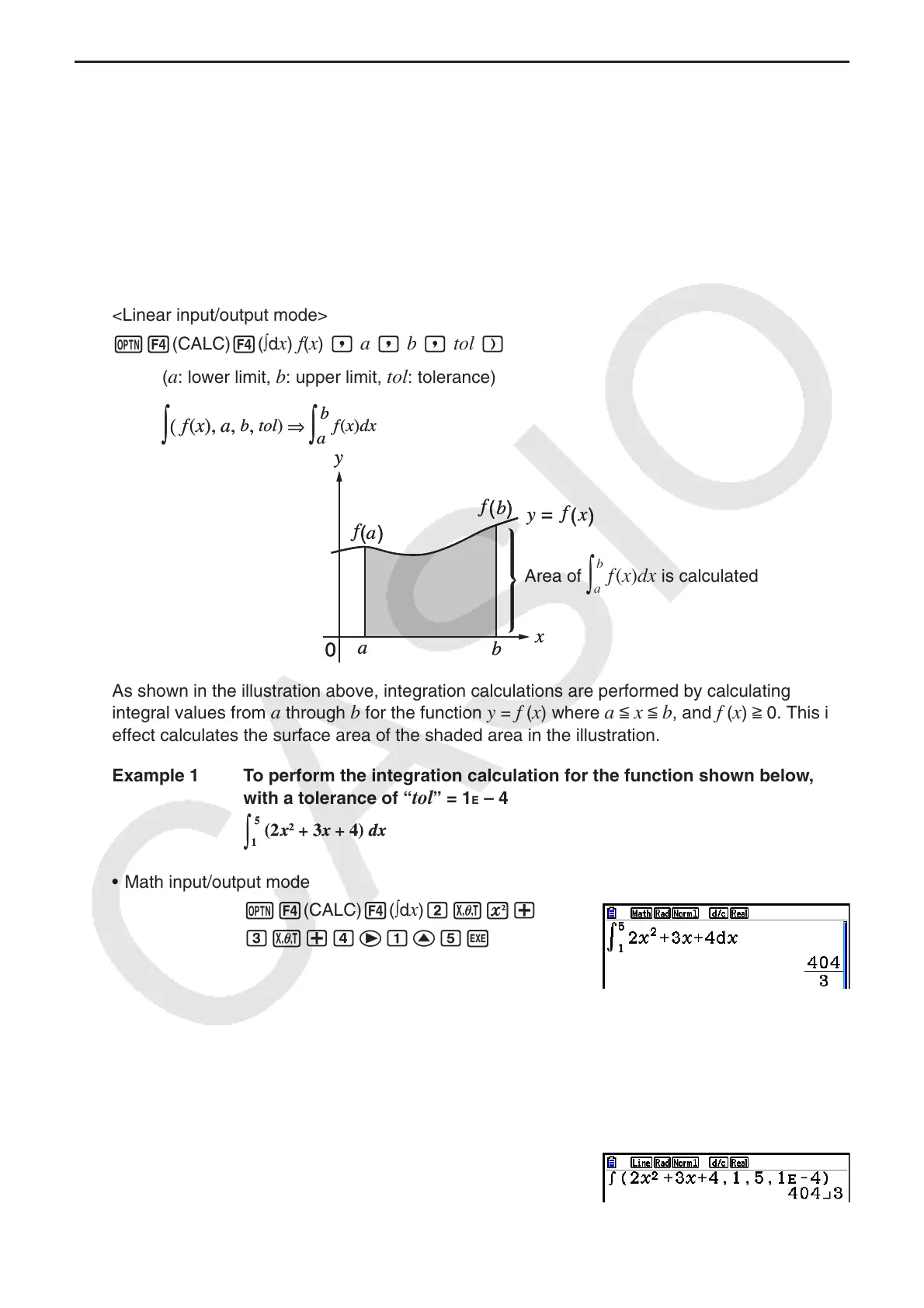
<Linear input/output mode>
K4(CALC)4(∫d
x) f(x) , a , b , tol )
(
a
: lower limit,
b
: upper limit,
tol
: tolerance)
Area of
a
b
f
(
x
)
dx
is calculated
As shown in the illustration above, integration calculations are performed by calculating
integral values from
a through b for the function y = f (x) where a < x < b, and f (x) > 0. This in
effect calculates the surface area of the shaded area in the illustration.
Example 1 To perform the integration calculation for the function shown below,
with a tolerance of “
tol” = 1E – 4
• Math input/output mode
K4(CALC)4(∫d
x)cvx+
dv+eebffw
• Linear input/output mode
Input the function
f
(x).
AK4(CALC)4(∫d
x)cvx+dv+e,
Input the lower limit, upper limit, and the tolerance value.
b,f,bE-e)w
(
f
(
x
),
a
,
b
,
tol
)
⇒
a
b
f
(
x
)
dx
(
f
(
x
),
a
,
b
,
tol
)
⇒
a
b
f
(
x
)
dx
1
5
(2x
2
+ 3x + 4) dx
1
5
(2x
2
+ 3x + 4) dx



 To Next Page
 Loading...









