ε-7
Using the Setup Wizard
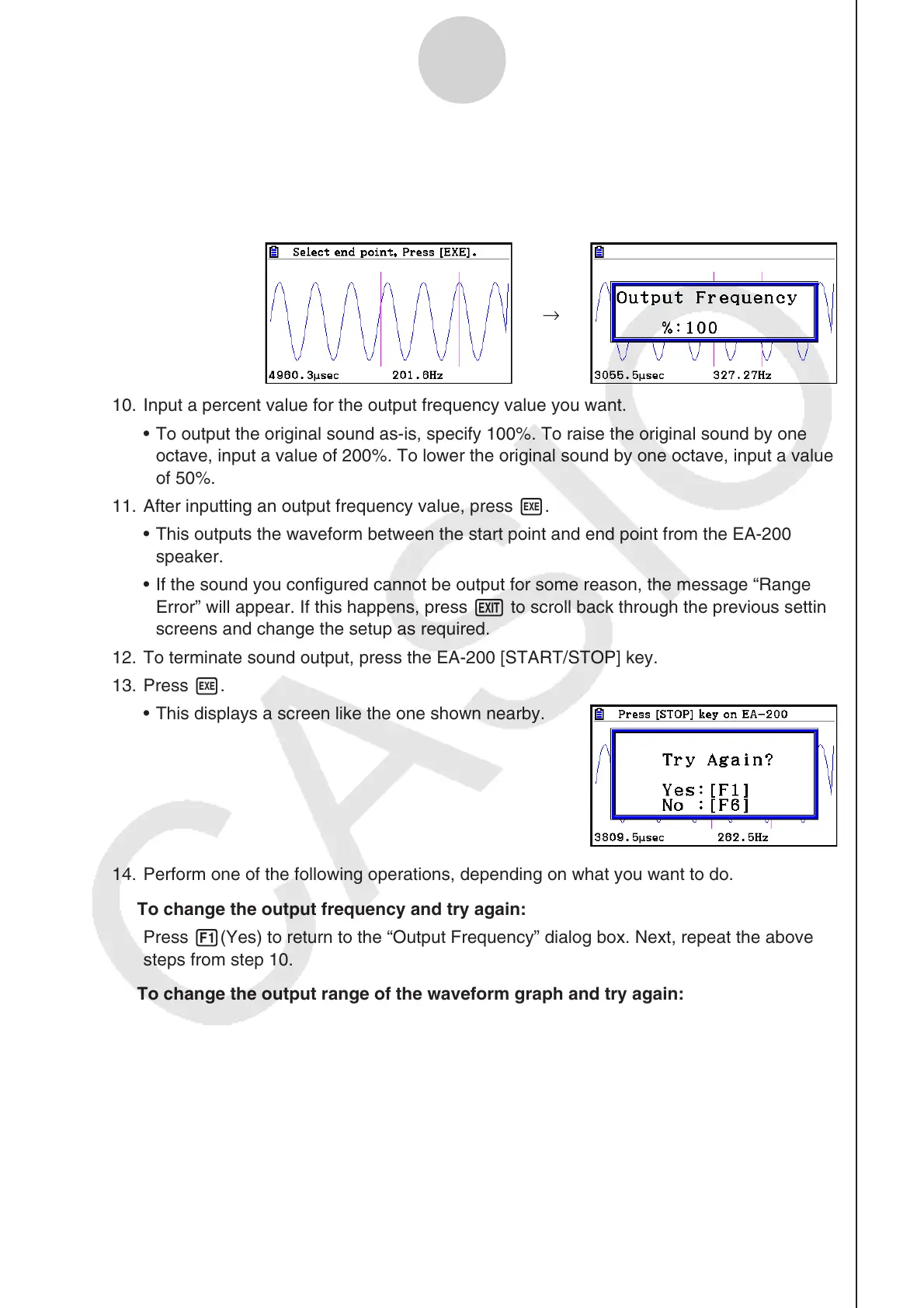
9. Use the d and e cursor keys to move the cursor to the end point of the output, and
then press w to register it.
• After you specify the start point and end point, an output frequency dialog box shown
below appears on the display.
→
10. Input a percent value for the output frequency value you want.
• To output the original sound as-is, specify 100%. To raise the original sound by one
octave, input a value of 200%. To lower the original sound by one octave, input a value
of 50%.
11. After inputting an output frequency value, press w.
• This outputs the waveform between the start point and end point from the EA-200
speaker.
• If the sound you configured cannot be output for some reason, the message “Range
Error” will appear. If this happens, press J to scroll back through the previous setting
screens and change the setup as required.
12. To terminate sound output, press the EA-200 [START/STOP] key.
13. Press w.
• This displays a screen like the one shown nearby.
14. Perform one of the following operations, depending on what you want to do.
To change the output frequency and try again:
Press 1(Yes) to return to the “Output Frequency” dialog box. Next, repeat the above
steps from step 10.
To change the output range of the waveform graph and try again:
Press 6(No) to return to the graph screen in step 7. Next, repeat the above steps from
step 8.
To change the function:
Press 6(No) and then J to return to the graph relation list in step 6. Next, repeat the
above steps from step 6.
To exit the procedure and return to the
E-CON3 main menu:
Press 6(No) and then press J twice.



 To Next Page
 Loading...









