2-9
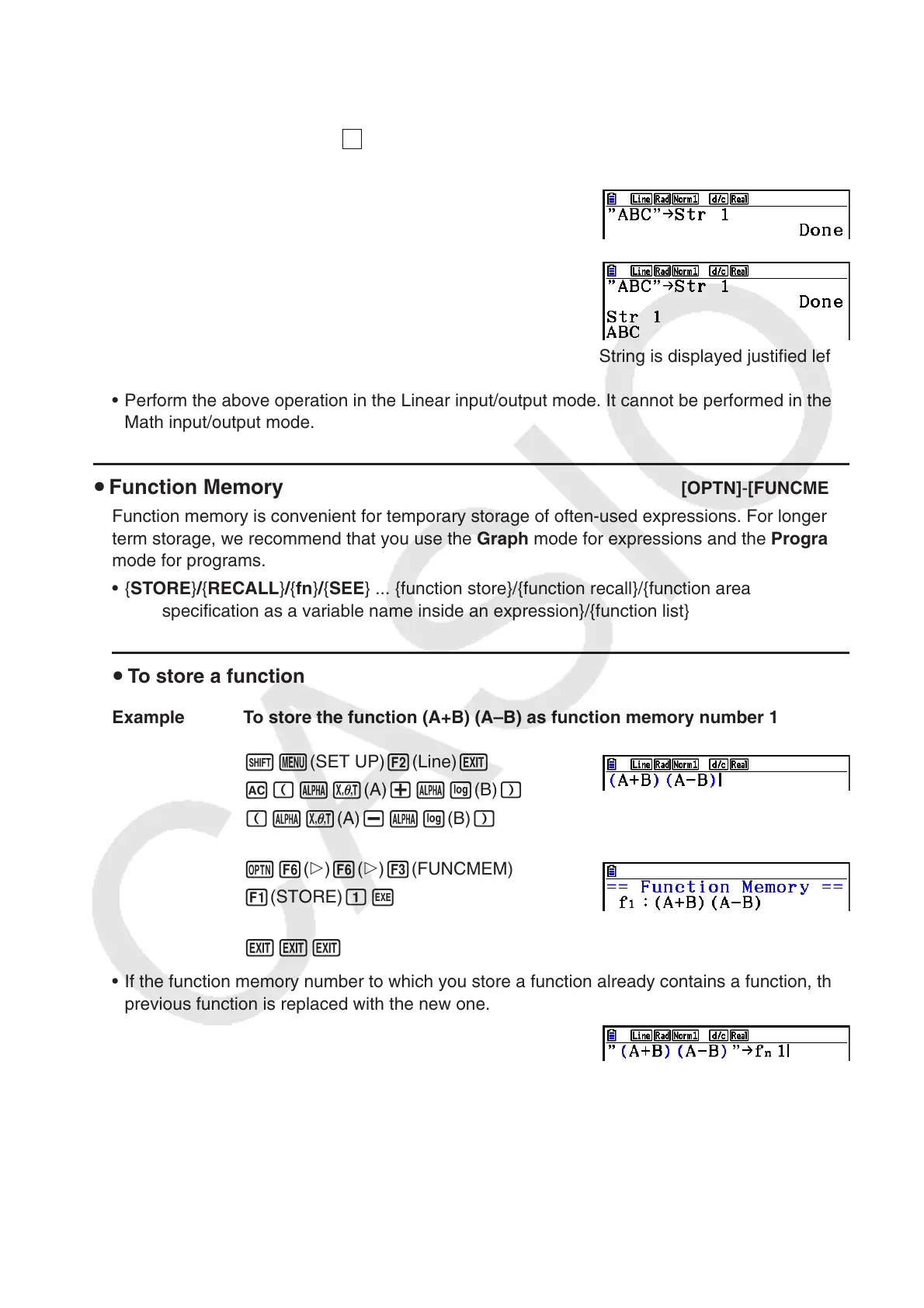
Example To assign string “ABC” to Str 1 and then output Str 1 to the display
!m(SET UP)2(Line)J
A!a(
A
-LOCK) E(”) v(A)
l(B) I(C) E(”) a(Releases Alpha Lock.)
aJ6( g) 5(Str) bw
5(Str) bw
String is displayed justified left.
• Perform the above operation in the Linear input/output mode. It cannot be performed in the
Math input/output mode.
u Function Memory [OPTN] - [FUNCMEM]
Function memory is convenient for temporary storage of often-used expressions. For longer
term storage, we recommend that you use the Graph mode for expressions and the Program
mode for programs.
• { STORE } / { RECALL } / { fn } / { SEE } ... {function store}/{function recall}/{function area
specification as a variable name inside an expression}/{function list}
u To store a function
Example To store the function (A+B) (A–B) as function memory number 1
!m(SET UP)2(Line)J
A (av(A) +al(B) )
(av(A) -al(B) )
K6( g) 6( g) 3(FUNCMEM)
1(STORE) bw
JJJ
• If the function memory number to which you store a function already contains a function, the
previous function is replaced with the new one.
• You can also use a to store a function in function
memory in a program. In this case, you must enclose the
function inside of double quotation marks.


 To Next Page
 Loading...










