12-4
k Version List
Use VERSION to display the operating system version.
u To display version information
1. While the initial System mode screen is displayed, press 4(VERSION) to display the
Version list.
2. Use f and c to scroll the screen. The contents of the list are shown below.
- Operating system version
- Add-in application names and versions (only installed add-ins are displayed)
- Message languages and versions
- Menu languages and versions
3. Press J or !J(QUIT) to return to the initial System mode screen.
k Reset
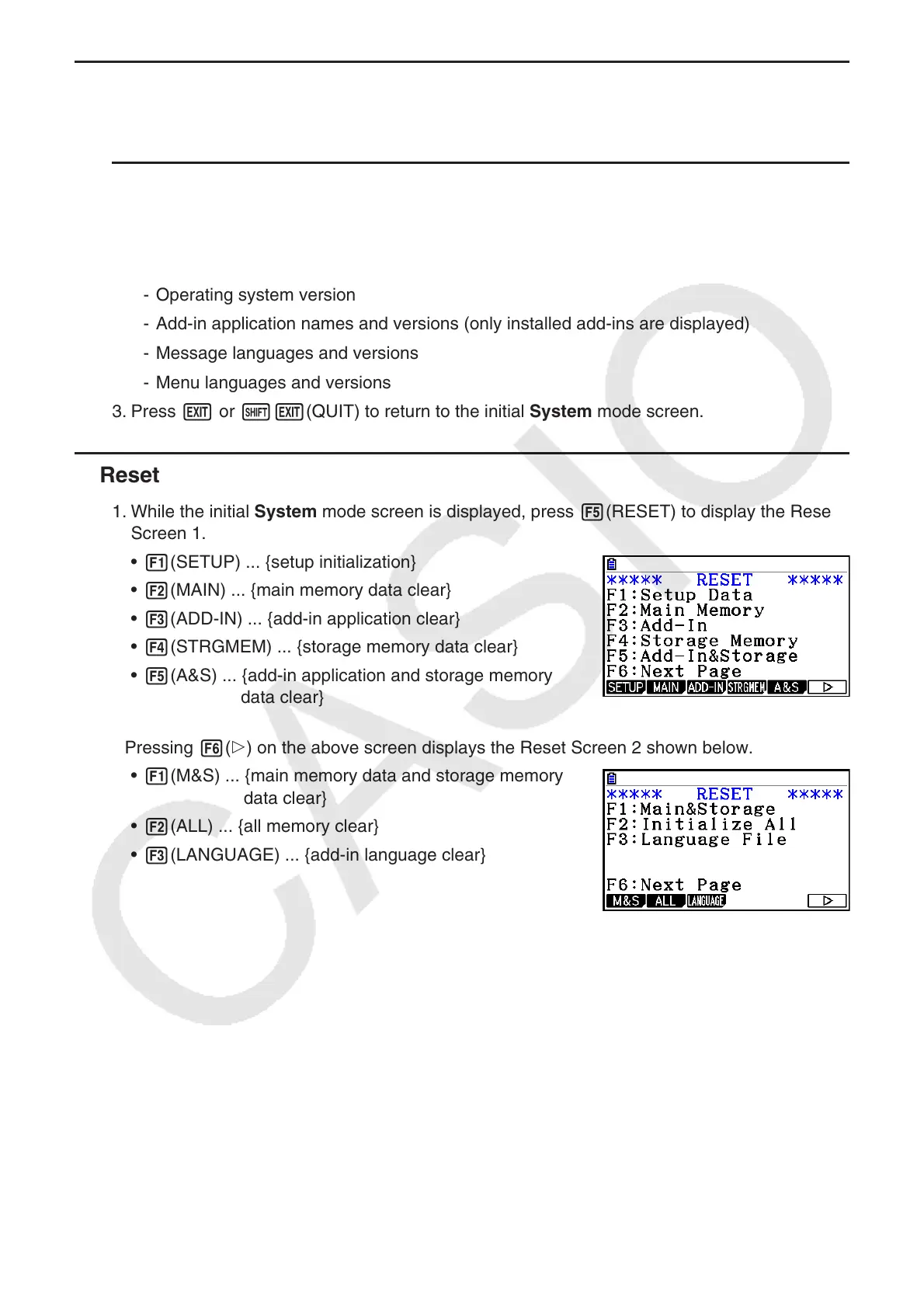
1. While the initial System mode screen is displayed, press 5(RESET) to display the Reset
Screen 1.
• 1(SETUP) ... {setup initialization}
• 2(MAIN) ... {main memory data clear}
• 3(ADD-IN) ... {add-in application clear}
• 4(STRGMEM) ... {storage memory data clear}
• 5(A&S) ... {add-in application and storage memory
data clear}
Pressing 6( g) on the above screen displays the Reset Screen 2 shown below.
• 1(M&S) ... {main memory data and storage memory
data clear}
• 2(ALL) ... {all memory clear}
• 3 (LANGUAGE) ... {add-in language clear}



 To Next Page
 Loading...









