14-18
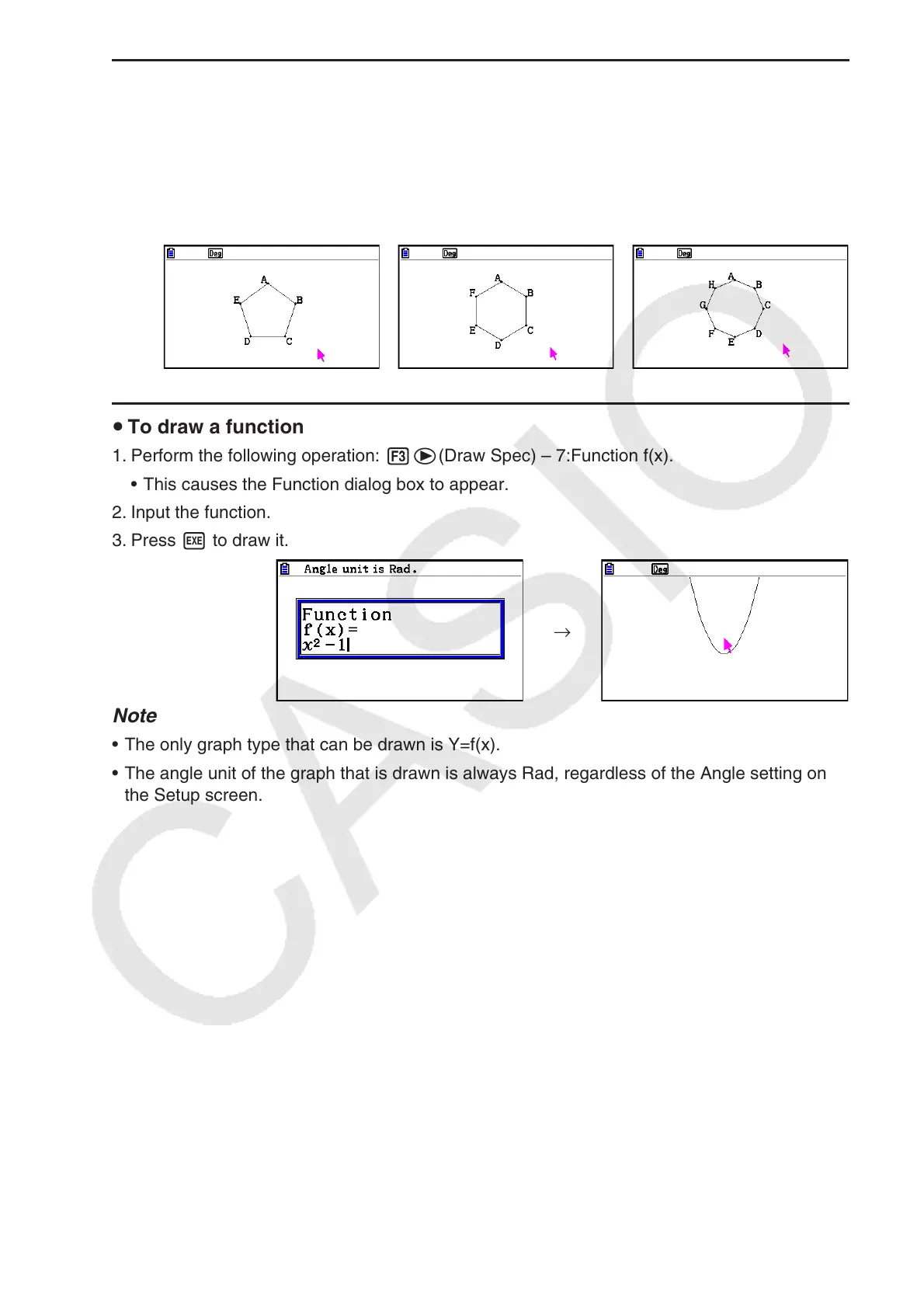
u To draw a regular n-gon
1. Perform the following operation: 3e(Draw Spec) – 6:Regular n-gon.
• This displays a dialog box prompting you to specify the number of sides.
2. Input a value from 3 to 12 and then press w.
3. Perform steps 2 through 4 under “To draw a triangle” (page 14-15).
• This will draw a regular n-gon using the number of sides you specified in step 2.
u To draw a function
1. Perform the following operation: 3e(Draw Spec) – 7:Function f(x).
• This causes the Function dialog box to appear.
2. Input the function.
3. Press w to draw it.
→
Note
• The only graph type that can be drawn is Y=f(x).
• The angle unit of the graph that is drawn is always Rad, regardless of the Angle setting on
the Setup screen.



 To Next Page
 Loading...









