CONSOLE AI | Adding Devices (CP2) | 133
Option Description
Session Expires Time (in seconds) before the current session expires due to
inactivity. This value MUST be greater than the Min SE Timer
value. Default: 1800. Min: 0. Max: 86400.
Digit Map Short Timer The length of a short timer, to be used in dial plans. Default:
10. Min: 5. Max: 50.
Digit Map Long Timer The length of a long timer, to be used in dial plans. Default: 50.
Min: 10. Max: 100.
Digit Map Time Out The length of time after a digit is sent before a timeout occurs.
Default: 1500. Min: 100. Max: 5000.
Enable SIP Logging Whether to turn on SIP logging for troubleshooting purposes.
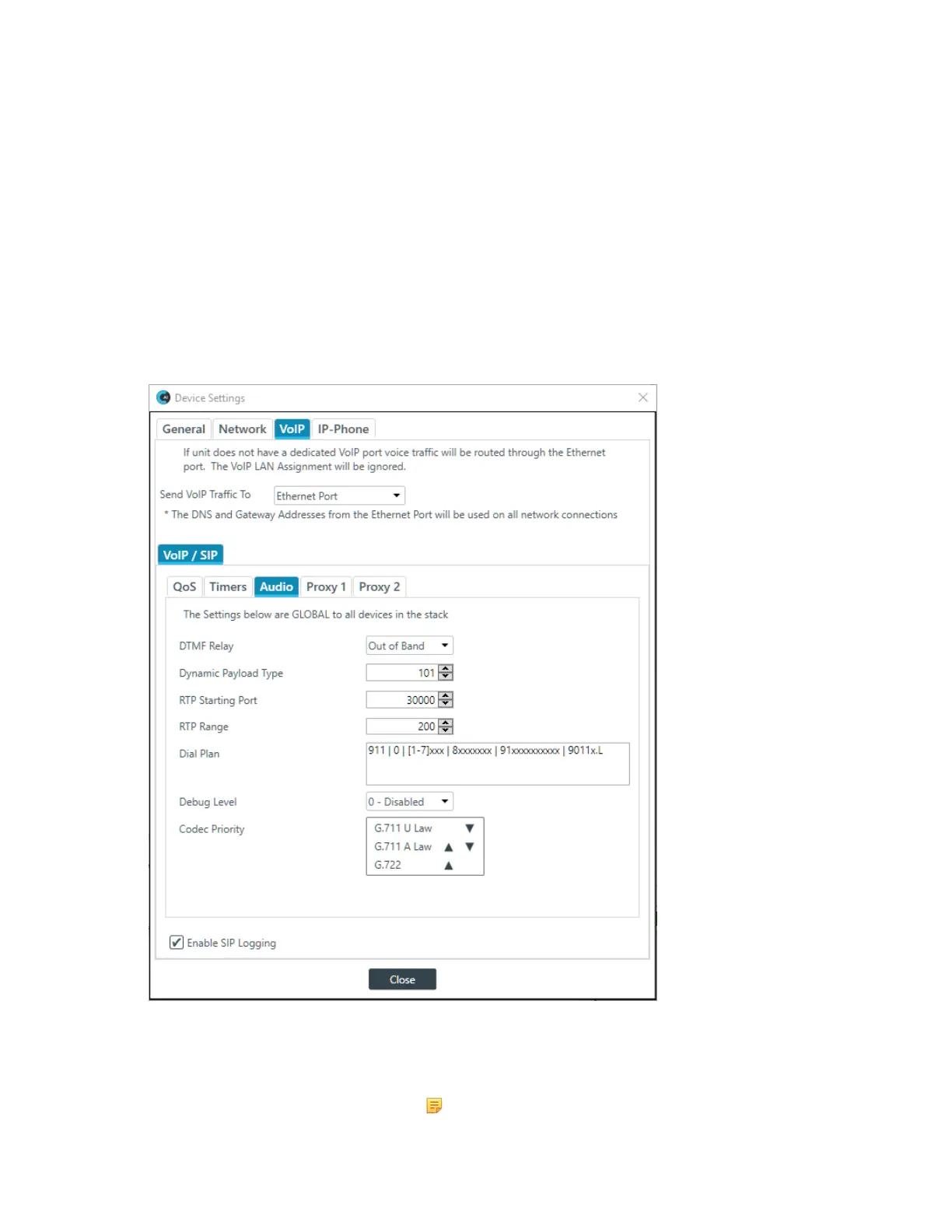
7. (Optional) Select the Audio tab and change any of the settings (described in the table below).
Option Description
DTMF Relay The DTMF Relay type. Possible options are SIP Info, Inband,
and Out of Band. Default is Out of Band.
Note:
CONSOLE AI User Manual









 To Next Page