CONSOLE AI | Adding Devices (CP2) | 146
General Settings
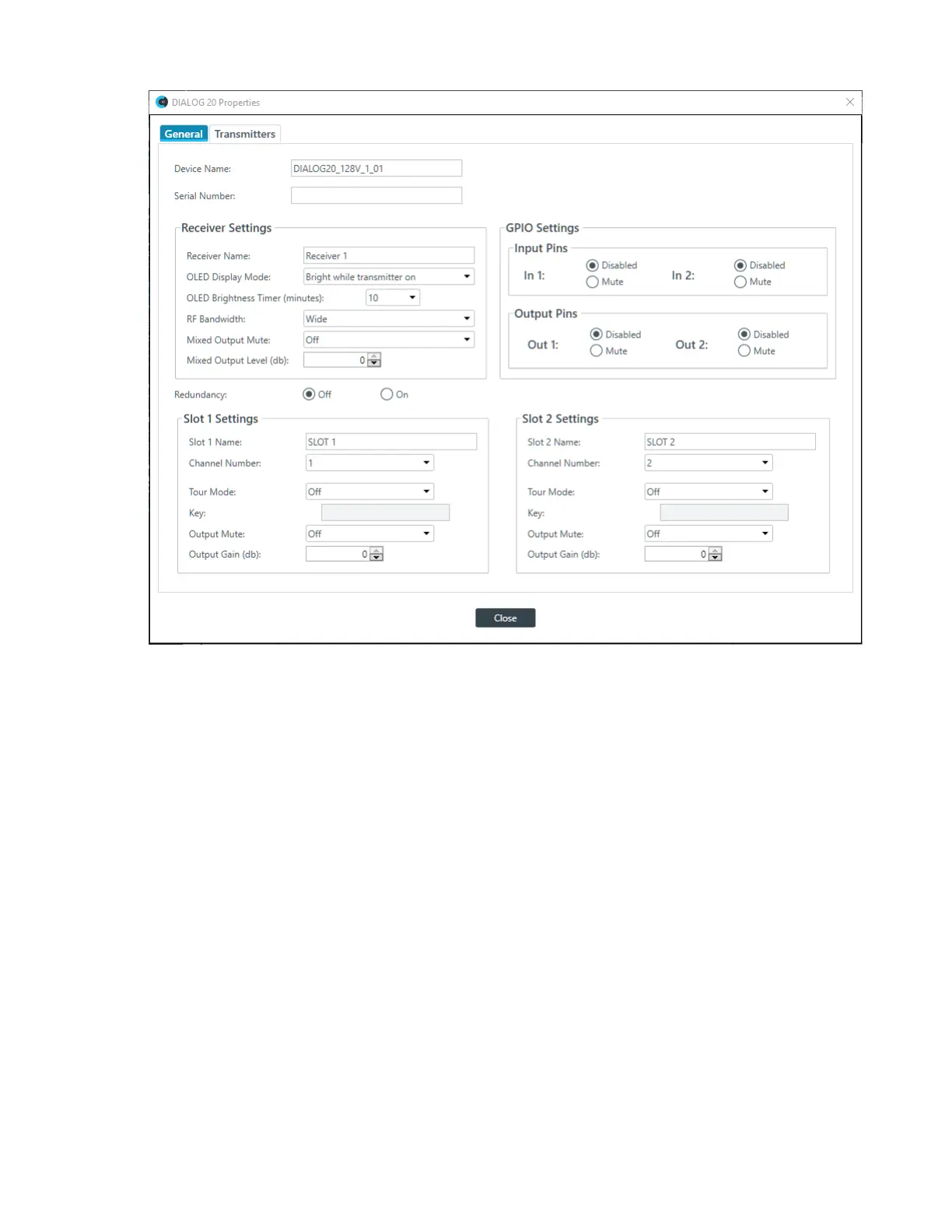
3. If it isn’t already selected, select the General tab.
4. (Optional) Change any of the settings (described in the table below).
Option Description
Device Name The name of the device as it appears in the CP2 CONSOLE.
Serial Number The serial number of the DIALOG 20 device. If the device is
detected, this is filled automatically.
Receiver Name The receive name that appears in the OLED panel of the
receiver.
OLED Display Mode Choose from:
Bright while transmitter on: Bright while any transmitter is
on; dims after all transmitters are turned off and timer expires
Bright while syncing: Bright when syncing transmitter, dims
after timer expires
Always bright: Does not ever dim
OLED Brightness Timer The length of time, in minutes, after which the OLED display
dims if you have selected Bright while transmitter on or
Bright while syncing above.
CONSOLE AI User Manual









 To Next Page