CONSOLE AI | Macros and Timers (CP2) | 181
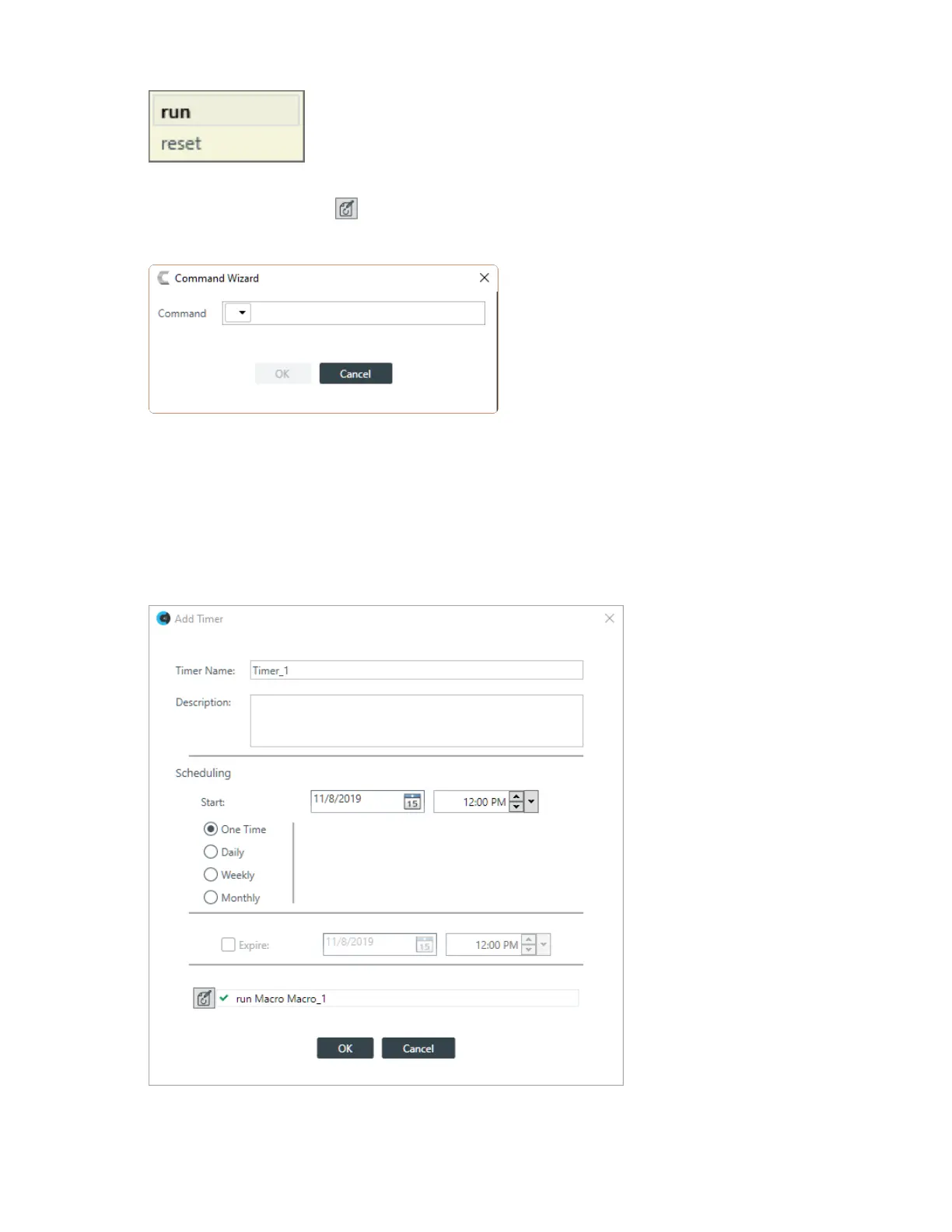
7. Continue to type commands, using Auto Complete as needed to complete the commands.
8.
Alternatively, you can click to specify the command to run using the Command Wizard.
The Timer Command Wizard appears:
9. Choose a command from the drop-down list in the Command field.
The available options are run, after which you can choose a macro to run, or reset, to reset the stack at
the specified time.
10.Click OK.
Edit a Timer
11.To edit a timer, from the Timers screen, select a timer and then click Edit.
The Add Timer dialog box appears with the details of the selected timer already filled in:
12.Make changes to the timer settings, as desired. See the Add a Timer section above for details.
CONSOLE AI User Manual









 To Next Page