CONSOLE AI | Managing Channels (CP2) | 208
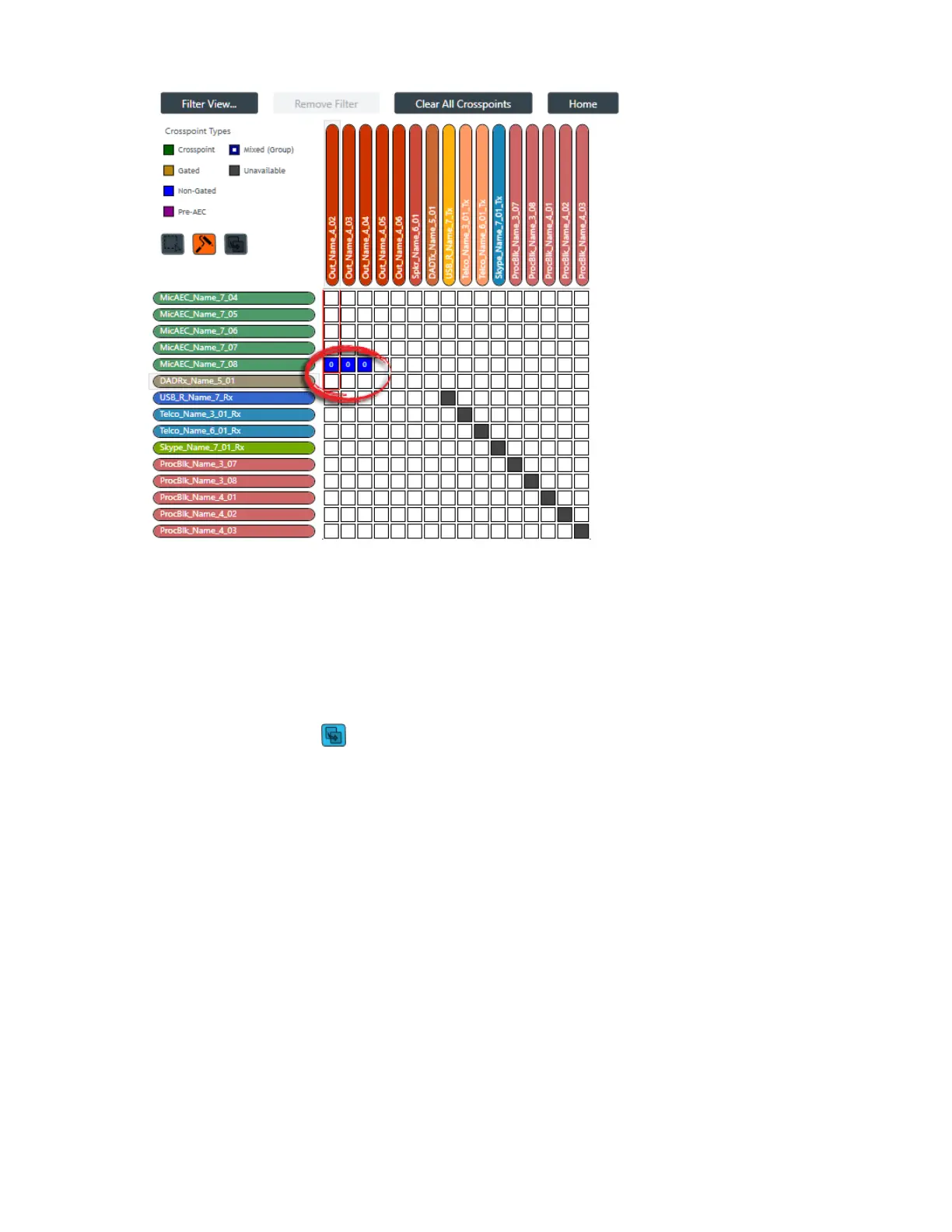
Notice that the crosspoints in the MicAEC_Name_7_08 channel row have been changed from “Gated”
to “Non-Gated” while the crosspoints in the DADRx_Name_5_01 channel row have been changed from
“Crosspoint” to blank (no crosspoint). That’s because each crosspoint touched was changed to the next
available type. In the case of a Mic channel, the next available type after “Gated” is “Non-Gated” (as
shown in the Crosspoint Types list in the upper left). Dante channels, however, cannot be gated; they
can be either on or off. So for those crosspoints, touching them using Roll Mode turned them from on to
off.
Copy Mode
10.
To use Copy Mode, click .
11.Start dragging the mouse pointer on a crosspoint you want to duplicate, and drag it across any
crossspoint you want to have exactly the same settings.
If possible, the crosspoint type, mute state, and attenuation setting are duplicated from the first
crosspoint you touched into every other crosspoint you touch. See the Before and After images below
for an example.
Before:
CONSOLE AI User Manual









 To Next Page