CONSOLE AI | Managing Channels (CP2) | 220
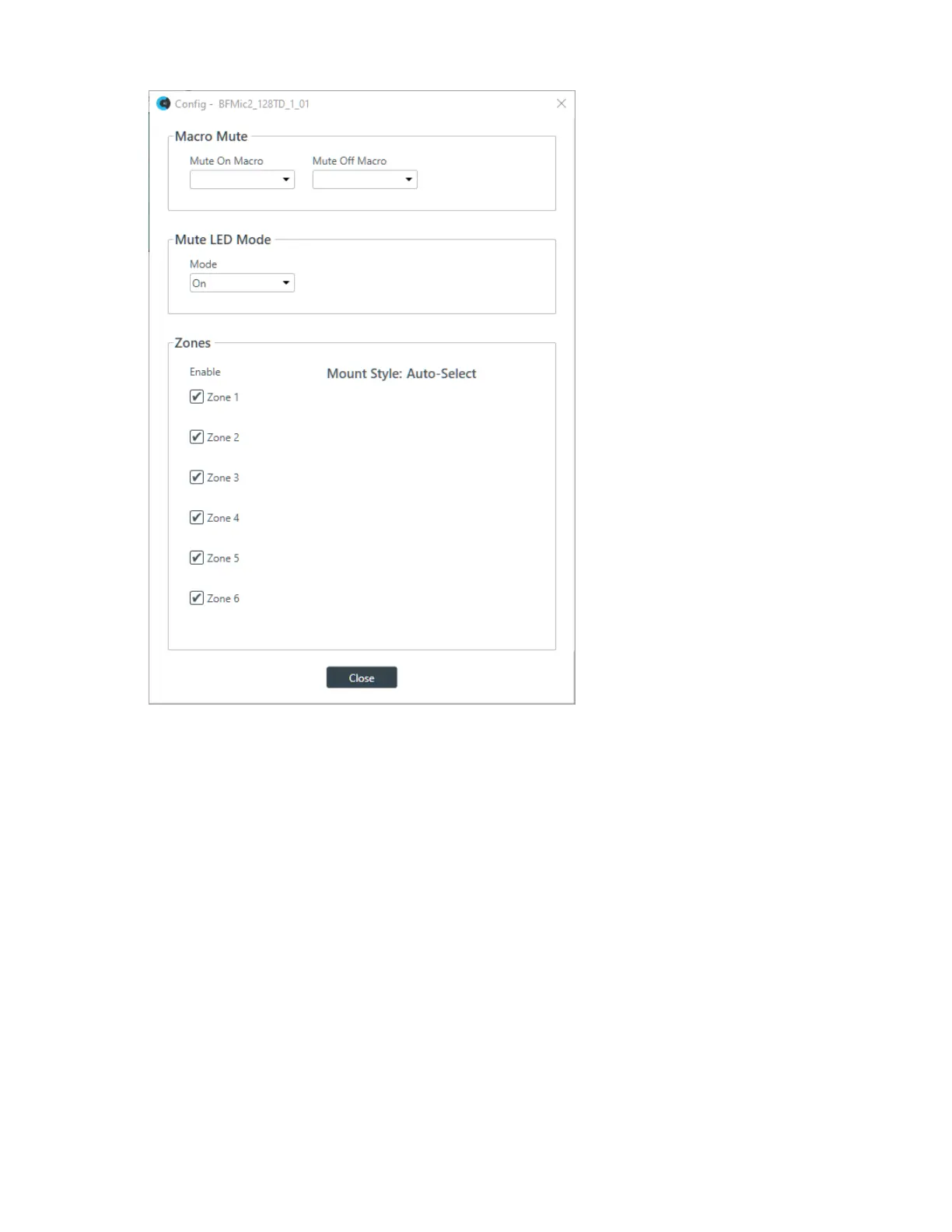
7. (Optional) Change any of the settings, as described in the table below:
Option Description
Mute On Macro If you want to run a macro when this BFM2 is muted, choose the macro to run
from the drop-down list.
Mute Off Macro If you want to run a macro when this BFM2 is unmuted, choose the macro to run
from the drop-down list.
Mute LED Mode From this drop-down list, you can choose how you want the LED light on the
device to behave when the device is muted. Choose from:
Off: The LED light does not come on when the device is muted.
On-Steady: The LED light stays on when the device is muted.
On-Blink: The LED light blinks when the device is muted.
Zones Choose which microphone zones are turned on.
Gain
8. You can change the fine gain in any of the following ways:
• Drag the slider
• Type a value in the text box
CONSOLE AI User Manual









 To Next Page