CONSOLE AI | Managing Channels (CP2) | 221
• Click the incrementer and decrementer arrows beside the text box to set the value
AEC
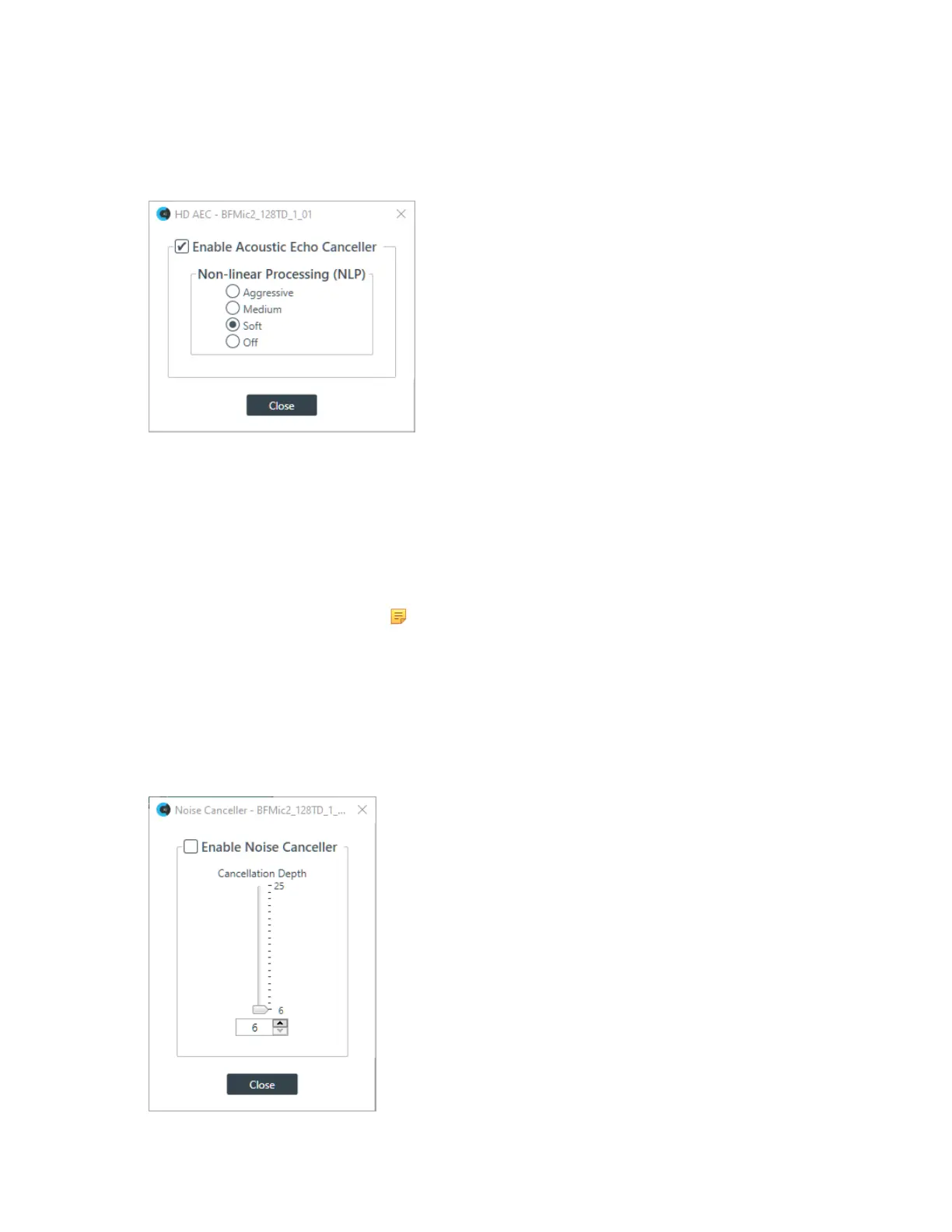
9. To turn AEC on or off, click the AEC button (the button changes to light green if AEC is on).
The AEC Settings dialog box appears:
10.(Optional) Make any changes to the AEC Settings you want (as described in the table below).
Option Description
Enable Acoustic Echo
Canceller
Check this box to turn on the AEC feature.
Non-linear Processing (NLP) NLP increases the power of echo cancellation for difficult acoustical
environments. You can choose whether to use NLP and how
aggressive the NLP should be.
Note:
Use NLP with care. There are trade-offs associated with
NLP, including audio suppression and half-duplex operation.
11.Click Close.
Noise Cancellation
12.To turn noise cancellation on or off, click the NC button (the button changes to light green if NC is on).
The Noise Canceller dialog box appears:
13.Check the Enable Noise Canceller check box to turn on NC.
CONSOLE AI User Manual









 To Next Page