CONSOLE AI | Managing Channels (CP2) | 222
14.Use any of the following methods to change the cancellation depth:
• Drag the slider
• Type a value in the text box
• Click the incrementer and decrementer arrows beside the text box to set the value
15.Click Close
Mute
16.To mute this channel, click the Mute button (the button changes to red if the channel is muted).
ALC
17.To turn ALC on, click the ALC button (the button changes to light green if ALC is on).
Filter
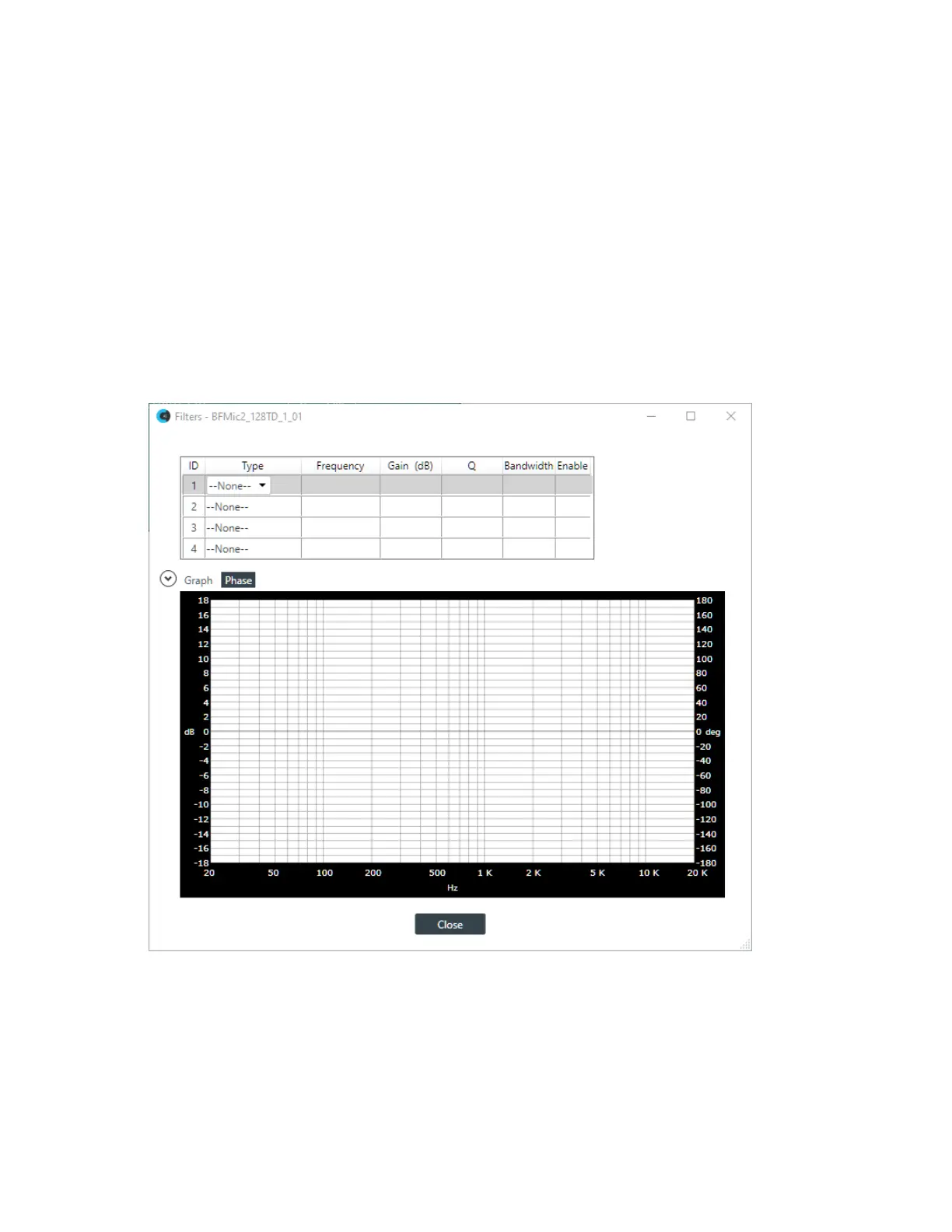
18.To enable and configure a filter, click the Filter button.
The Filters dialog box appears:
19.For one of the available filters, choose a filter type from the Type drop-down list (see the table below for
a brief description of the available filter types).
Filter Type Description
All Pass Frequency range is 20Hz to 20kHz. All pass changes the phase of the
audio signal at the set frequency.
High Pass Selectable frequency cutoff is 20Hz to 20kHz. Rolloff is 12dB/octave.
Level is fixed at 0dB.
CONSOLE AI User Manual









 To Next Page