CONSOLE AI | Managing Channels (CP2) | 263
11.(Optional) Alternatively, you can drag the filter nodes in the filter graph to change some filter option
values.
12.Repeat the process for each filter you want to add.
13.Click Close.
Compressor
14.To enable or disable a compressor for this channel, click the Compressor button.
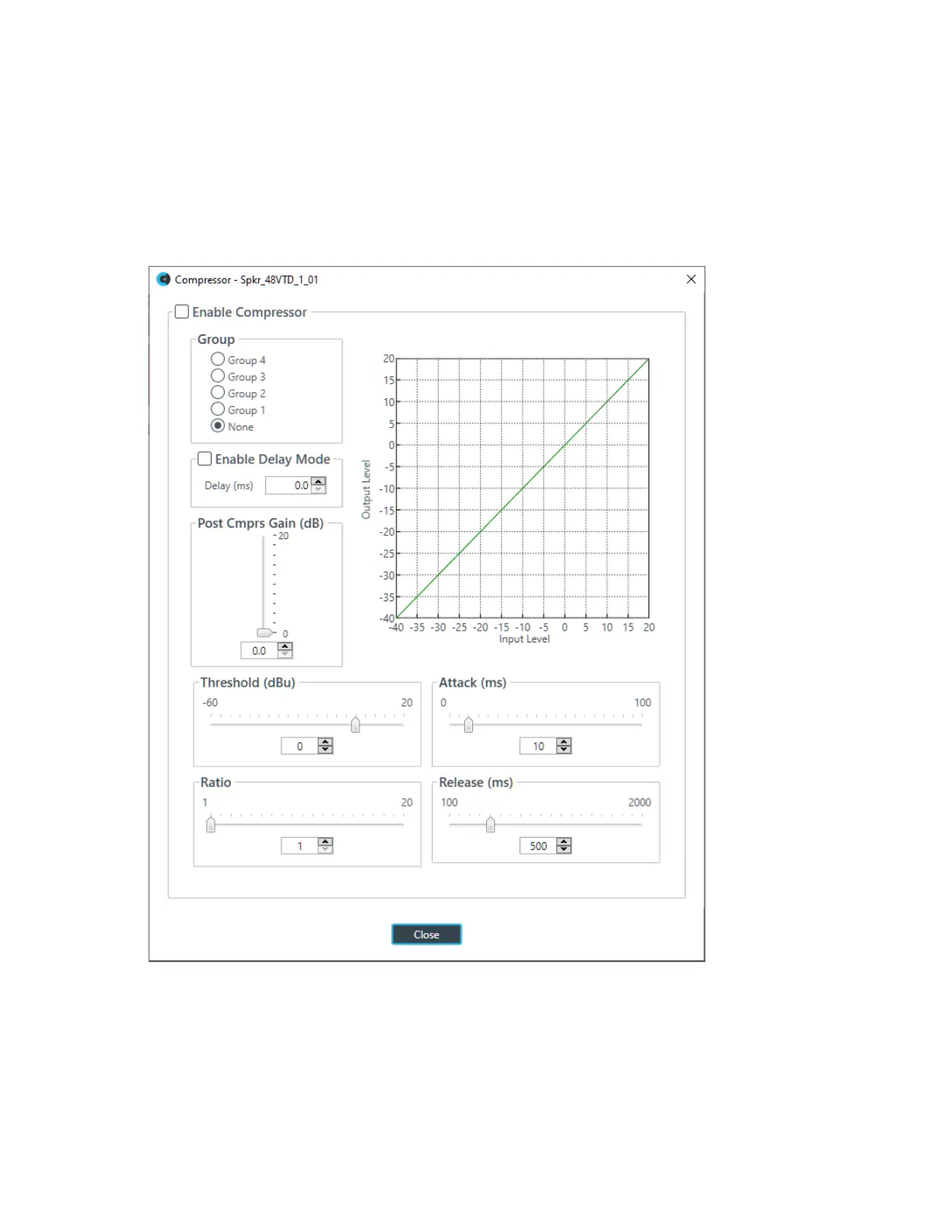
The enable Compressor dialog box appears:
15.Change any of the Compressor options, as described in the table below.
Option Description
Enable Compressor Check the check box to activate the compressor on this channel.
Group Use the Group radio buttons to assign this compressor to a
compressor group. The default is None. When you assign a
compressor to a compressor group—such as a group of two
compressors configured for left and right stereo channels—the
CONSOLE AI User Manual









 To Next Page