CONSOLE AI | Managing Channels (CP2) | 264
Option Description
compressors will monitor each other. When one channel compresses,
all compressors in the group compress together.
Note: A compressor group must be configured for a single
unit; a group cannot control compressors from multiple units.
Enable Delay Mode Turning on delay mode gives the compressor time to make
compression adjustments before the signal is sent to other channels.
This can useful for making sure that a signal doesn’t exceed a
threshold that might damage a speaker, for example.
Delay The amount of the delay (in ms).
Post Compression Gain A level adjustment made after compression has occurred.
Threshold Determines the RMS level at which the compressor begins to operate.
The range is from -30 to +20dBu. The defaultis 0dBu.
Attack Sets the time increment used to reduce the signal from input level to
the prescribed output level when the thresholdis exceeded. The range
is 0 to 100ms in .5ms steps. The default is 10ms.
Ratio Changes the rate of compression applied to the input signal as the
signal exceeds the threshold level. The range is1:1 to 1:20dB. The
default is 1:1.
Release Sets the time increment used to restore the signal to the input level
when the signal drops below the threshold. Therange is 100ms to 2
seconds, in 5ms increments. The default is 500ms.
Note:
The graph reflects the input/output decibel levels with the gain, ratio, and threshold settings you
select.
16.Click Close.
Delay
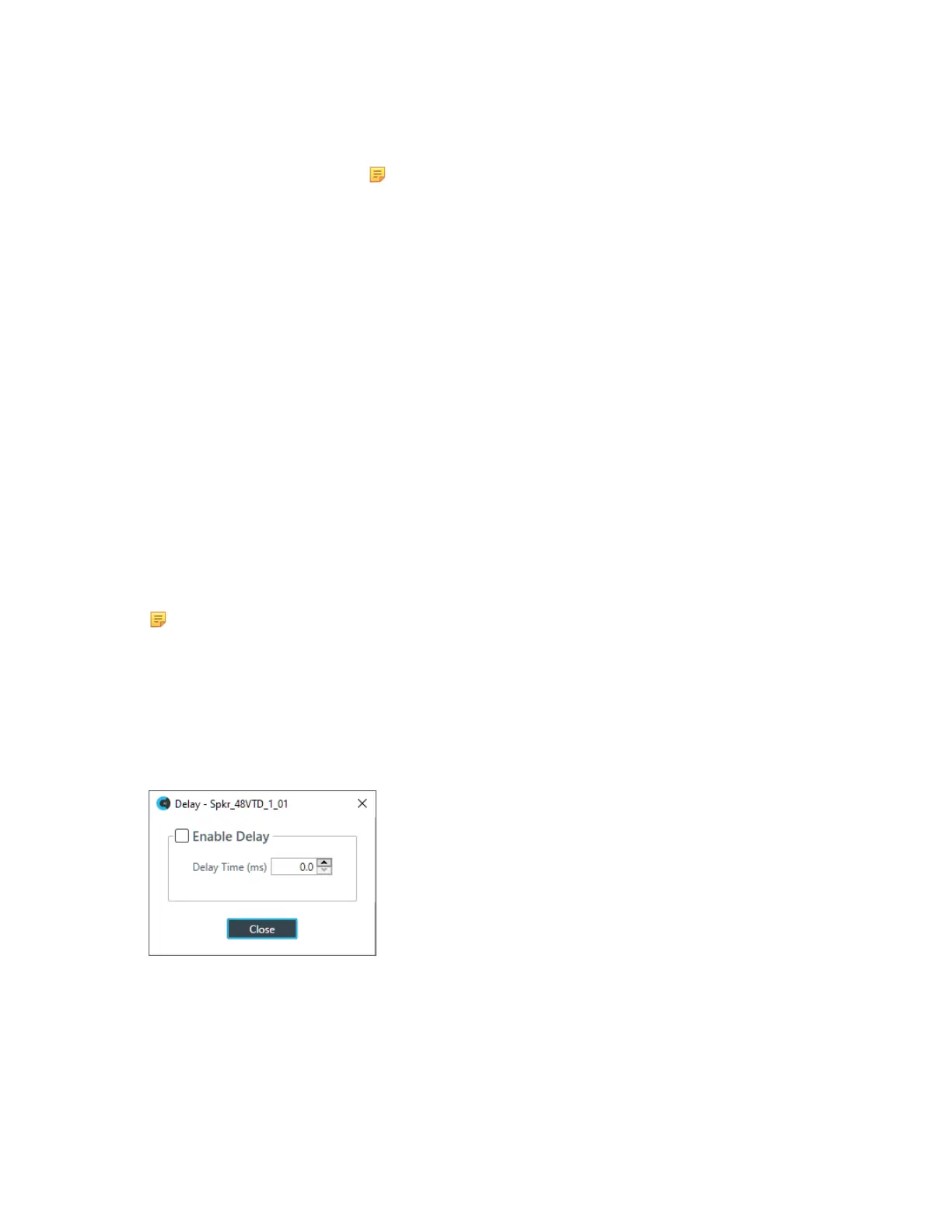
17.To enable or disable a delay for this channel, click the Delay button.
The Enable Delay dialog box appears:
18.Check the Enable Delay check box to turn on the delay.
19.Specify the amount of the delay (in ms) by typing a value in the Delay Time field or using the
incrementer and decrementer buttons next to the field to set a value.
20.Click Close.
Mute
21.To mute this channel, click the Mute button (the button changes to red if the channel is muted).
Gain
CONSOLE AI User Manual









 To Next Page