CONSOLE AI | Interface | 32
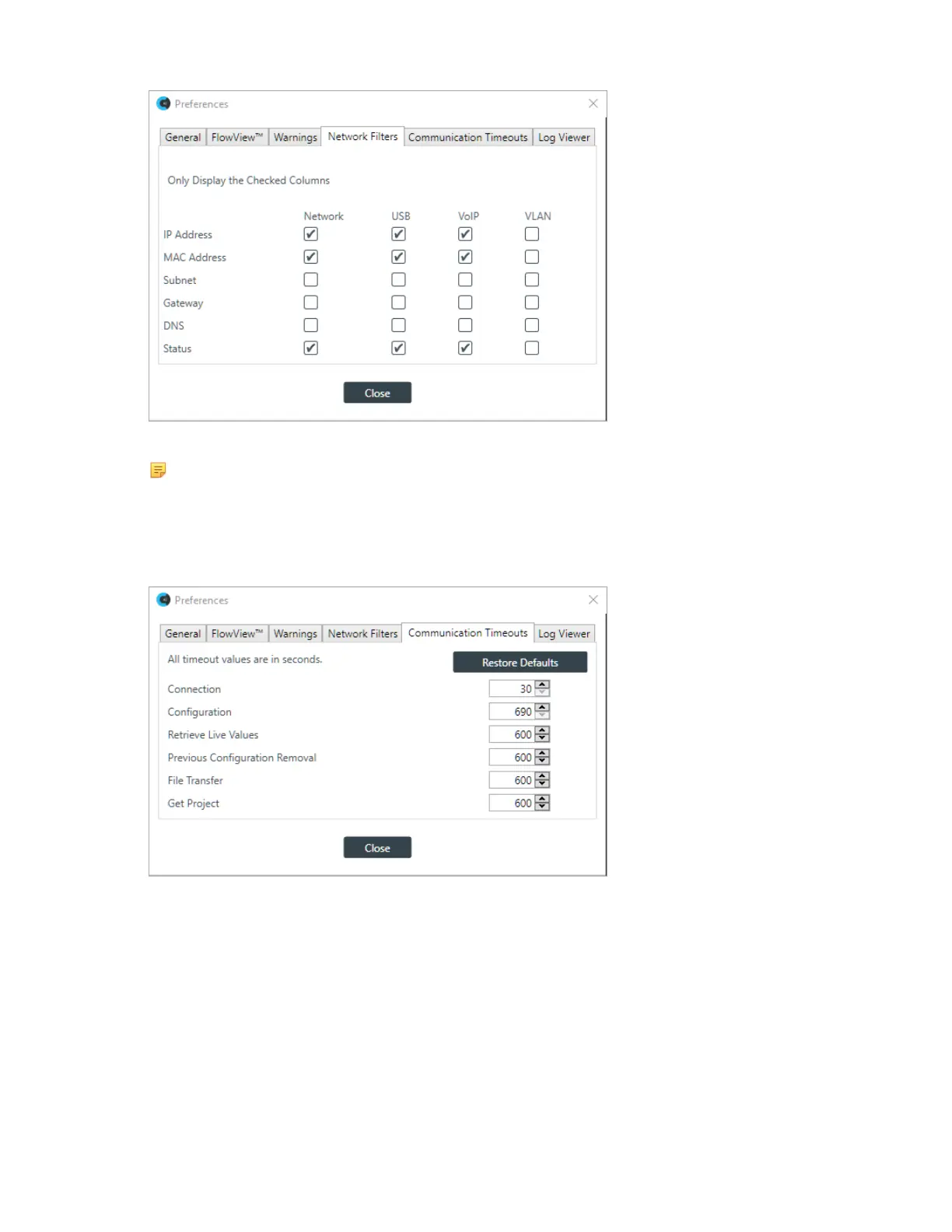
9. Select the interfaces and network details you want to display.
Note:
Interfaces are shown in columns; network details appear in rows.
10.(Optional) To set the timeouts for various CONSOLE AI communications functions, click the
Communication Timeouts tab.
The Communication Timeouts tab appears:
11.Change any of the communication timeout values, or click Restore Defaults to change all timeouts to
their default values. See the table below for details:
Item Description
Connection Maximum time the CONSOLE AI application attempts to make a
connection to a CP2 device.
Configuration Maximum time for the configuration load process to complete.
Retrieve Live Values Maximum time for the CONSOLE AI to request and receive live values
from a CP2 device.
Previous Configuration
Removal
Maximum time for an existing configuration file to be removed from a
stack.
CONSOLE AI User Manual









 To Next Page