CONSOLE AI | Interface | 31
5. (Optional) To allow creation of groups using drag and drop, check the Create groups with drag and
drop check box. To show a warning about deallocation of mixer blocks or mixer block members, check
the Show Deallocate Mixer Block or Mixer Block Member Line Warning check box.
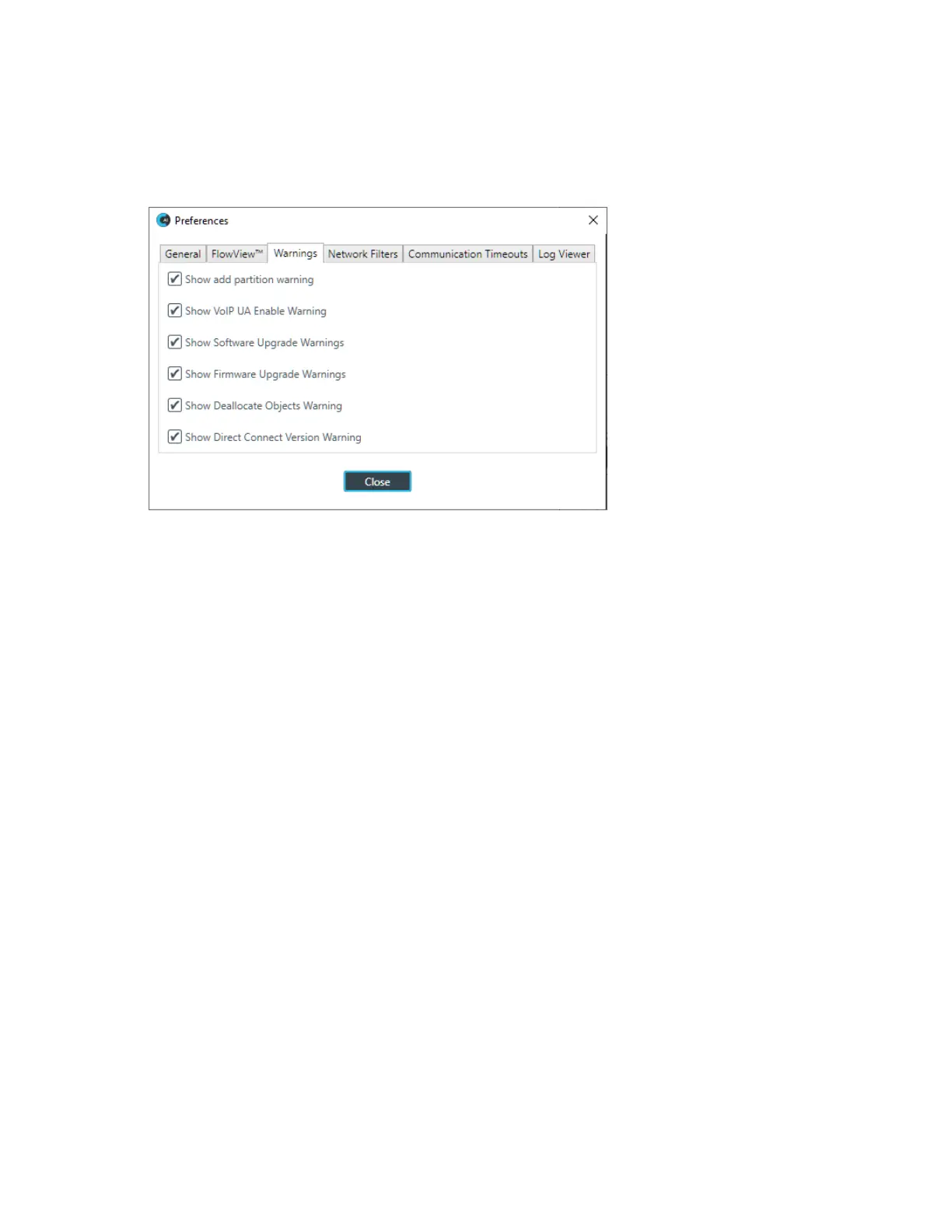
6. (Optional) To specify which warnings appear, click the Warnings tab.
The Warnings tab appears:
7. (Optional) Select which warnings appear, as described in the table below:
Option Description
Show add partition warning Show a warning about the results of adding a partition each time a
partition is added.
Show VoIP UA Enable
Warning
Show a warning regarding how many concurrent calls can be
placed, based on how many UAs have been enabled.
Show Software Upgrade
Warnings
Show warnings about the implications of upgrading the CONSOLE
AI software.
Show Firmware Upgrade
Warnings
Show warnings about the implications of upgrading the CP2
firmware.
Show Deallocate Objects
Warning
Show warnings when objects are deallocated.
Show Direct Connect Version
Warning
Using Direct Connect requires firmware version 6.0.29.0 or greater,
and by default, a warning about this is shown. You can deselect this
check box to not have this warning shown.
8. (Optional) To filter which information appears on the Stack Network screen (when connected to a device
or stack), click the Network Filters tab.
The Network Filters tab appears:
CONSOLE AI User Manual









 To Next Page