CONSOLE AI | Configuration - Offline (Huddle) | 84
Option Description
Maximum Gain The dB value that should never be exceeded.
Target Level (RMS) Target Level sets the dB level for AGC to maintain. Target level is set
using the Root Mean Square (RMS) method to determine the average
magnitude of the audio signal over time.
Response Time The amount of time (in ms) over which the level is averaged before
AGC is activated or deactivated.
Threshold The dB level at which AGC engages.
29.Click Close.
Gate
30.To set gating options, click the Gate button.
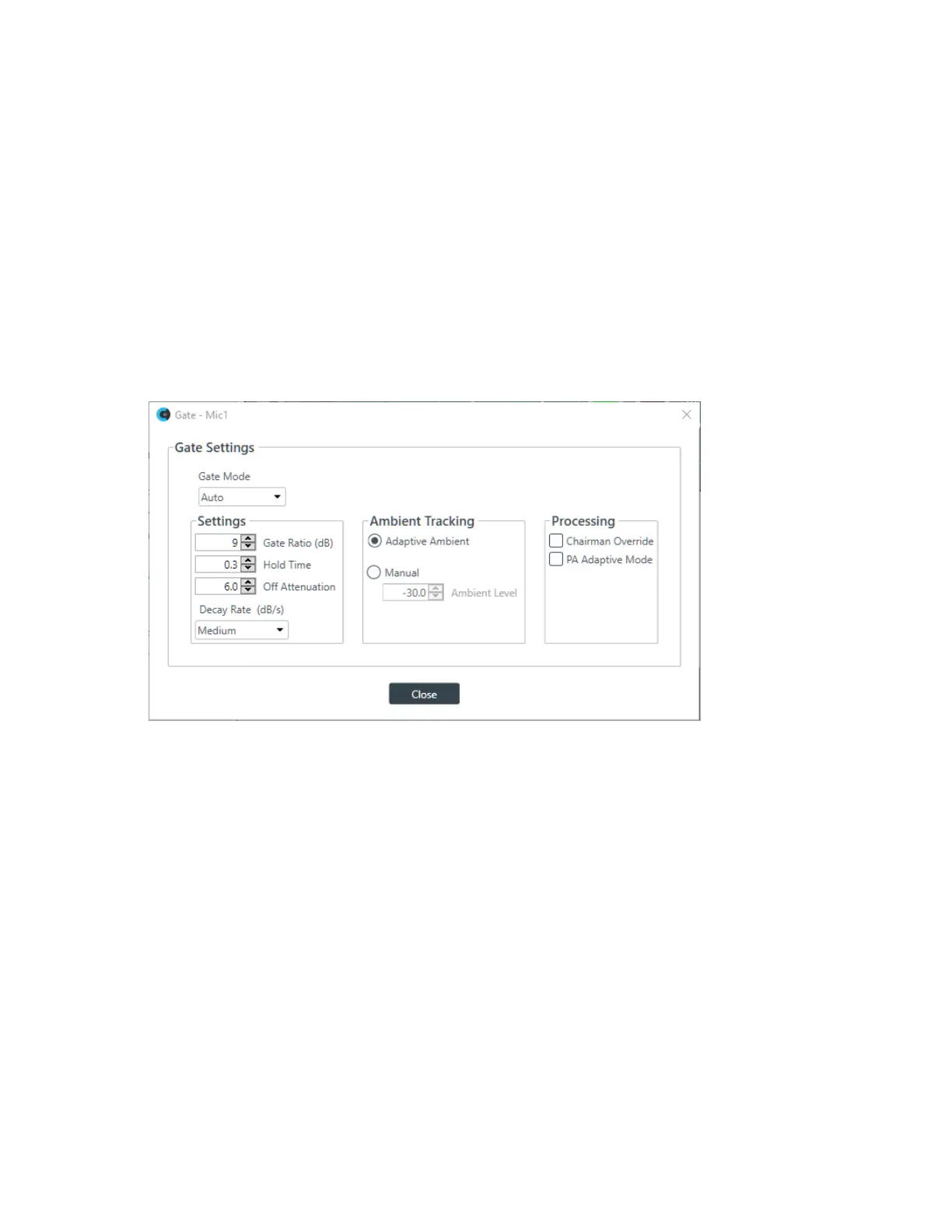
The Gate Settings dialog box appears:
31.Choose an option from the Gate Mode drop-down list, as described in the table below:
Option Description
Auto The microphone gates on or off automatically, according to the
specified settings.
Manual On The microphone is always gated on.
Manual Off The microphone is always gated off (though the way it turns off is
controlled by the specified settings.
32.(Optional) Change any of the gating settings, as described in the table below:
Option Description
Gate Ratio (Auto Only) How much louder than the ambient level the audio level must be before
the channel automatically gates on. The gate ratio range is from 0 to
50dB. The default is 15dB.
Hold Time How long the channel stays gated on after the audio falls below the
Gate Ratio threshold. The hold time range is from 0.1 to 8.0 seconds.
The default is 0.3 seconds.
Off Attenuation The amount of level reduction applied to a channel when it is gated off.
The range is from 0 to 60dB. The default is 18dB.
CONSOLE AI User Manual









 To Next Page