CONSOLE AI | Configuration - Offline (Huddle) | 94
Option Description
Bandwidth (Notch and PEQ
only)
The difference between the upper and lower points of a filter’s audio
passband. Bandwidth is the inverse of Q, and the two parameters are
linked. Hence changing the bandwidth value also changes the Q value.
The range is 0.05 to 5.00 octaves.
Slope (Bessel, Butterworth,
and LinkwitzRiley only)
The highpass or lowpass cutoff slope. A higher slope means that the
frequencies near the cutoff point are attenuated more quickly (greater
attenuation per frequency octave).
High/Low (Bessel,
Butterworth, and
LinkwitzRiley only)
Whether to pass high frequencies or low frequencies.
7. (Optional) Alternatively, you can drag the filter nodes in the filter graph to change some filter option
values.
8. Repeat the process for each filter you want to add.
9. Click Close.
Delay
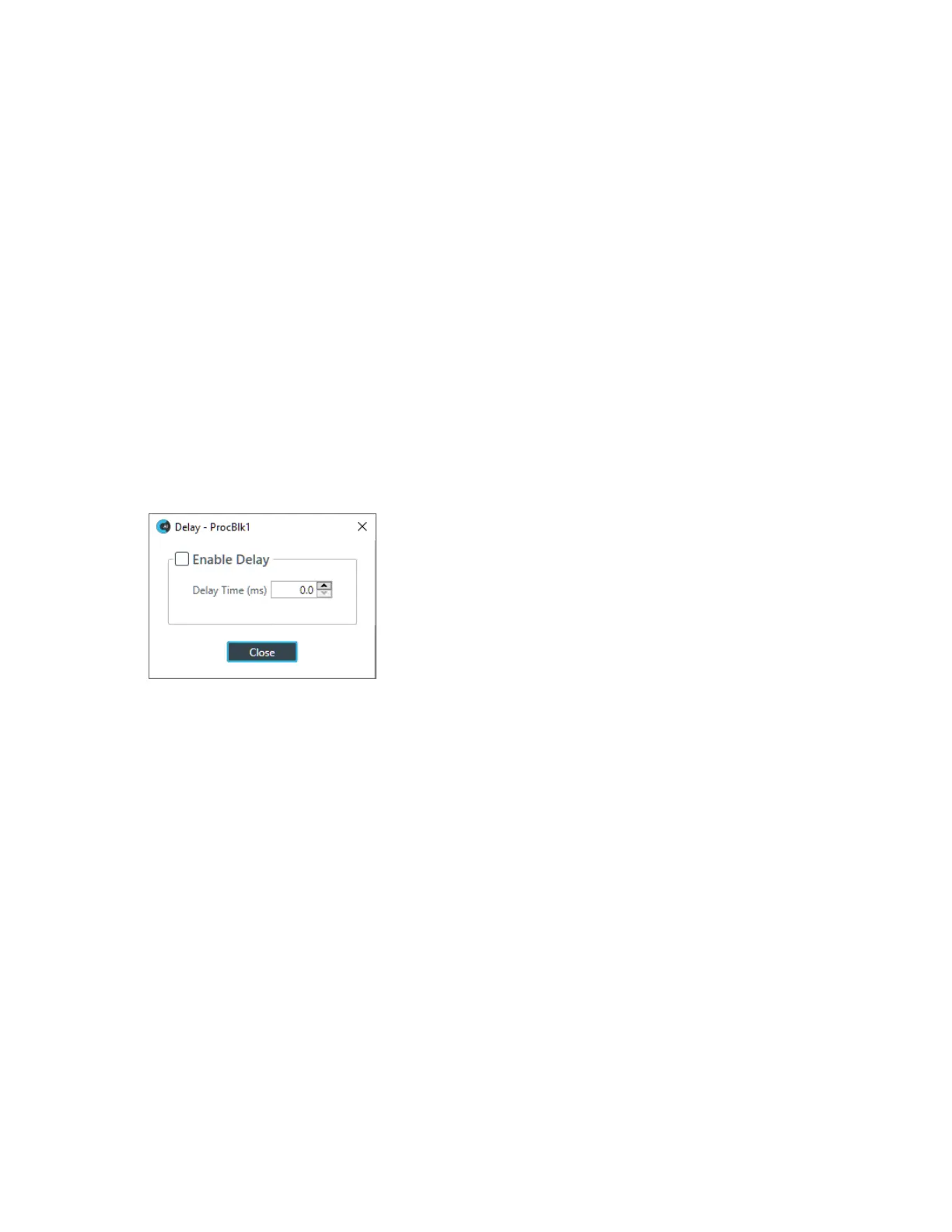
10.To enable or disable a delay for this channel, click the Delay button.
The Enable Delay dialog box appears:
11.Check the Enable Delay check box to turn on the delay.
12.Specify the amount of the delay (in ms) by typing a value in the Delay Time field or using the
incrementer and decrementer buttons next to the field to set a value.
13.Click Close.
Compressor
14.To enable or disable a compressor for this channel, click the Compressor button.
The Compressor dialog box appears:
CONSOLE AI User Manual









 To Next Page