92 |
ETAS ES800 System | User Guide
12.4 FETK / Gigabit Ethernet Interface (FETK / GE)
The ES89x modules provide two combined FETK and Gigabit Ethernet FETK/GE
interfaces.
These interfaces can be used as the connection of a Gigabit Ethernet interface of
additional modules or for connecting FETKs or ETKs in the Dual Mode operating
mode.
12.4.1 Power Supply of Connected Modules
The module can take over the power supply of ETKs that are connected to the
Gigabit Ethernet interface FETK/GE. The power supply is also handled via the
Ethernet connecting cable. Observe the maximum output current at the Ethernet
interfaces.
12.4.2 Display of the Function State of the FETK/GE Interface
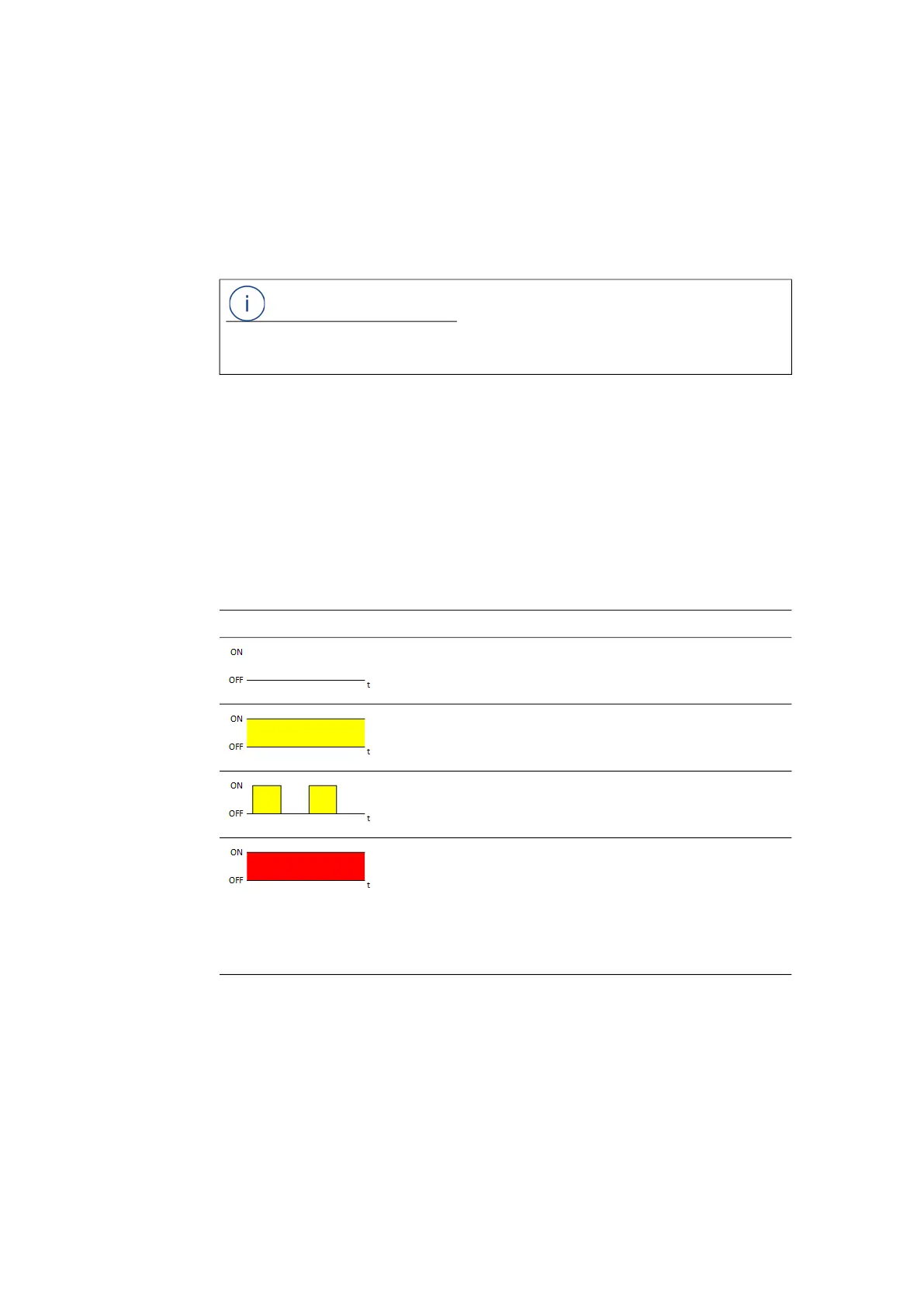
In the activated state of the module, the LEDs assigned to the connections show
the following function states:
NOTE
Detailed information about the use of ETKs in the Dual Mode operating mode can
be found in the user guides of the ETKs.
LED FETK1 / GE Description State
Off Physical Ethernet connection not avail-
able
Illuminated
yellow
Physical Ethernet connection present at
the FETK1 interface or the GE interface
Flashing yellow,
0.5 s on/0.5 s off
Ethernet connection active at the FETK1
interface or the GE interface
Illuminated red Error state:
Ethernet data exchange interrupted,
disabled or current overload by the con-
nected module or connected ETK must
be updated for Dual Mode operation at
an ES59x or ES910 (see chapter
14.6
on page 135).



 To Next Page