98 |
ETAS ES800 System | User Guide
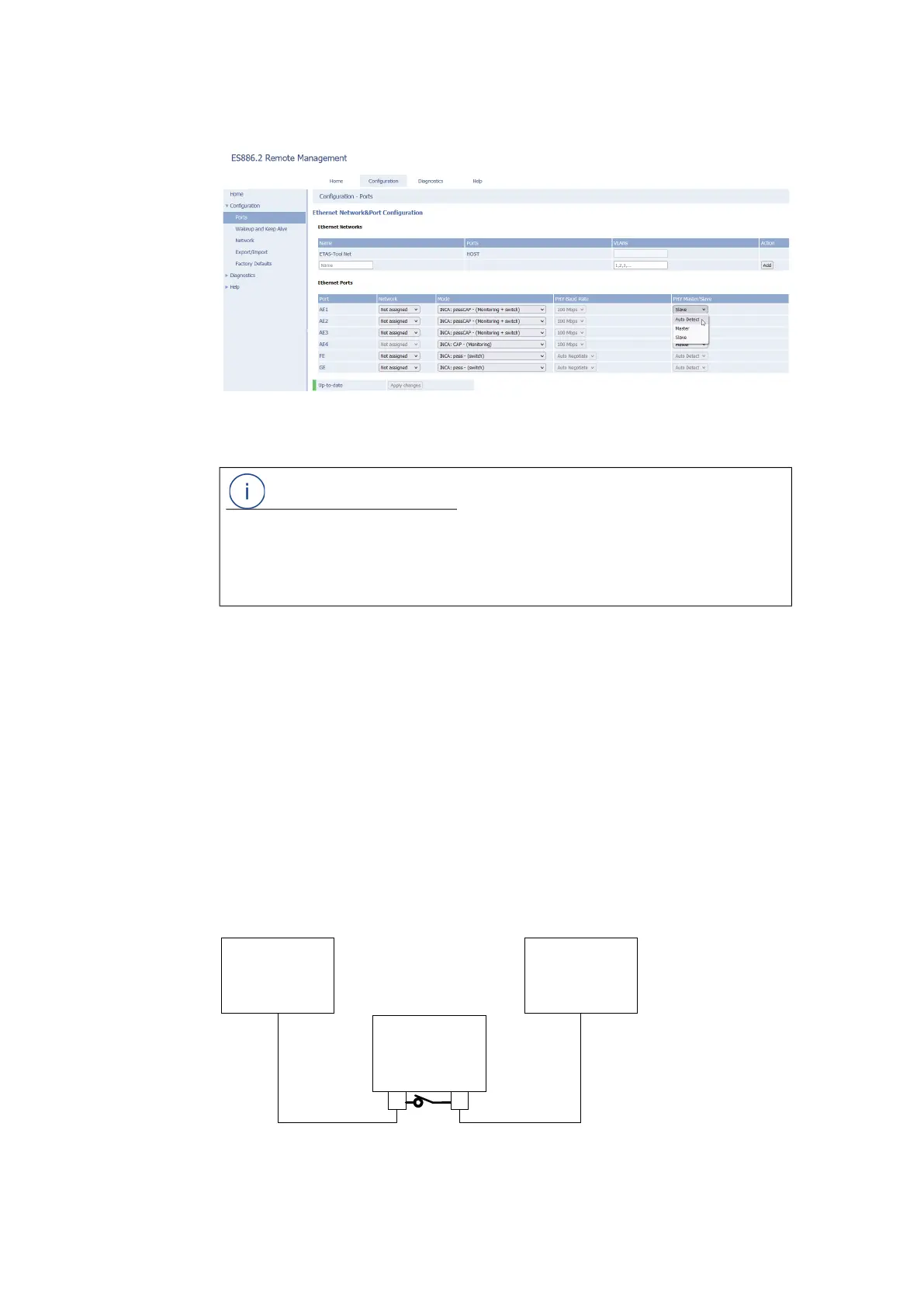
Fig. 12-2 Web-Interface example
Differences ES886.1 and ES886.2 when disconnecting from operat-
ing voltage
If the ES886.x module is disconnected from the operating voltage, the Automotive
Ethernet connection is disconnected.
If the ES886.2 module is disconnected from the operating voltage, passive TAP
connection between ports AE1/2 and AE3/4 is maintained.
Debug Bypass - ES886.2 only
Bypass a configured TAP connection at AE1/2 or AE3/4 with a physical intercon-
nection of both ports via a relay.
This feature is for debugging purposes only. It is intended to temporarily isolate
the vehicle network completely from the ETAS hardware.
Fig. 12-3 Debug Bypass - ES886.2 only
NOTE
If interfaces AE1, AE2, AE3 and AE4 are no longer used for Ethernet Monitoring or
for Ethernet Monitoring with an additional internal TAP on the physical layer, the
configuration must be reset in the application software or in the web interface of
the ES886.x.
ECU ECU
ES886.2
AE1/2 AE3/4



 To Next Page