3 Maintenance
82
Maintenance
3
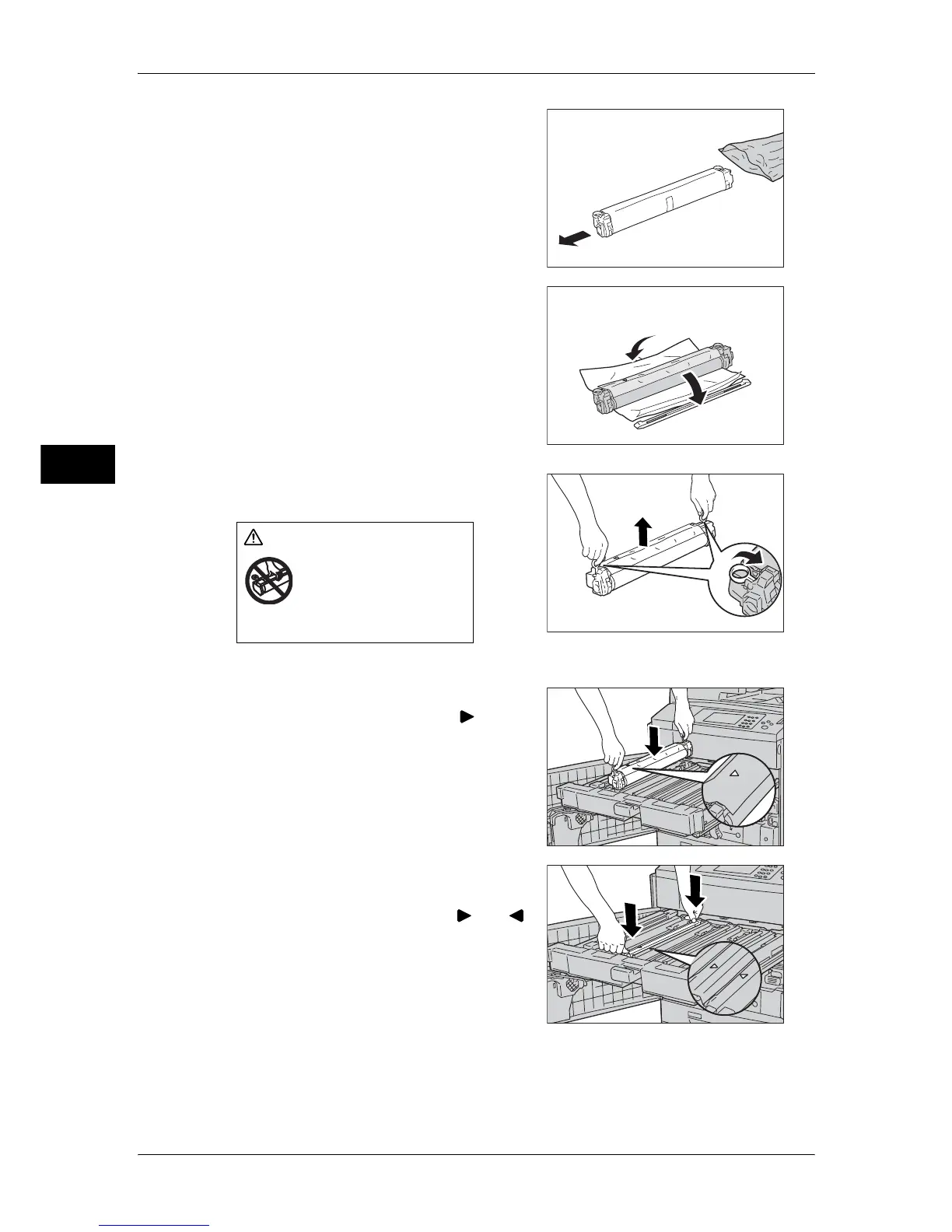
8 Open a bag including the new drum cartridge
and take it out.
Important • Do not touch or scratch the surface of the
drum when you take it out from the bag.
9 Unwrap a sheet covering the drum cartridge
and place it under the cartridge.
10 Remove the black sheet from the unit.
11 Grip rings provided at the both ends of the
drum cartridge to uplift.
Important • Do not touch the surface of the drum
cartridge.
12 Place the drum cartridge along with the
guide with the side marked with ( )
frontward.
13 Press the both ends of the drum cartridge to
place it in a horizontal position.
Note • Make sure that the marks ( ) and ( )
face each other.
CAUTION
Be sure to insert your
fingers into the rings
when lifting the drum
cartridge up.



 To Next Page
 Loading...




