J-10 624074/07
J Configuration
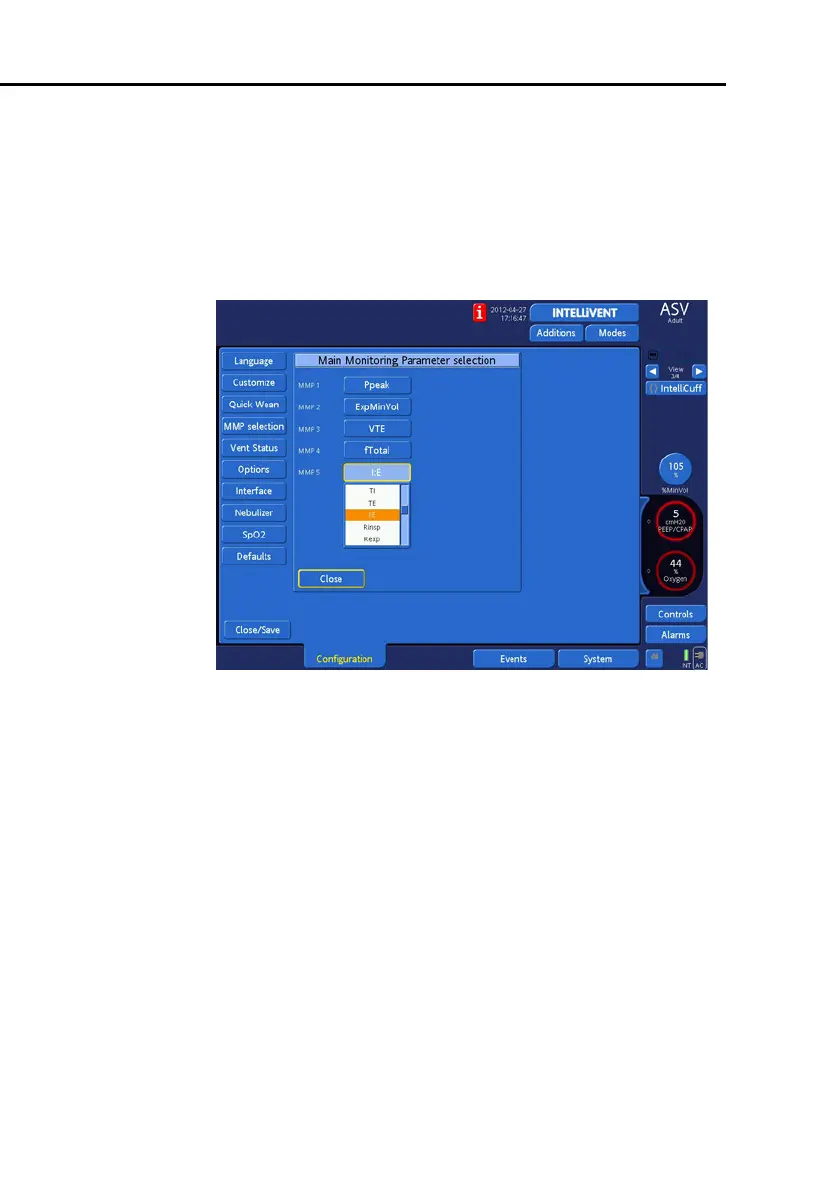
J.6 MMP selection: Choosing the default main
monitoring parameter display
From the
Main Monitoring Parameter selection
win-
dow (Figure J-5) you select the five main monitoring parame-
ters to be displayed on the screen. These parameters will be
displayed in the order selected.
Figure J-8. Main Monitoring Parameter selection
drop-down list
To set the main monitoring parameters:
1. Select a parameter position (MMP1 is the top position;
MMP5 is the bottom position). A drop-down list opens.
2. Select the parameter for display.
3. Repeat step 1 and 2 for the other four parameter positions.
4. Touch
Close
.
5. If you are done configuring the ventilator, touch
Close/
Save
to save your selections.



 To Next Page