624074/07 F-27
F. 6.2 Sp O
2
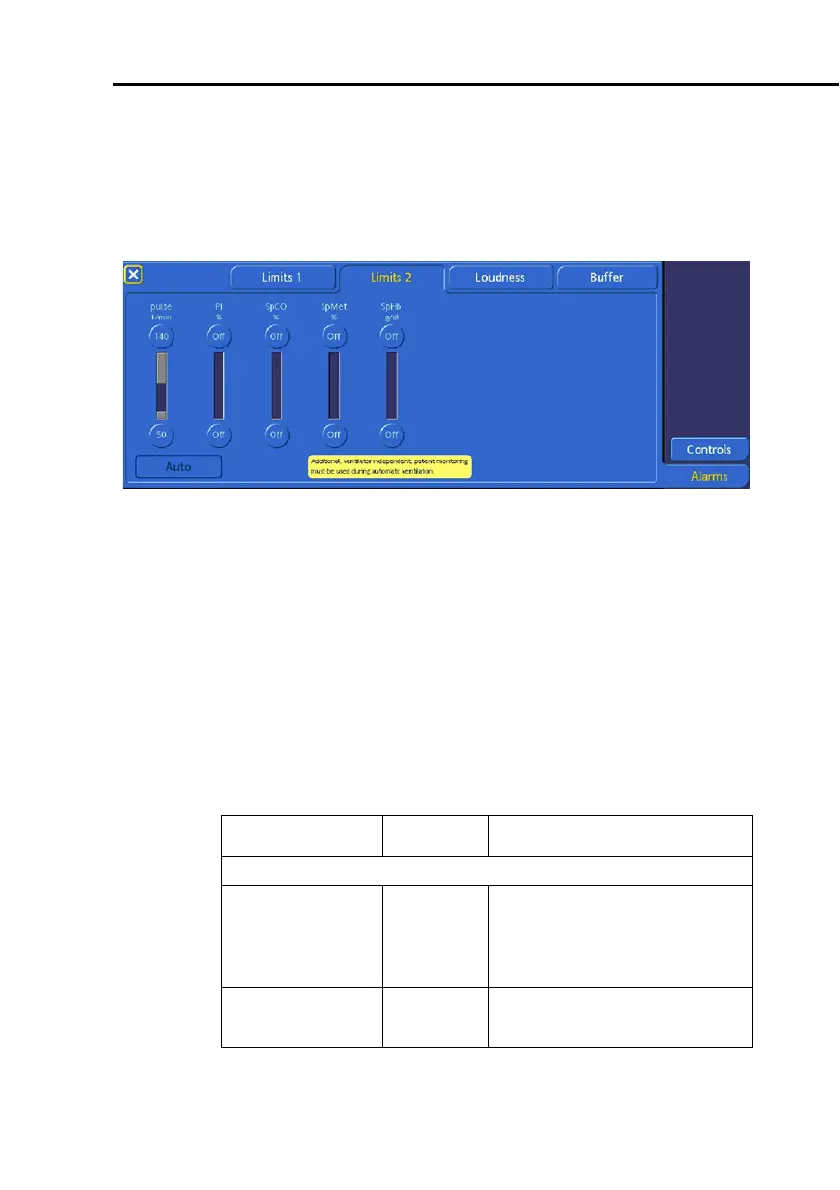
Alarm Limits window
The Pulse rate alarm and Masimo Rainbow SET parameters
alarm limit controls are displayed in the
Alarms
-
>
Limits
2
window.
Pulse
rate
, is always displayed on the left side,
regardless of which sensing options are installed.
Figure F-5. SpO
2
Alarm Limits 2 window
For details on setting alarm limits, see Section 5.7.1.
F.6.3 Table of pulse oximeter-related alarm settings
Be sure all desired alarms are enabled (Section F. 8. 1 .5 ) and
correctly set. For troubleshooting, see Table F-12.
Table F-7. Adjustable alarms with automatic
and standard settings
Parameter Unit Range
For all settings, -- indicates the alarm is off.
Pulse rate l/min Low: 30 - 230 in increments
of 5 (default: 50)
High: 35 - 235 in increments
of 5 (default: 140)
SpO
2
(Nihon-Kohden)
% Low: 70 - 99 (default: 90)
High: 71 - 100 (default: 99)



 To Next Page